Basic Steps Release 09/02
3–4 ProTool Co nfig ur ing Win do ws-bas ed S yste ms
Start Up Instr uctions
3.4 Creating a Start Screen
The start screen is the first screen displayed with regard to a project.
Adding a new screen
• Double click on "Screens" in the project window
A new screen is added and opened.
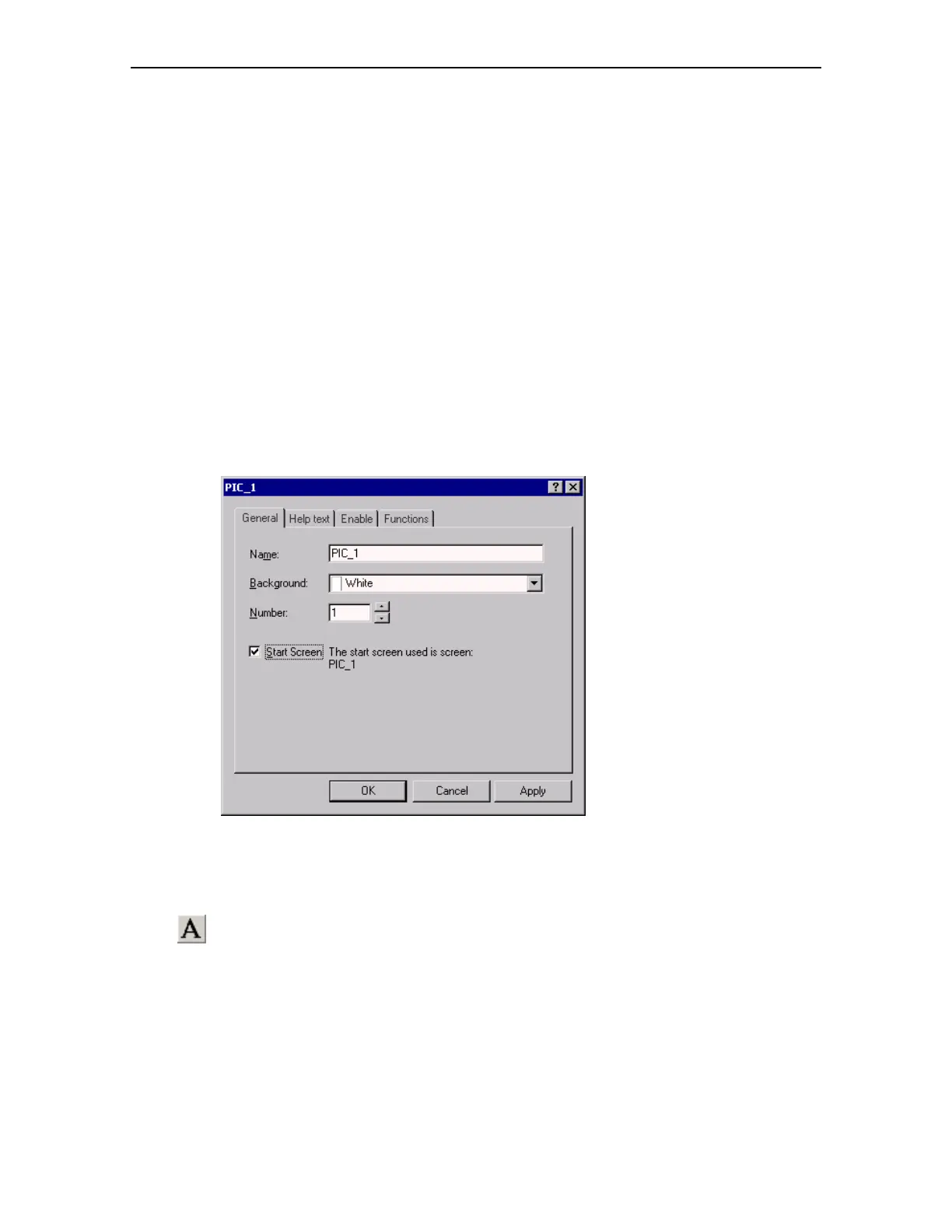
Identifying a screen as a Start Screen
• Click the right mouse button when positioned on the screen entry in the
right-hand side of the project window
• Select "Properties" in the context menu
• Activate the "Start Screen" checkbox
• Click on "OK"
Adding descriptive text to the Start Screen
• Click on the Text icon in the screen editor
• Click on the required position in the screen
• Enter the text "Start Screen"




 To Next Page