Installation
3.2 Initial Set-up
Intelligent Operator Panel (IOP)
Operating Instructions, 08/2015, FW V1.6.1, A5E00110011B AF
19
If the Wizard menu is not required, then press Esc to return to
the normal status screen.
The status screen can be reconfigured to show a number of
different views and types of values; these can be configured
using the "Status Screen Wizard
" in the "
" menu, see
(Page 73).
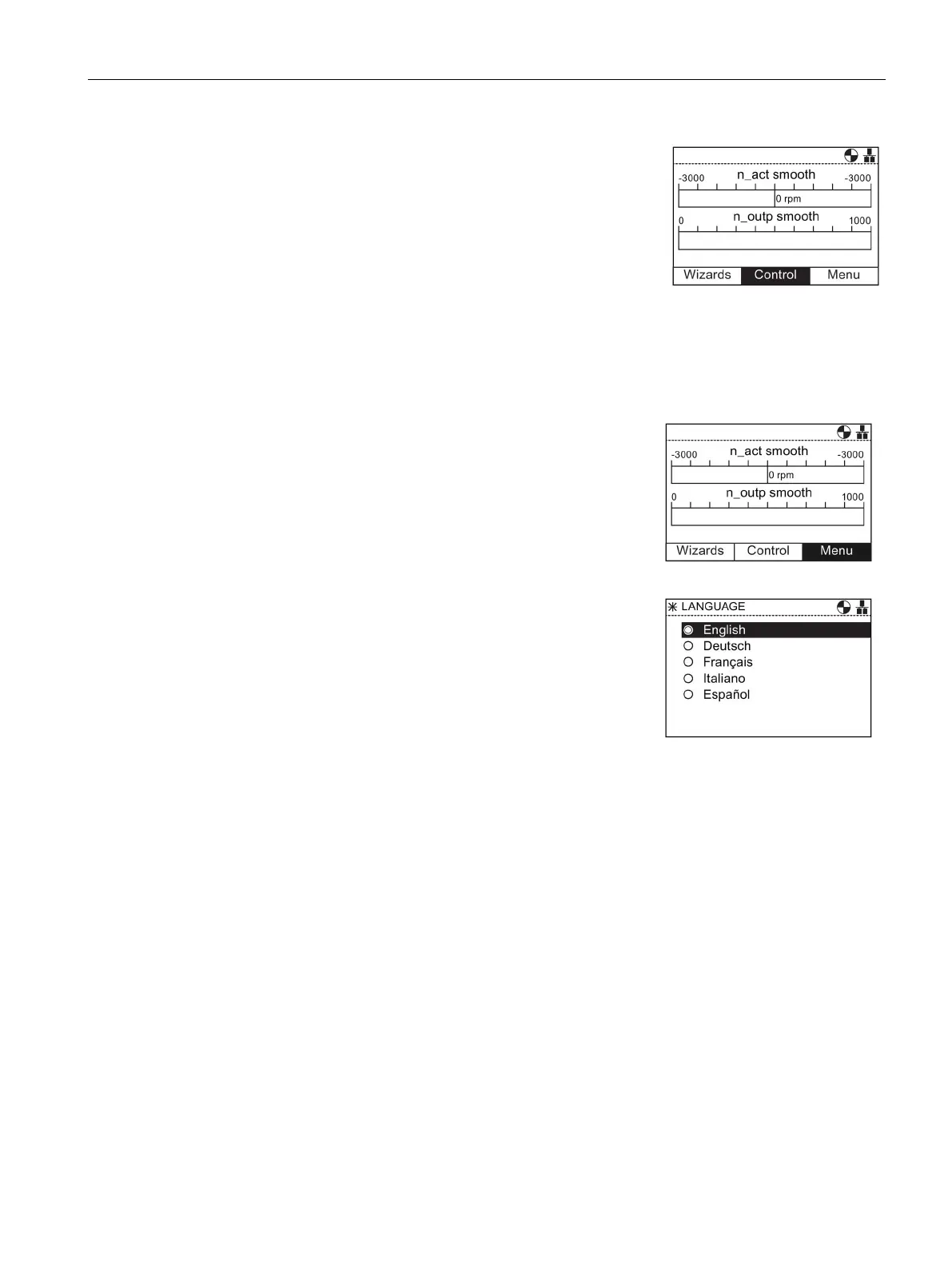
To select the language that the IOP should display, the following actions should be
performed:
Rotate the
to select "
".
Press the
to confirm selection.
The "
" screen is displayed.
Rotate the
to select "
".
Press the
to confirm selection.
The "
" screen is displayed.
Rotate the
to select "
"
Press the
to confirm selection.
Rotate the
to select the required language.
Press the
to confirm selection.
The "Language" screen is displayed.
Rotate the
to select the language.
Press the
to confirm selection.
The selected language will now be used by the IOP.
The IOP will return to the "
" menu.
Press "
" for more than 3 seconds to return to the
"
" screen.
Additonal languages are available for the IOP. For further information, please see Firmware
and language upgrade (Page 23).



 To Next Page