Operating Manual SIGMA 4-15C, page 57 of 95
03/06
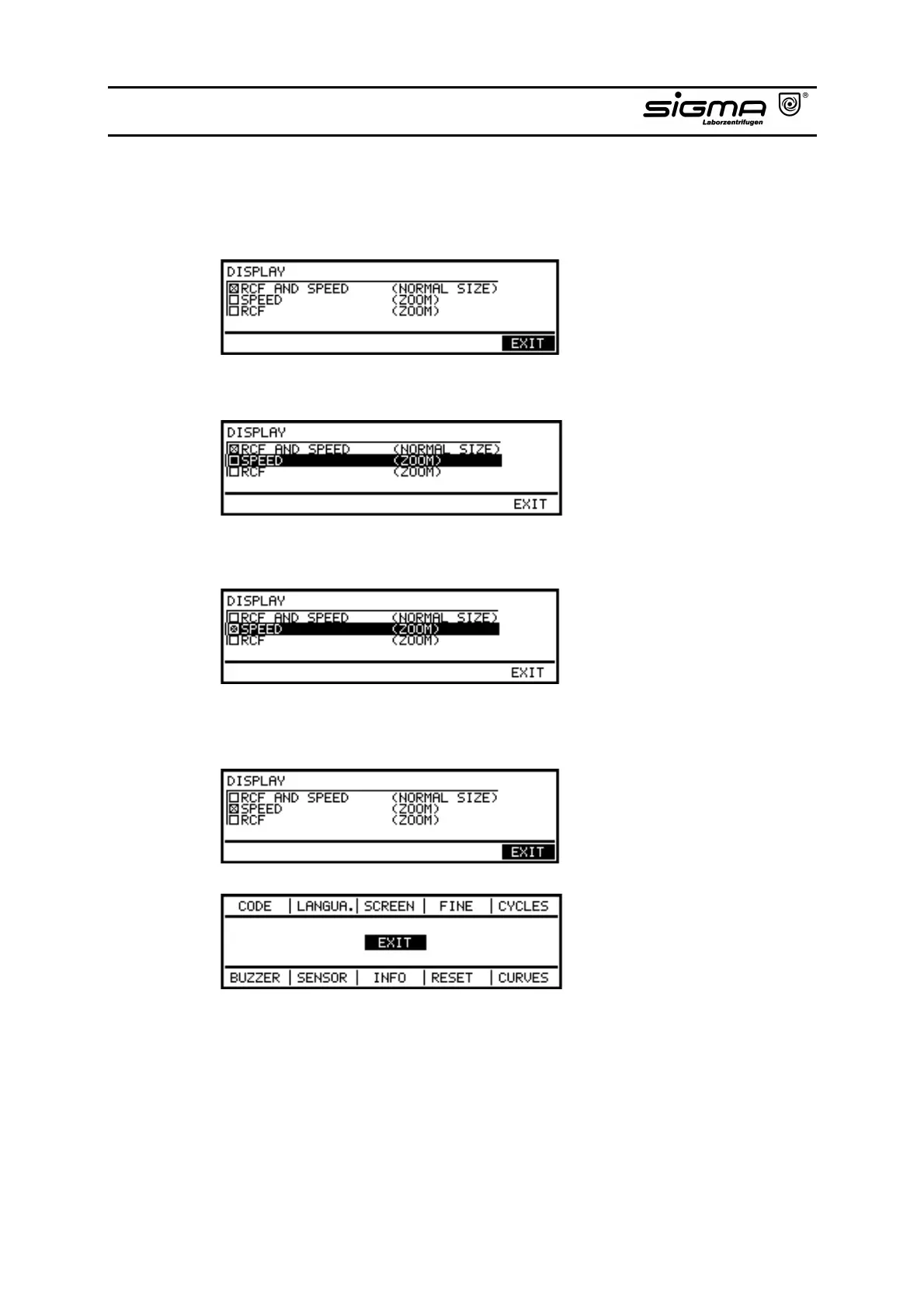
• By pressing the knob you get into the screen menu. The screen marked with a
cross is activated. If you want to select the screen "SPEED - (ZOOM)" you
proceed as follows:
• Select "SPEED - (ZOOM)" by turning the knob.
• Activate the Speed-Zoom-screen by pressing the knob.
• Select "EXIT" by turning the knob. Confirm it by pressing the knob. You get
into the configuration menu again.



 To Next Page