User Manual 15
Set up
In order to ensure the safe packaging and transport of
your printer some of the components have been sent
unassembled. Before starting to print with the Sigma
R19 printer you need to assemble them in order to
complete the setting up process.
If you have any queries while assembling the machine,
please contact BCN3D Technologies technical service at
support@bcn3dtechnologies.com.
Follow the steps below to prepare the printer:
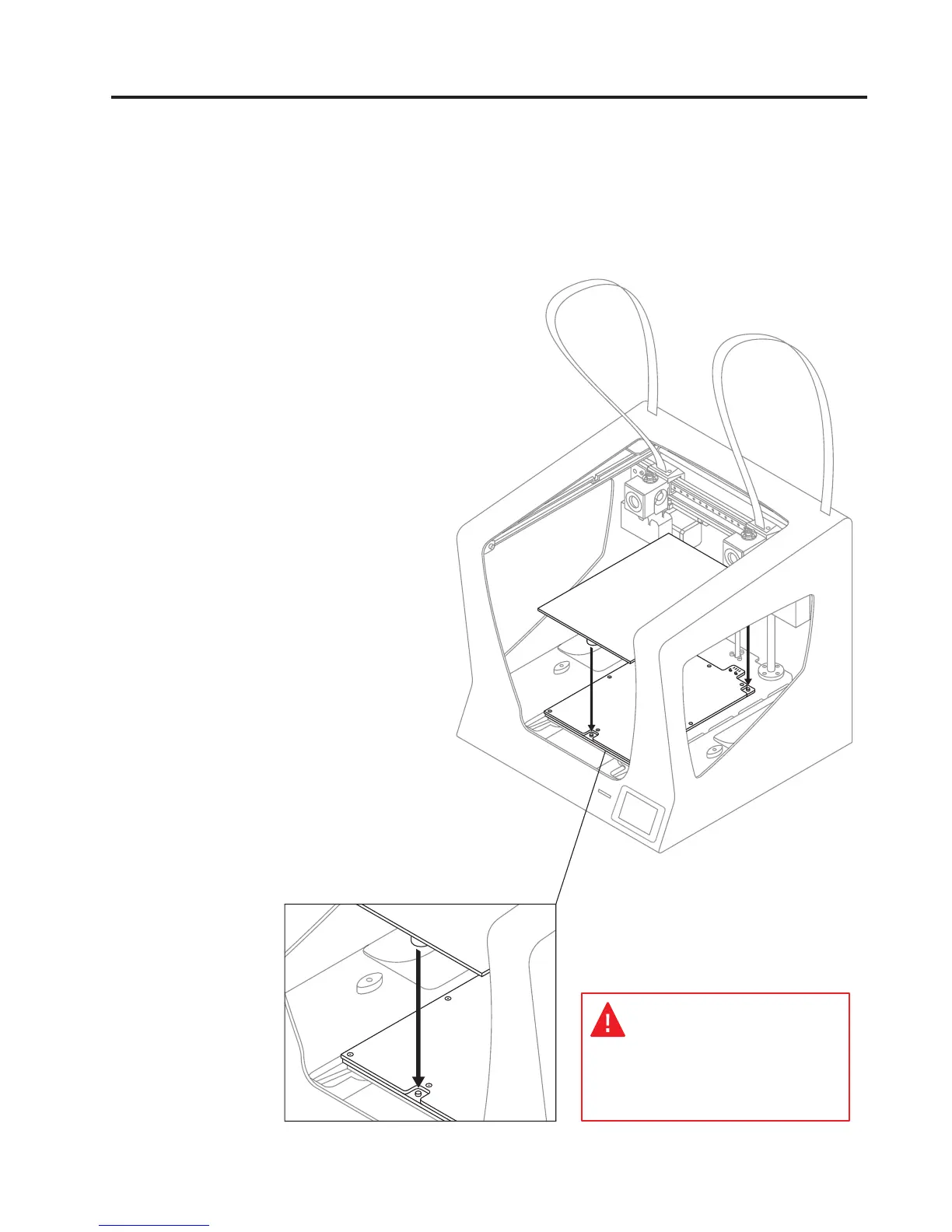
1.
Place the glass printing
surface on the platform. The
slots must match.
The glass printing surface must be
handled with care. In case of breakage,
may cause injuries.


 To Next Page