26 User Manual
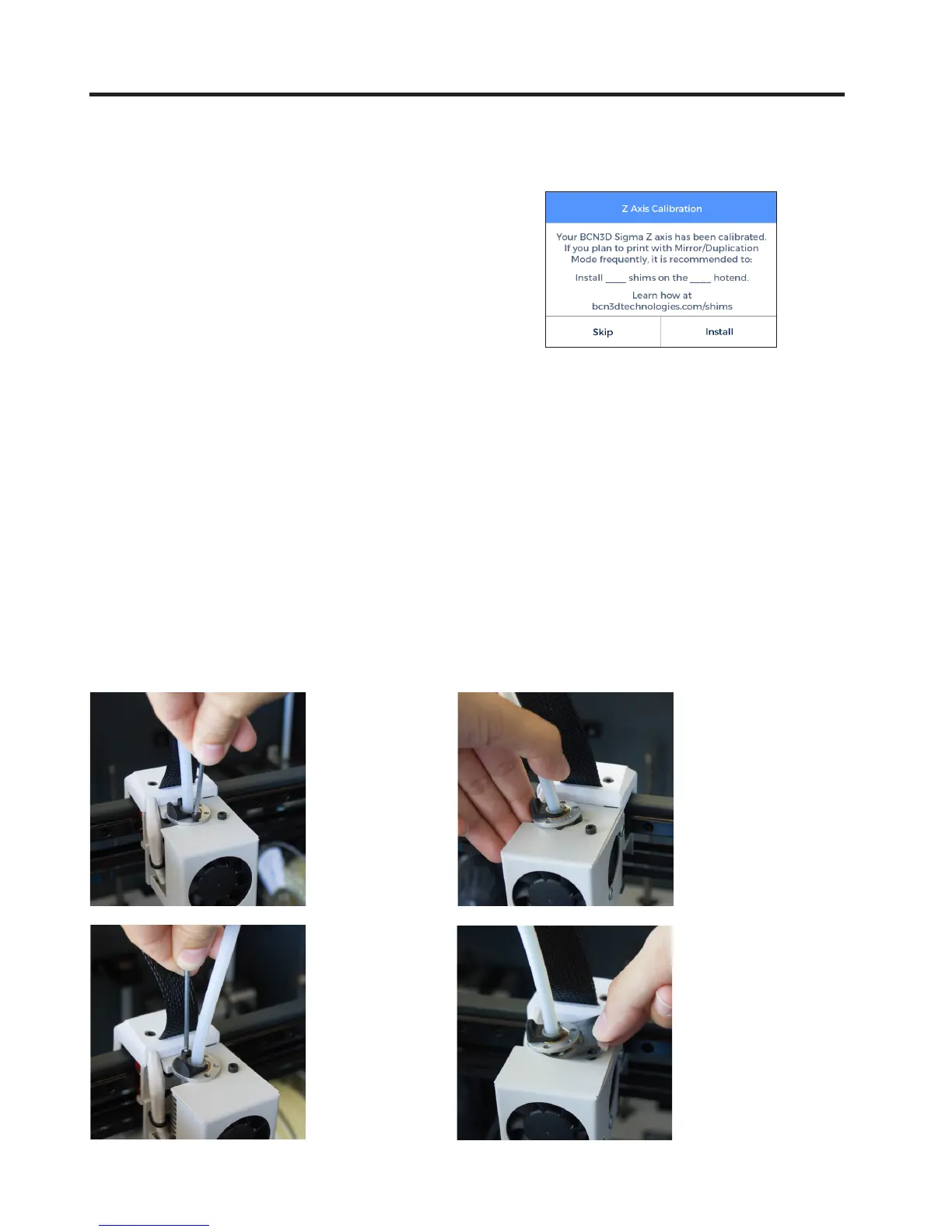
Installing shims
During the Printer Calibration process or before printing
a job with Duplication or Mirror mode, the Sigma may
suggest you to install shims to correct the Z offset
between nozzle tips.
Once you confirm you want to install the shims,
remember de number of shims to install on which ho-
tend and just follow the screen instructions:
1.
Wait until the printer cools
down to avoid any dangerous
manipulation.
2.
Turn off the machine.
3.
Unscrew the 2 bolts at the
specified hotend .
4.
Install as many shims as
were indicated in the screen.


 To Next Page