Operation and maintenance
Change hotend
By default, the Sigma is equipped with 0,4 mm hotends, but is possible to change them to tackle different
print jobs.
Changing the hotend is an easy operation that can be performed in a few minutes. You will need:
- Scissors or cutting pliers
- 2,5mm hex key
- Pliers
- Zip ties
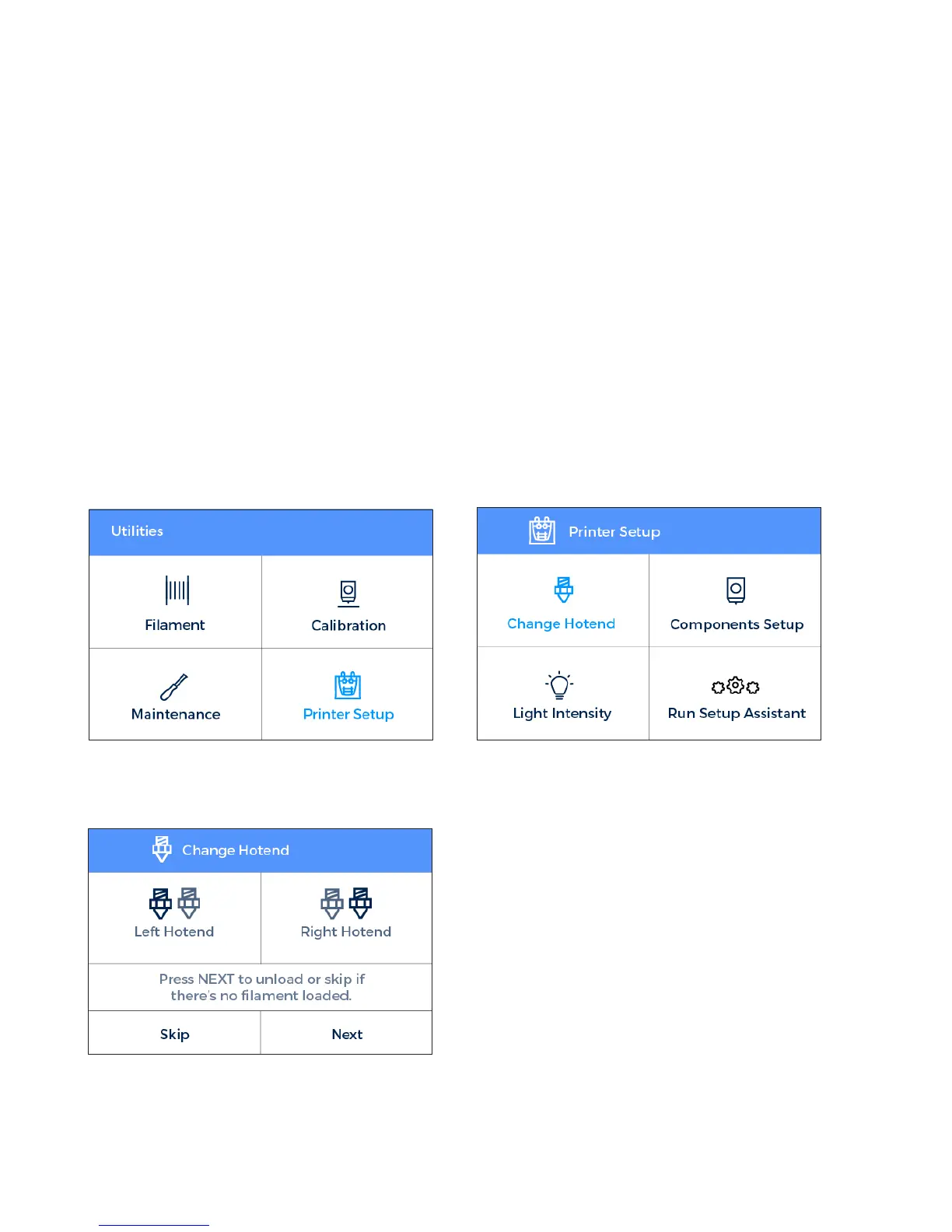
1. Operating the printer via the LCD screen, go to Utilities --> Printer setup --> Change hotend.
2. Select the hotend to change and unload the filament (in case there’s some loaded).
3. Wait while the hotend cools down.
38 User Manual


 To Next Page