34 User Manual
Firmware upgrade
At BCN3D Technologies we want you to have a great printing experience, and to achieve this we are continually
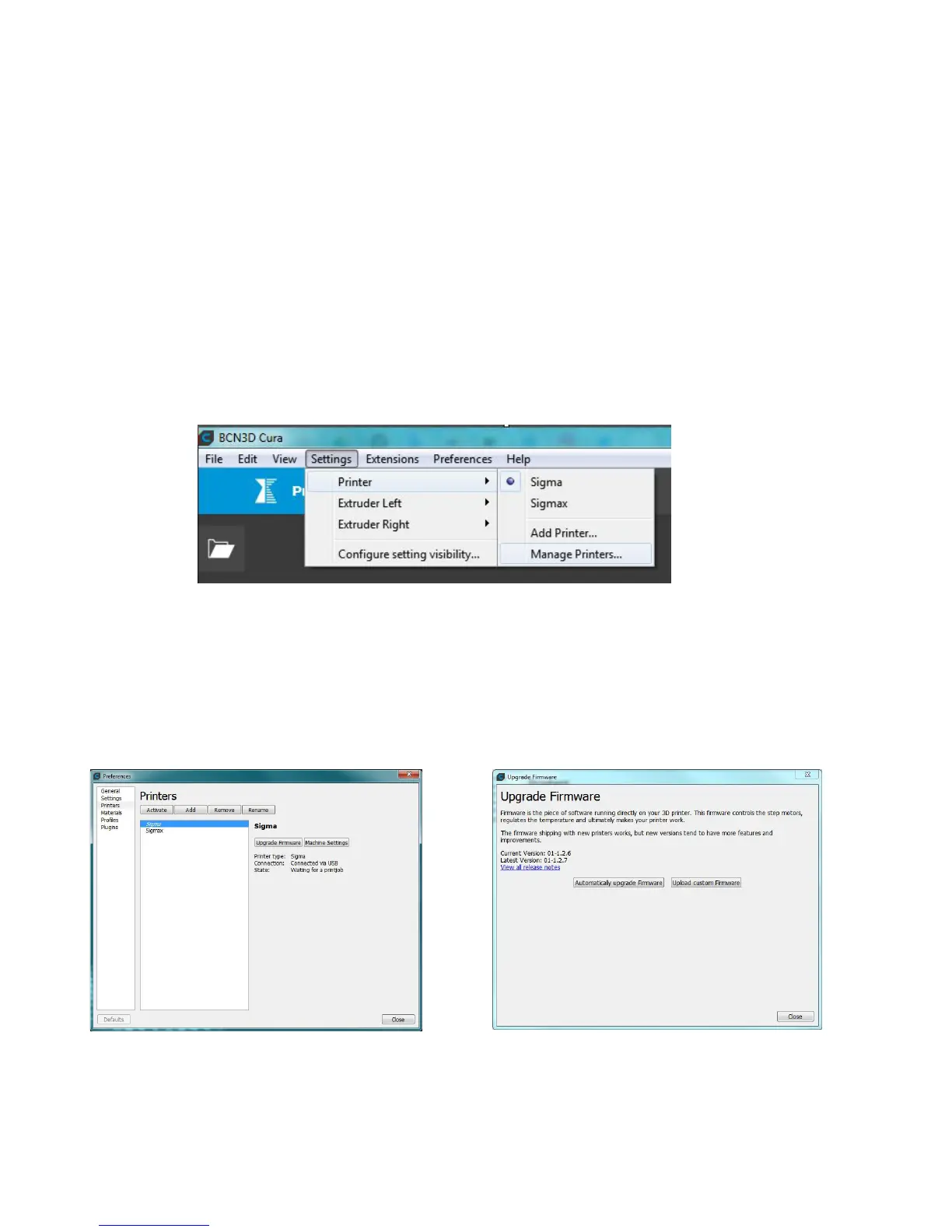
working to create new firmware upgrades for our printers. Follow this process through BCN3D Cura for checking if
the latest firmware version is installed on your printer. If not, it will get the latest firmware and it will be installed.
1. Use the USB cable to connect the Sigma to the computer.
3. Select Upgrade Firmware. 4. Click Automatically upgrade Firmware to download
and install the latest version available.
2. Open BCN3D Cura. Go to Settings --> Printer --> Manage Printers


 To Next Page