Operation and maintenance
Hotend Cleaning
It is recommended to clean the hotend periodically and, especially, every time you switch materials. Ideally, use a
piece of nylon filament to perform this operation.
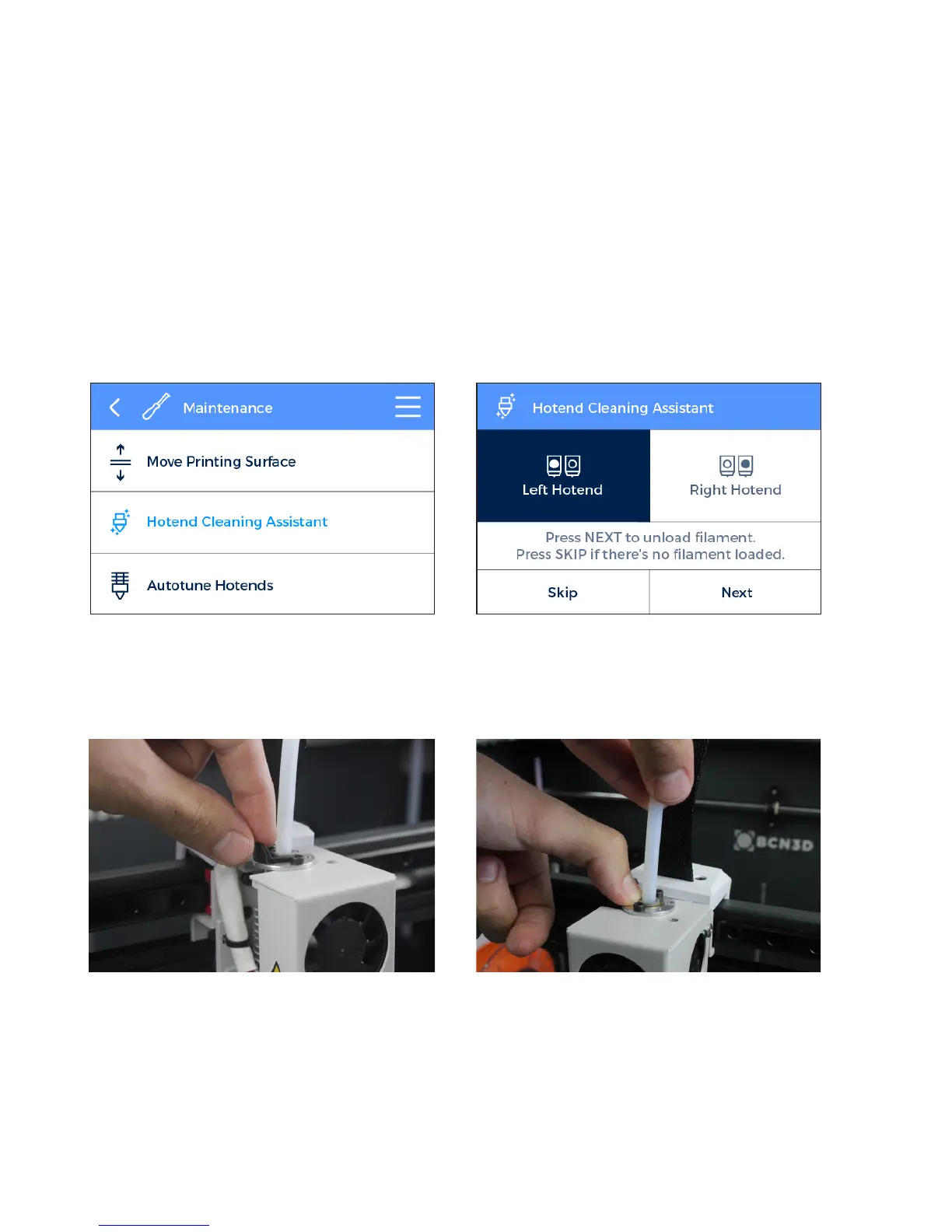
1. Operating the printer via the LCD screen, go to
Uilities --> Maintenance --> Hotend cleaning assistant.
2. Select the hotend to clean and, in case there’s
material loaded, press NEXT. Otherwise, select SKIP.
3. Remove the top teflon tube. First of all remove the black clip and then remove the top teflon tube by holding
down the cupling collet and pulling out the tube.
48 User Manual


 To Next Page