User Manual 33
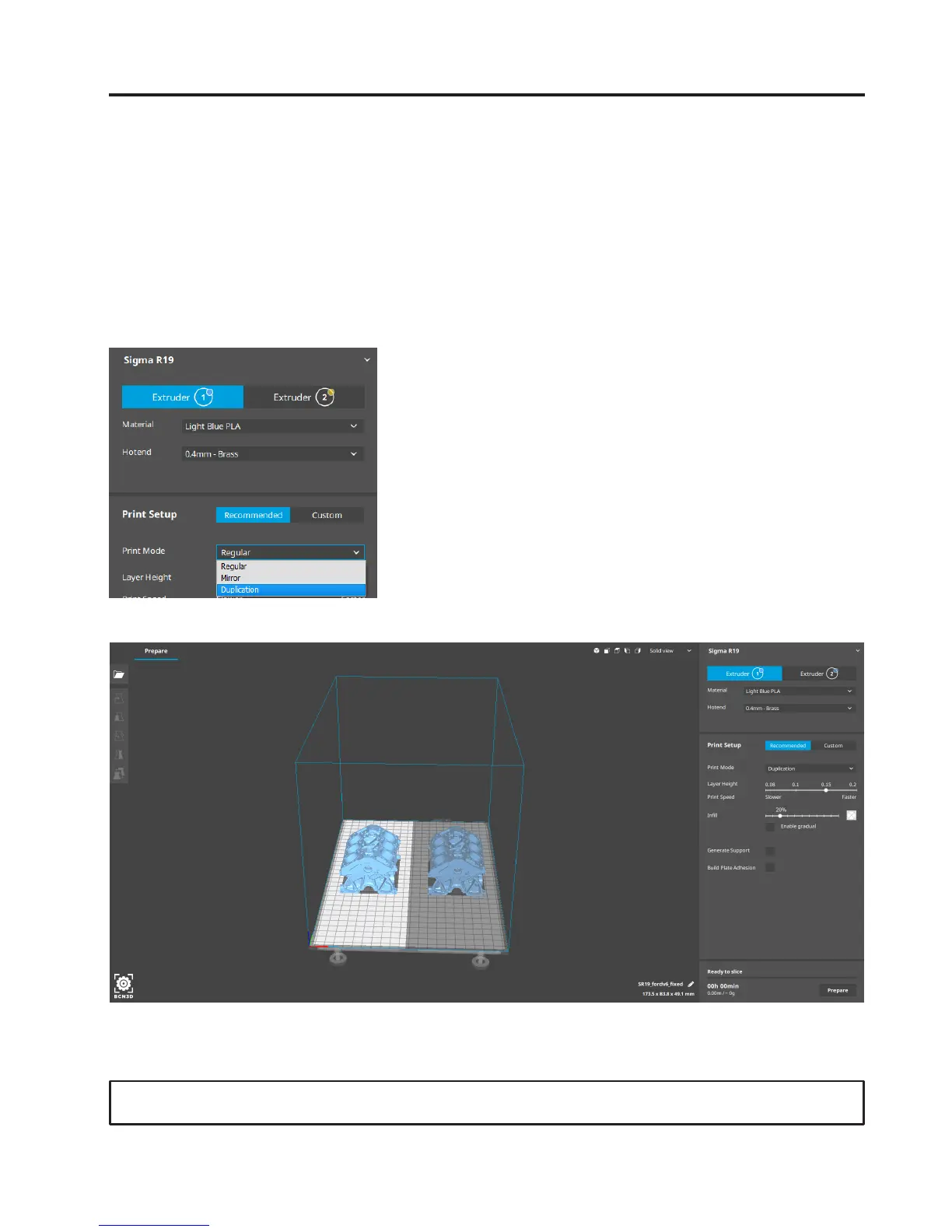
First Mirror /Duplication print
1. Load files to print and move, scale or rotate the
models as needed.
3. Select the desired printing mode in the
drop-down list.
4. Note how the available printing volume is reduced
and the loaded models automatically move to the left.
These models can still be modified. A preview of the
duplicated or mirrored parts is available at the right.
5. Click Prepare, save the file and print it.
2. Select the printing profile for the Left Extruder. Make
sure the hotend and material loaded at Right Extruder
are the same than in the Left Extruder.
Contact us if you have any questions about this process: support@bcn3dtechnologies.com


 To Next Page