User Manual 21
Getting started
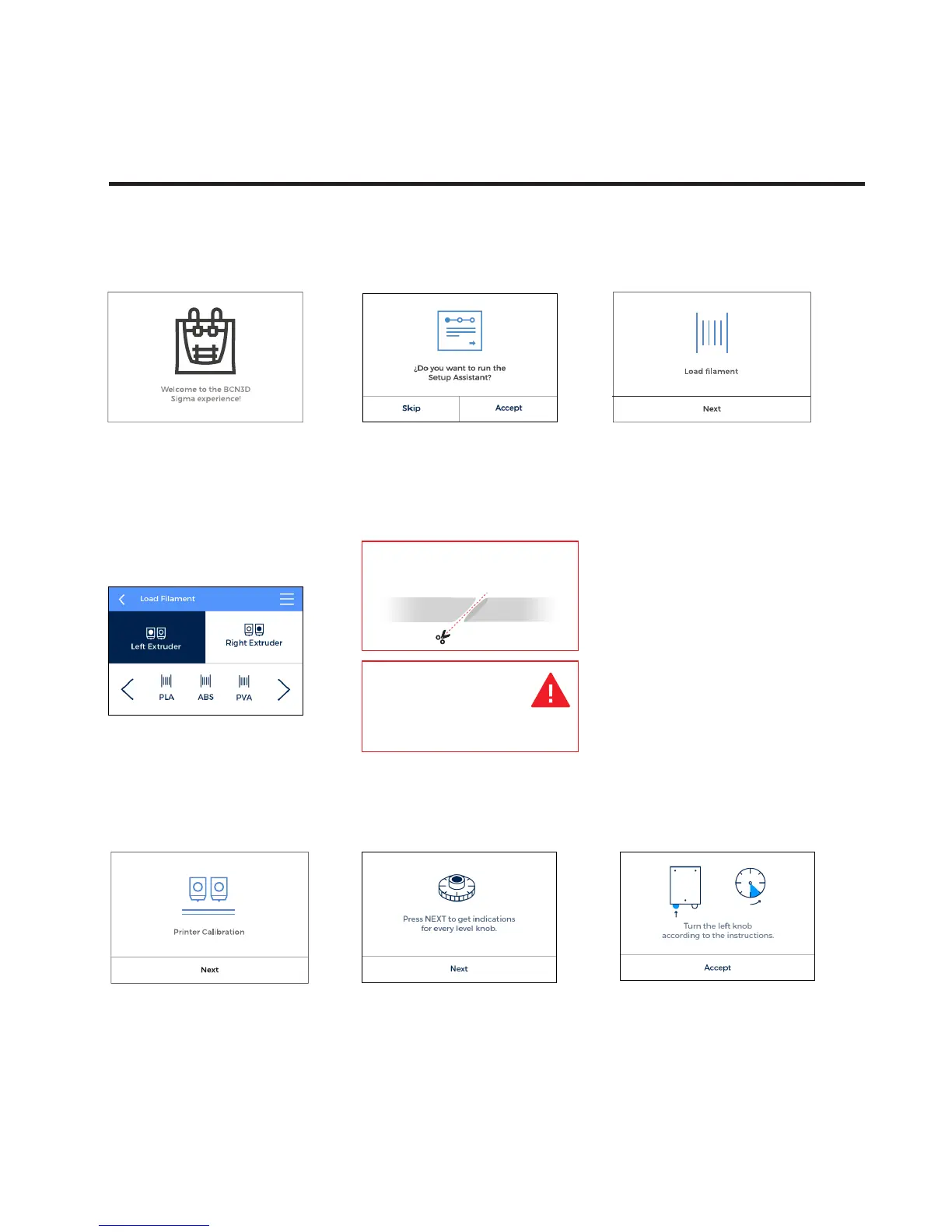
1. Welcome
4. Select material
Choose PLA.
7. Printer calibration
Press Next.
8. Glass printing surface calibration.
6. Repeat the process for the second
extruder.
Setup Assistant
Warning: Extruders
will be heated up. This
process could take 1
or 2 minutes.
9. Turn calibration screw
as indicated in the touchscreen.
2. Setup Assistant 3. Load filament
Press Next.
5. Follow screen’s instructions
in order to load the filament.
Press Accept.
Cut the filament at 45º to
ease the insertion.


 To Next Page