User Manual 31
Your first dual print
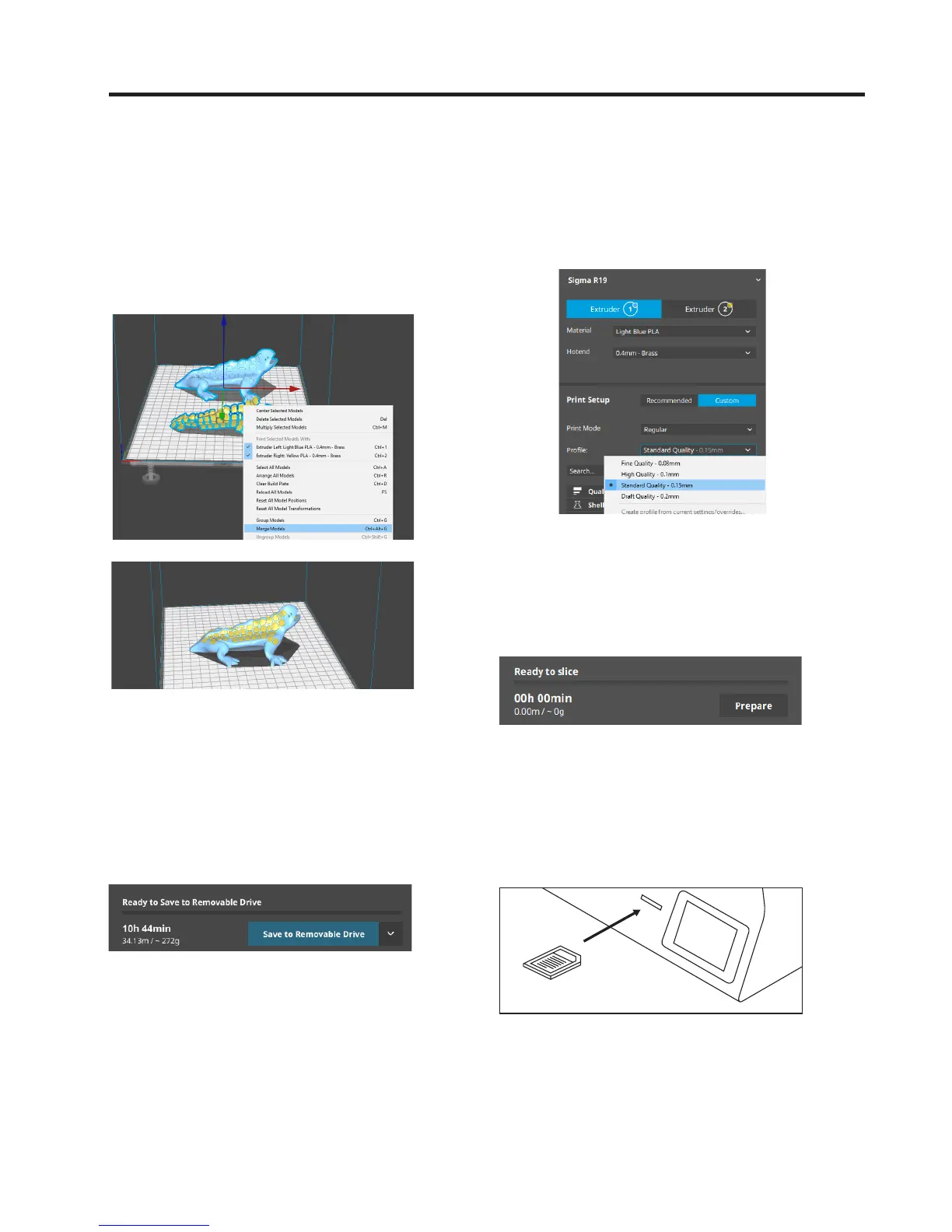
6. Select the models by Shift+Left Click. Selected mo-
dels will be highlighted with a blue outline.
Right click on any of the selected models, and select
Merge Models.
7. Select profile.
8. Click Prepare to generate the printing file.
10. Safely remove the SD card from the com-
puter and insert it in the printer. After that,
turn it on.
9. Insert the SD card in your computer and
save the file.


 To Next Page