Operation and maintenance
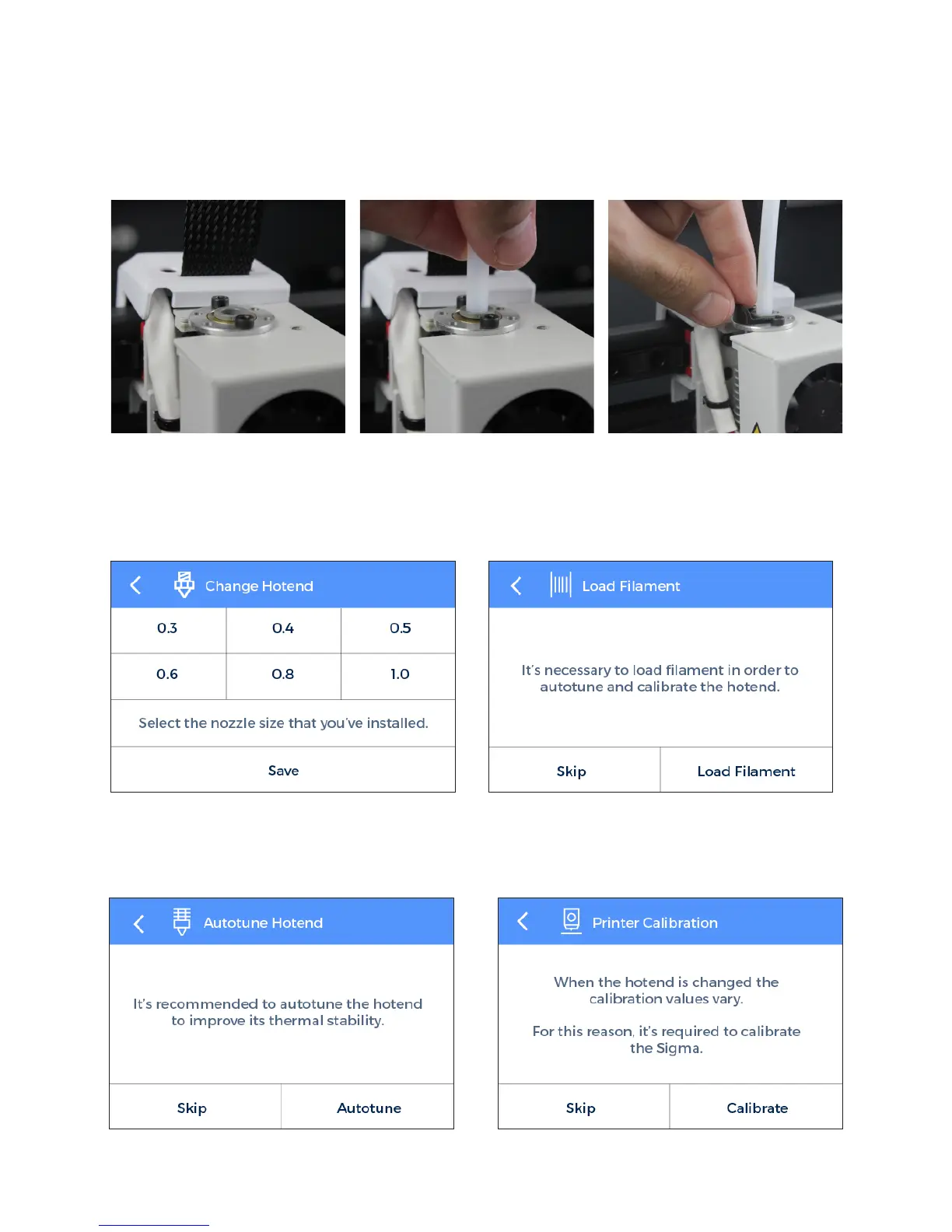
14. Turn on the Sigma and follow the screen
instructions. Select the hotend size you have installed.
15. Load filament and perform an autotune operation.
16. Finally, calibrate the offset between hotends.
13. Insert the teflon tube until it stops, making sure it is well placed. Put back the black clip.
User Manual 43


 To Next Page