Operation and maintenance
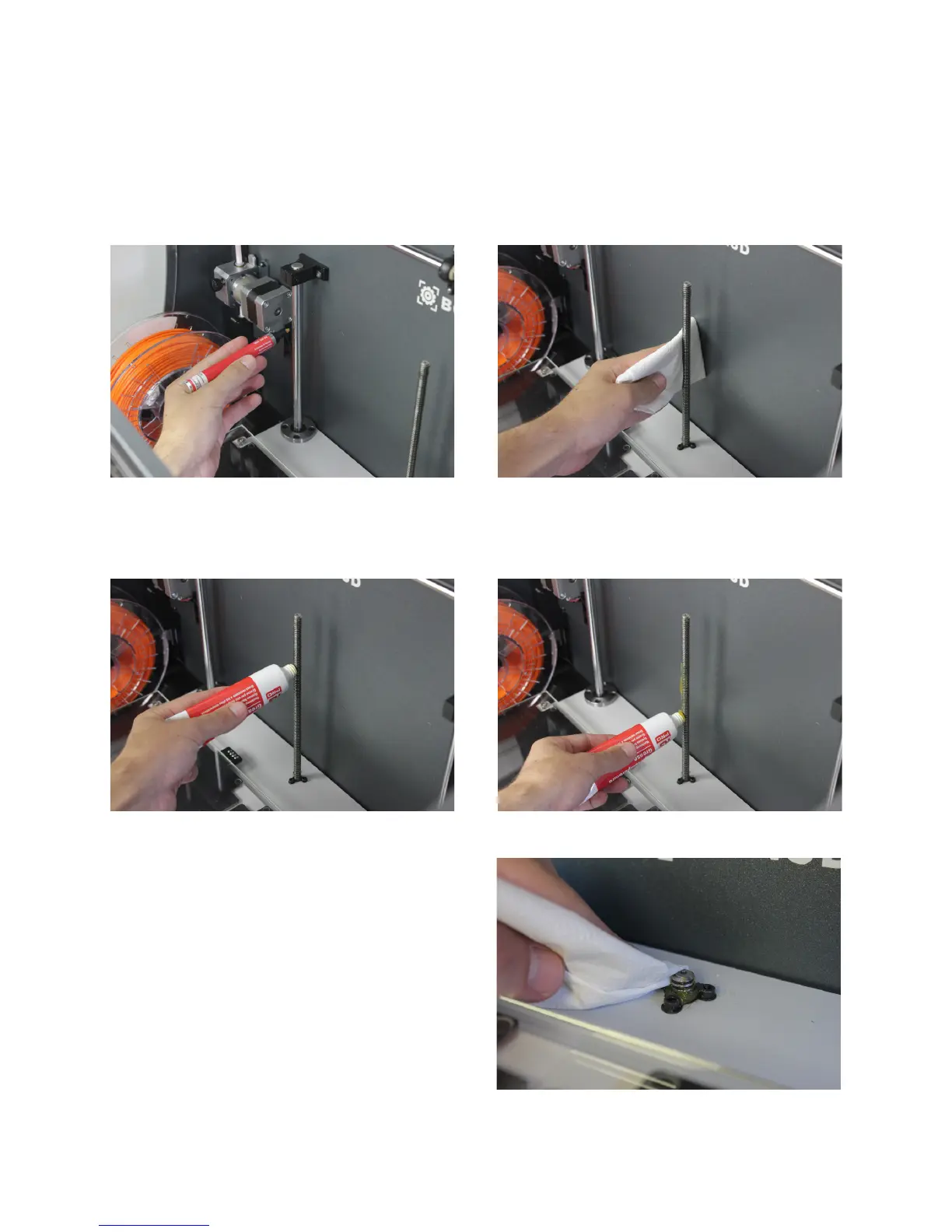
4. Clean grease and dust from the Z-axis motor spindle
with paper or a cloth. Turn the spindle manually to
access its rear.
3. Apply the lubricating oil pencil along the Z shaft bars,
making sure that it does not drip.
5. Apply the grease along the spindle of the Z-axis motor.
6. Turn on the Sigma and from the LCD screen, go
to Utilities --> Maintenance--> Move printing surface.
Raise and lower the platform twice to evenly distri-
bute the oil and grease. Finally, remove the remnant
grease.
User Manual 45


 To Next Page