UM_FULL_75SL_REV_A 5
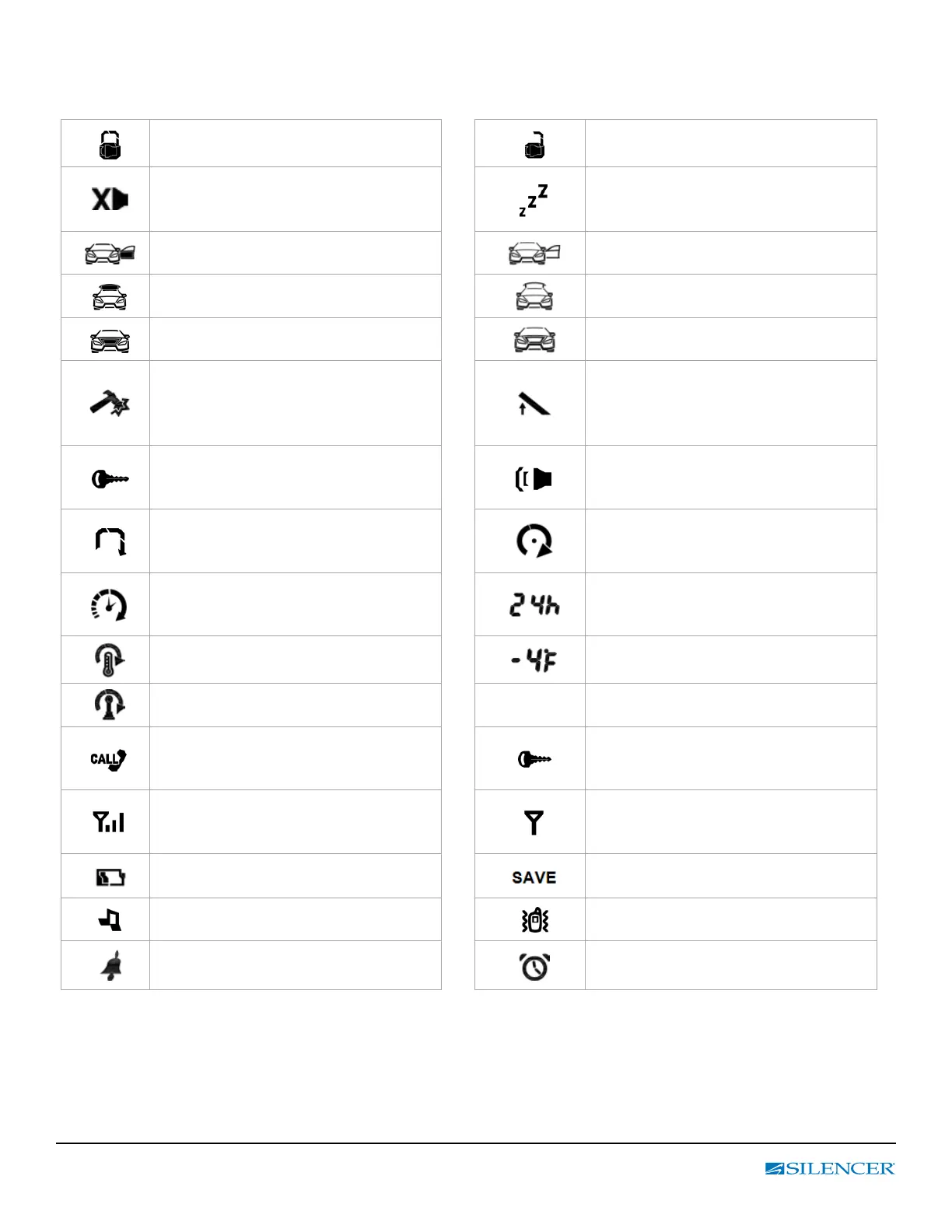
B. STANDARD LCD ICON CONFIGURATION:
The lock icon will be displayed when
the doors are locked.
The unlock icon will be displayed when
the doors are unlocked.
Hidden Alarm Mode
The security system is armed with a hidden
alarm function (silent alarm)
Valet Mode
All alarm and remote start functions
shall be temporally off
.
Door Trigger (Zone 1)
Door is illegally opened
Door Ajar
Trunk Trigger (Zone 2)
Trunk is illegally opened
Trunk Ajar or
Trunk Release
Hood Trigger (Zone 3)
Hood is illegally opened.
Hood Ajar
Shock Sensor Trigger (Zone 5)
No Icon = Shock Sensor Bypass
With Icon = With Shock Sensor
Icon Flashing = Shock Sensor trigger
Tilt Sensor Trigger (Zone 6)
No Icon = Tilt Sensor Bypass
With Icon = With Tilt Sensor
Icon Flashing = Tilt Sensor trigger
Ignition Trigger (Zone 4)
(Icon ash) Ignition switch was illegally
turned on.
System Trigger or Panic mode
Engine Cranking
Your vehicle engine is cranking by remote
control.
Engine Running
Your vehicle’s engine is running
Timer Control Start
Engine starts automatically every
2 or 3 hours
Display the set up Running time inter-
val 2 / 3 / 24 Hours
Temperature Control Start
Engine will start at a specied temperature
Display the set up start temperature
Manual Transmission Mode
2
2
nd
Car Operation
Driver Paging
Someone is paging you from of your vehi-
cle.
Button Lock (Icon on)
Remote Transmission
You are transmitting the signal to control
unit.
In – Range Indicator
You are within the range of the remote
control
.
Low Battery
Power Save
Reduces battery consumption
Melody Mode
Vibration Mode
Alarm Clock
Parking Meter
Reminder when time is up for parking



 To Next Page