UM_FULL_75SL_REV_A 7
D. LCD TRANSCEIVER REMOTE CONTROL:
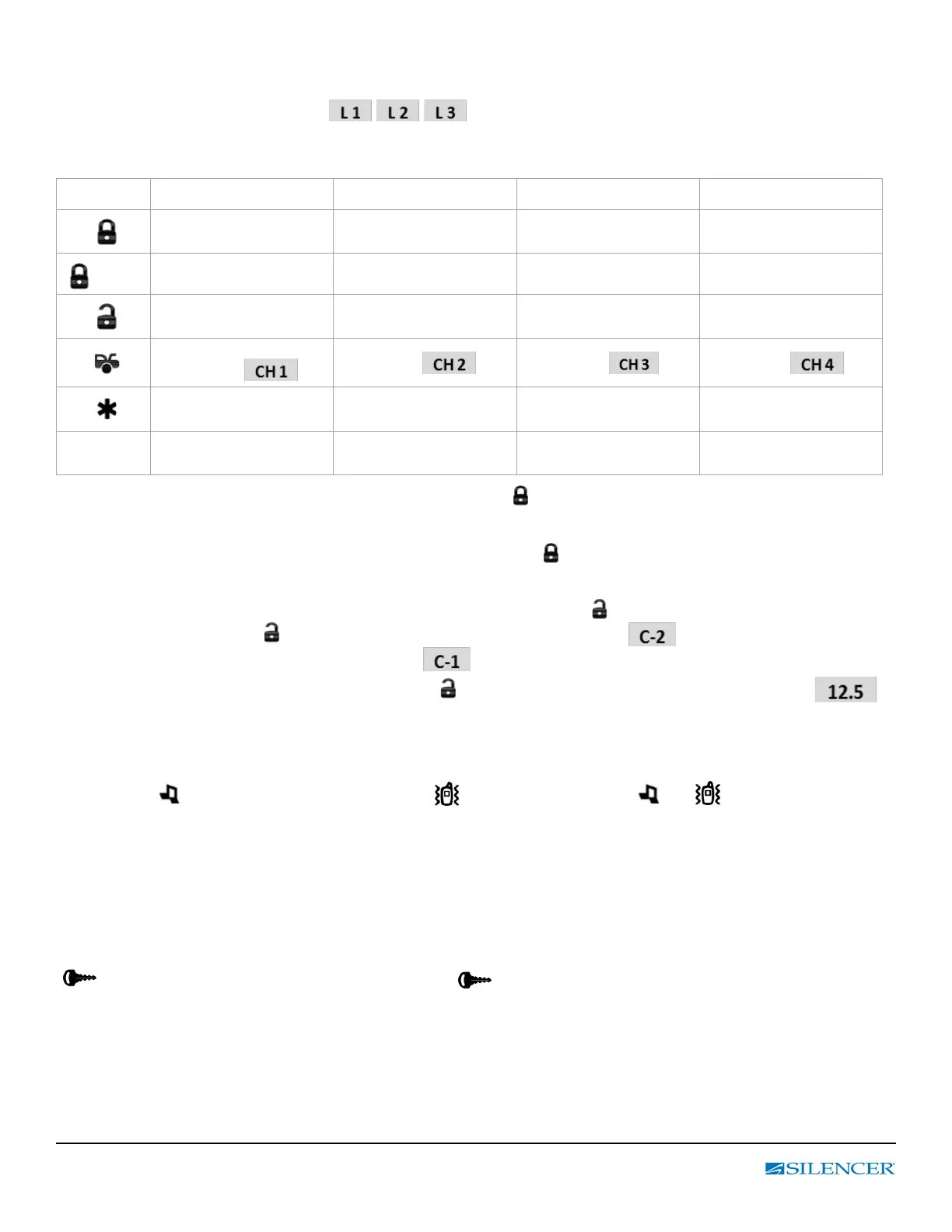
1. Press the F buttons the number of times corresponding to the Level you wish to select;
the LCD will display LEVEL number ( )
2. Press the button while LEVEL number text is still on to perform the command.
Button Direct Access
F x 1 Level 1 F x 2 Level 2 F x 3 Level 3
Arm & Lock
Arm & Bypass the Shock
Sensor
Arm & Bypass the
Tilt Sensor
Hidden Alarm
1 sec.
Silent Arming
Vehicle’s
Status Check
Temperature Check
Disarm & Unlock or
Silent Disarming
Remote Valet ON / OFF Car 1 / Car 2 operation Voltage Check
Trunk Release
(Aux 1)
Aux 2 Aux 3 Aux 4
Remote Start or Running
Time Extender
Timer Start ON / OFF
Daily Timer Start
ON / OFF
F 1 sec
Melody /
Vibration Mode
Power Save Mode
ON / OFF
Button Lock
ON / OFF
Vehicle’s Status Check: Press F button rst then press and hold buttons for 1 second. The LCD remote transceiver
will display the current status of the vehicle.
Temperature Check: Press F button 2 times rst then press and hold buttons for 1 second. The LCD remote
transceiver will display the current Temperature of the vehicle.
Second Vehicle Security Operation: Press F button 2 times rst then press buttons to enter Second Vehicle Security
Mode, Under this mode press button to select CAR 2 operation, The 2 icon and display on the LCD screen or
CAR 1 operation and the 2 icon will disappear and display on the LCD screen.
Voltage Check: Press F button 3 times rst then press button. The LCD remote transceiver will display the
voltage condition of the vehicle.
Melody / Vibration Mode: Press F button rst then press and hold F buttons for 1 seconds until the beep conrms,
then release the button to enter Tone / Vibrating Mode, Under this mode press and hold F button for 1 seconds to select
Melody Mode ( icon will display) or Vibration Mode ( icon will display) or both ( and icon will display).
Power Saver Mode: Press F button 2 times rst then press and hold F buttons for 1 seconds until the beep conrms
to enter Power Saver Mode, Under this mode press and hold F button for 1 seconds until the beep conrms, then release
the button to enable (The SAVE icon will display) or disable Power Save Mode(The SAVE icon will disappear). While in
Power Save Mode the LCD transmitter will not look for any incoming signals from the main unit until a button is pressed.
Button Lock Mode: Press F button 3 times rst then press and hold F buttons for 1seconds until the beep conrms,
then release the button to enter Button Lock Mode, Under this mode press and hold F button for 1 second to enable
( icon will display) or disable Button Lock Mode (The icon will disappear)., the remote control will beep/vibrate
2 times when a button is pressed indicating it is locked.
EXIT: Wait 10 seconds, or press the other buttons to leave the setting except the F button.



 To Next Page