SATARaid User’s Manual Copyright © 2003 Silicon Image Inc.
11
6 Creating and Deleting RAID Sets
Creating and deleting RAID sets must be performed in the BIOS for operating systems other than Windows 2000 and XP.
For 2000 and XP, RAID sets can be created and managed by either the BIOS utility or the SATARaid GUI. See section 10
RAID Set Management Under Windows 2000 & XP for information on configuring RAID Sets using the SATARaid GUI.
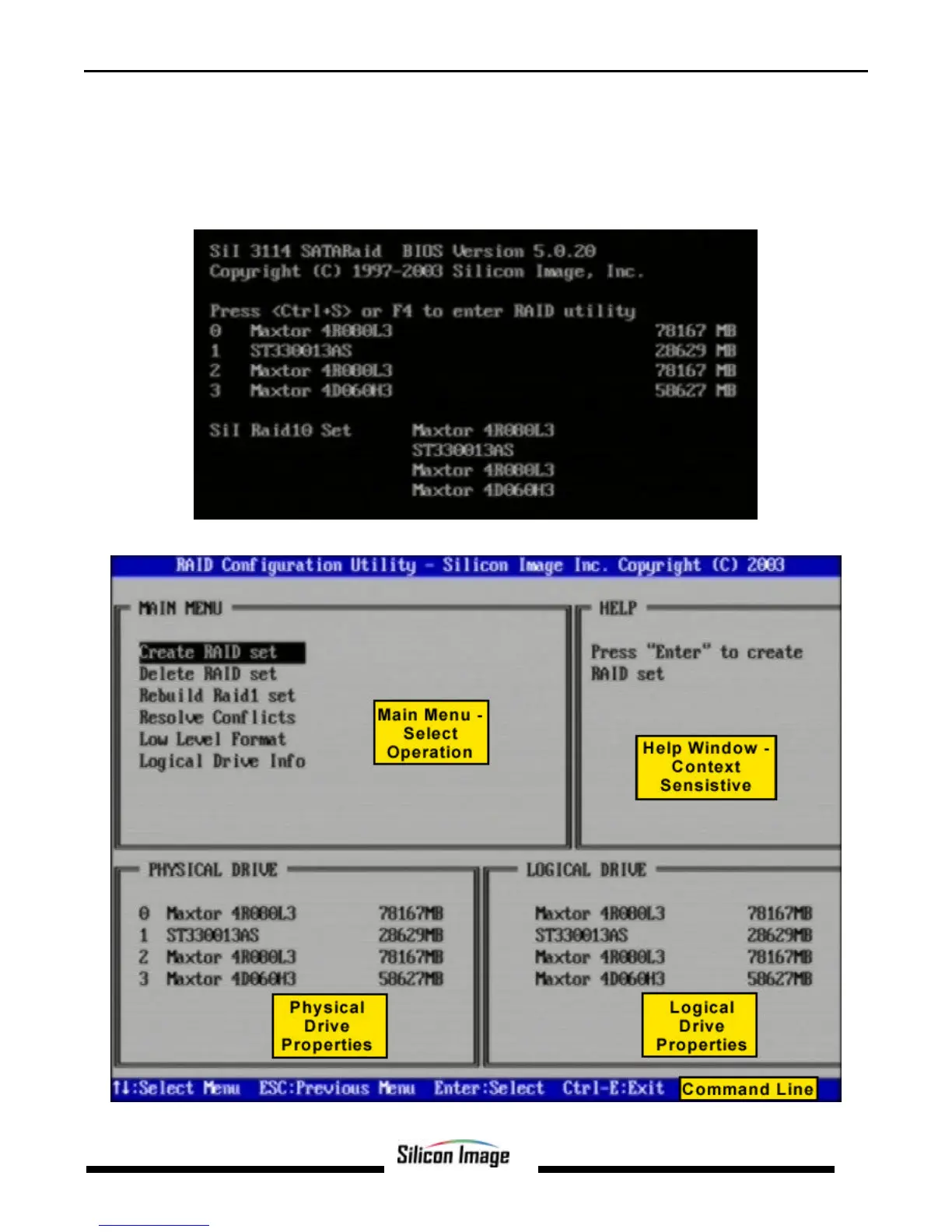
During bootup, a screen similar to that below will appear for about 5 seconds. Press CTRL+S or the F4 key to enter the
BIOS RAID utility.
The RAID Utility menu screen will be displayed. A brief description of each section is presented on the next page.


 To Next Page