Copyright © 2003 Silicon Image Inc. SATARaid User’s Manual
18
Low Level Formatting
The Low Level Format menu selection allows the complete erasure of data on a hard drive. This is not an action which
typically needs to be performed as formatting the drive under Windows is usually sufficient to prepare the drive for use.
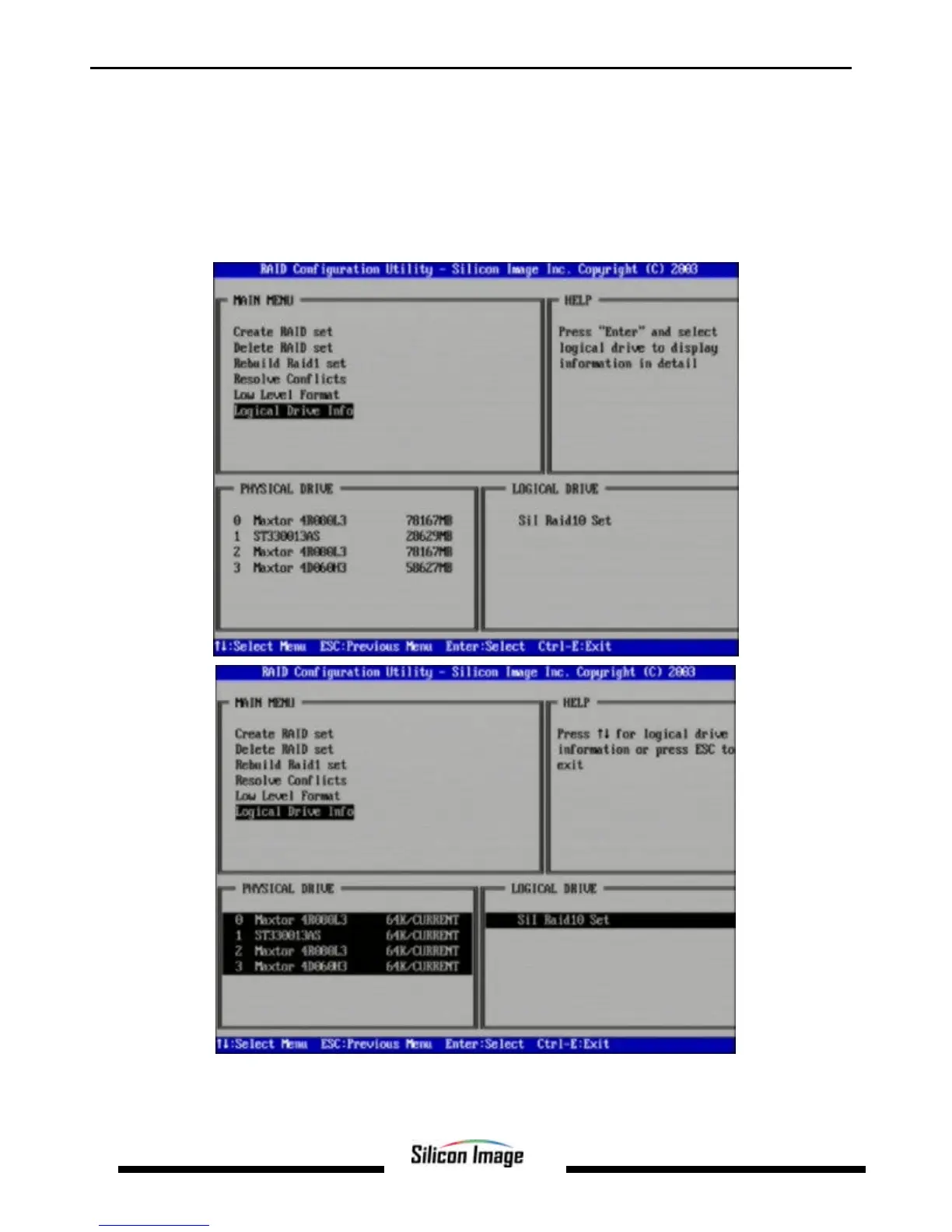
Logical Drive Information
This menu item allows the display of the assignment of physical drives within a logical set (RAID set, RAID 1 spare, or
unassigned). It is a display-only function. Use the up and down arrow keys to scroll between the drives in the Logical Drive
Properties window. Press the ESC key when done viewing logical drive information.


 To Next Page