SATARaid User’s Manual Copyright © 2003 Silicon Image Inc.
15
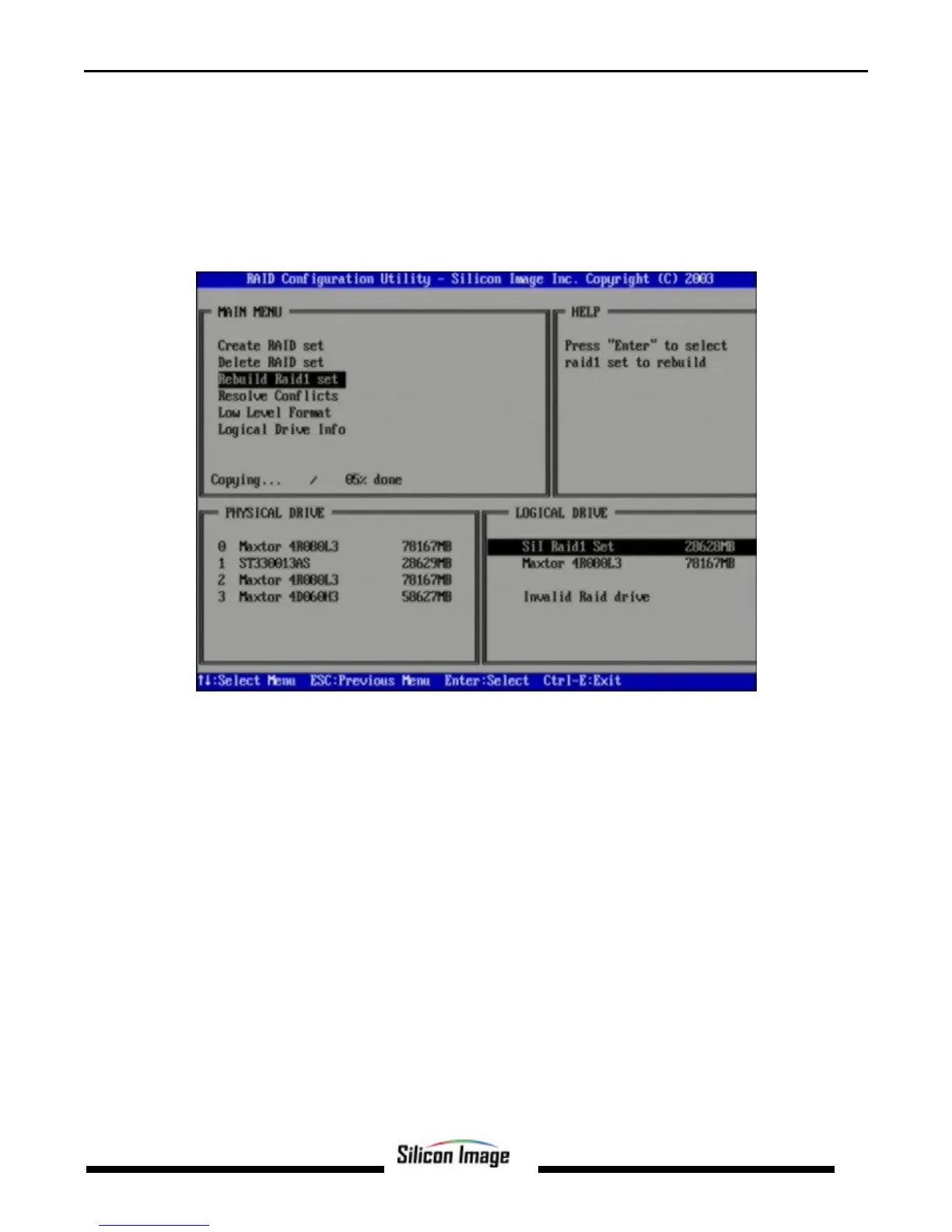
Rebuild RAID 1 Set
This menu selection is used to initiate the copying of data from an existing drive to a replacement drive that has been
installed in a RAID 1 set after the failure of one of the members.
1. Select “Rebuild RAID1 set.
2. Select the desired set and press Enter.
3. Press “Y” when asked, “Are You Sure?”
4. The set will be rebuilt. The status of the rebuild is displayed in the MAIN MENU window.


 To Next Page