Copyright © 2003 Silicon Image Inc. SATARaid User’s Manual
46
Creating RAID Sets
As previously discussed, the Silicon Image SATA host adapter supports RAID 0, 1, and 10 configurations. The selection of
the RAID level to be used should be based upon factors including performance, data security, and number of drives
available. It is best to carefully consider the long-term role of the system and plan the data storage strategy appropriately.
Creating a RAID 1 Set
The following example shows the creation of a RAID 1 Set with Duplication.
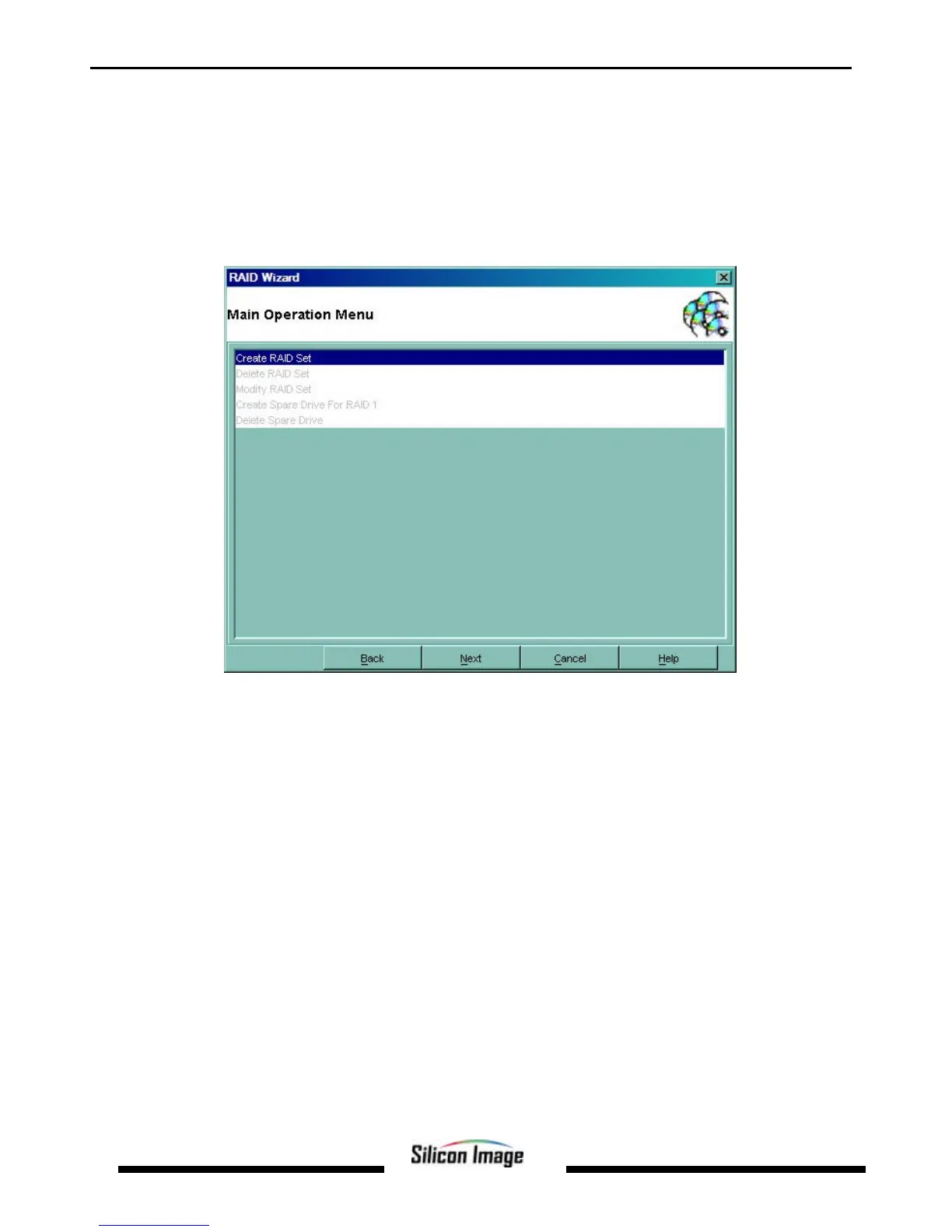
1. Start the RAID Wizard. Select “Create RAID Set” and click Next.
2. Choose the type of RAID set to be created and click Next.


 To Next Page