SATARaid User’s Manual Copyright © 2003 Silicon Image Inc.
9
5 SATARaid GUI Installation
Insert the Silicon Image SATARaid Installation CD into the computer’s CD-ROM drive. Using Windows Explorer or by
clicking on the My Computer icon on the desktop, display the contents of the CD-ROM. The SATARaid GUI Installation
program is named Java SATARaid.exe. Select this file and open it. The installation will begin.
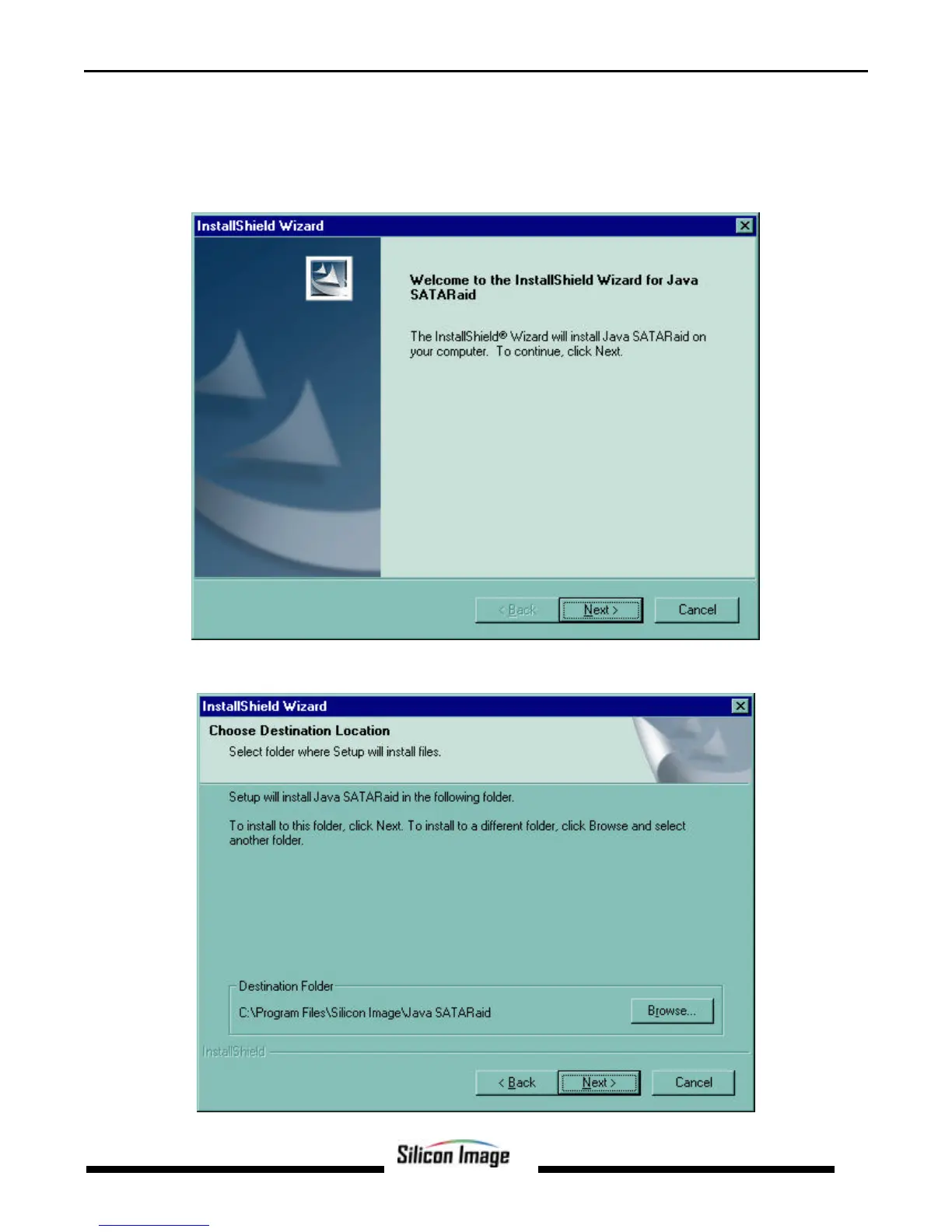
Click the Next button when the Welcome window appears.
Click the Next button to install the SATARaid program in the default directory (recommended). An alternate directory may be
selected if desired.


 To Next Page