Copyright © 2003 Silicon Image Inc. SATARaid User’s Manual
16
Resolving Conflicts
When a RAID set is created, the metadata written to the disk includes drive connection information including the channel on
the host adapter to which it is connected. If after a disk failure the replacement disk was previously part of a RAID set or
used in another system, it may have conflicting metadata, specifically in reference to the drive connection information. If so,
this will prohibit the RAID set from being either created or rebuilt. In order for the RAID set to function properly, this old
metadata must be first overwritten with the new metadata. To correct this, select “Resolve Conflict” and the correct
metadata, including the correct drive connection information, will automatically be written to the replacement disk.
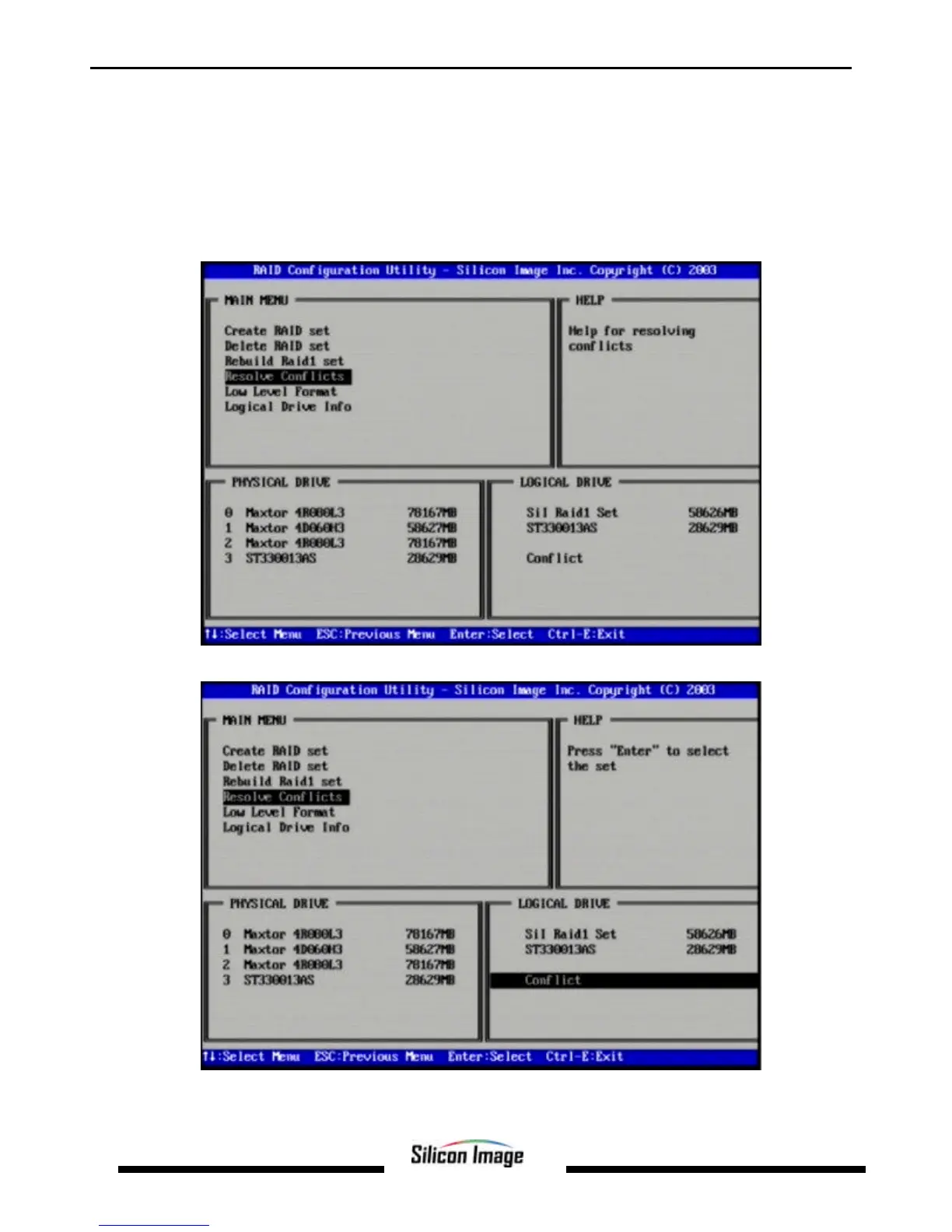
1. Select “Resolve Conflicts” and press Enter.
2. Select the “Conflict” entry in the Logical Drive Status window and press Enter.


 To Next Page