SATARaid User’s Manual Copyright © 2003 Silicon Image Inc.
45
10 RAID Set Management Under Windows 2000 & XP
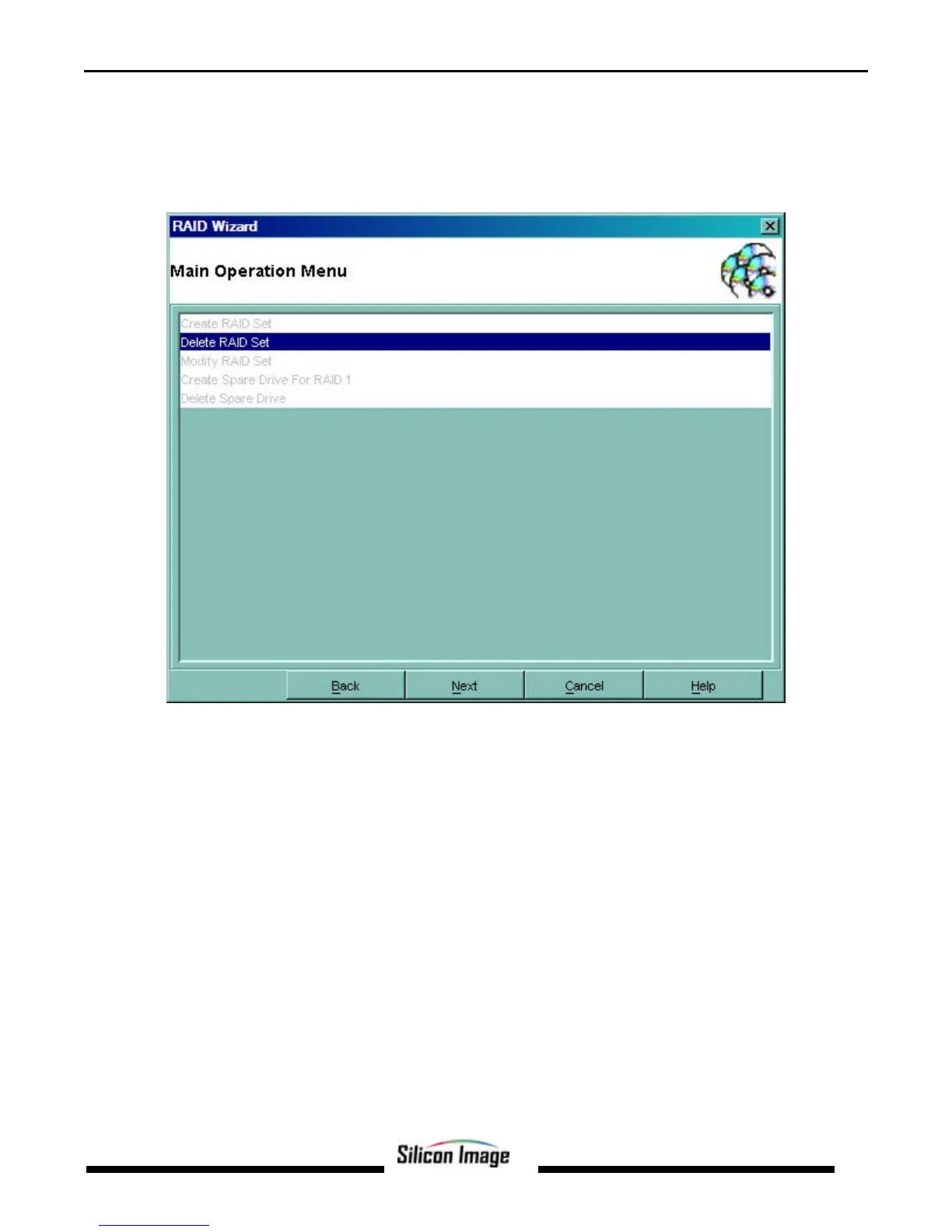
Selecting the RAID Management command or toolbar button causes a RAID Configuration Wizard to open. Click Next to go
the Main Operation Menu screen.
NOTE: Modifying RAID Sets may result in the existing data on the affected drives being permanently lost. Make sure all data
is backed up prior to executing any operation described in this section.
Menu selections that are available depend on the number of drives available and whether any RAID sets currently exist. The
commands available from within the Wizard are:
Create RAID Set is used to create a new RAID 0, 1, or 10 Set.
Delete RAID Set is used to delete a RAID Set or to deallocate a spare RAID 1 drive.
Modify RAID Set allows certain parameters of the RAID Set, such as rebuild rate for RAID 1, to be modified.
Create Spare Drive For RAID 1 is used for allocating a spare drive to a RAID 1 set.
Delete Spare Drive removes the allocated spare drive from a RAID 1 set.
These operations are detailed in the pages that follow.


 To Next Page