Copyright © 2003 Silicon Image Inc. SATARaid User’s Manual
22
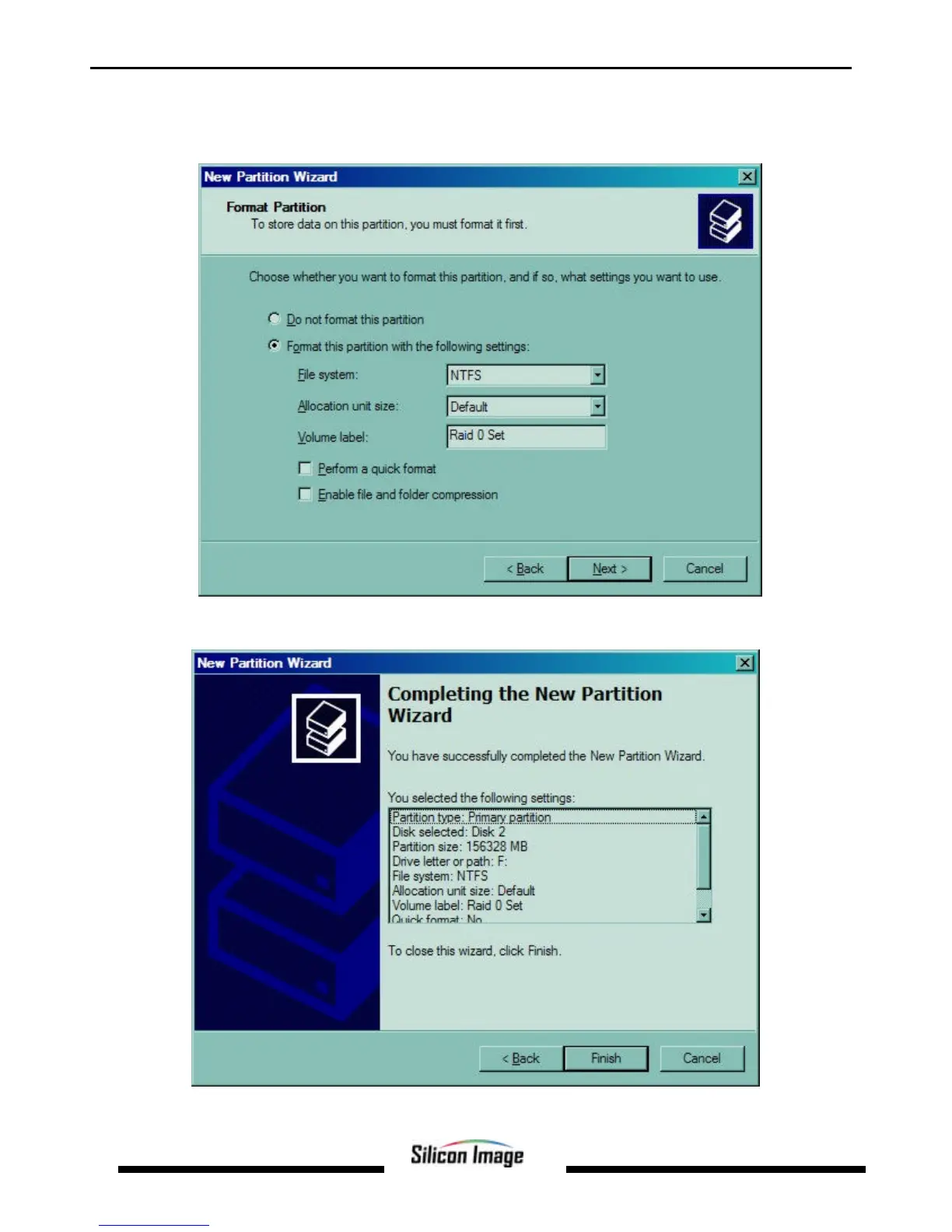
6. The next window allows the volume label to be set and selection of the type of formatting to take place upon the
creation of the partition. Make sure the Format this partition. . .” radio button is selected. Name the volume as desired
(suggestions are generic names such as STRIPED SET or something specific to use such as FINANCIAL, CRITICAL,
MISCELLANEOUS, etc.). It is recommended to use the default NTFS for the file system. Click Next.
7. The last window is a summary window listing all of the selections made. After verifying that everything is correct, click
Finish.


 To Next Page