Copyright © 2003 Silicon Image Inc. SATARaid User’s Manual
26
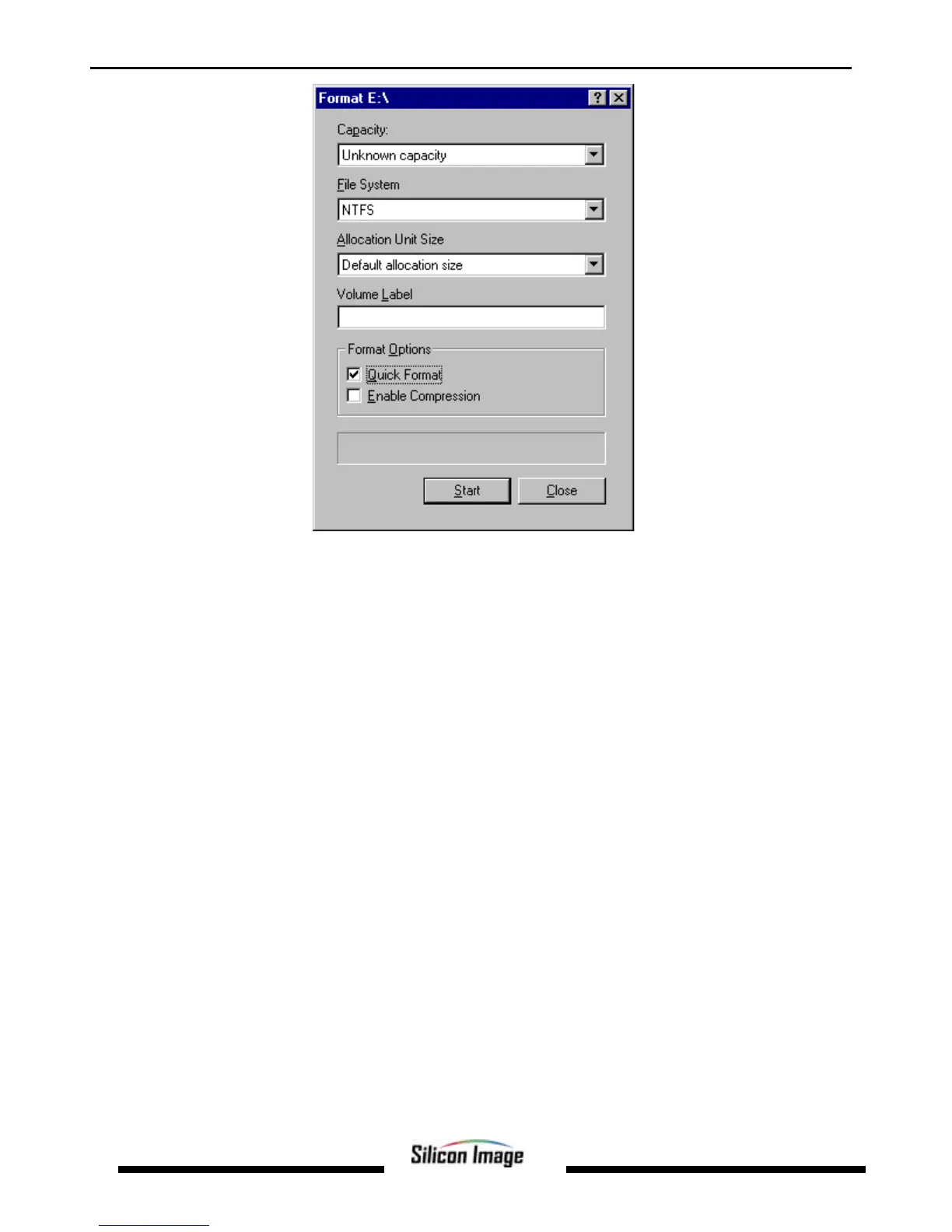
14. Verify the settings as follows:
a. Capacity can not be changed.
b. Make sure that File System has NTFS selected.
c. Don’t change the Default Allocation Size.
d. Select an appropriate name for Volume Label.
e. Select Quick Format.
15. Click on Start. The drive will be formatted.
16. Repeat this procedure for any remaining drives.
17. Close Disk Administrator and open My Computer (icon should be on Desktop).
18. The new disks should now appear in the My Computer window.
19. Close all windows and applications and Restart the computer.


 To Next Page