Copyright © 2003 Silicon Image Inc. SATARaid User’s Manual
50
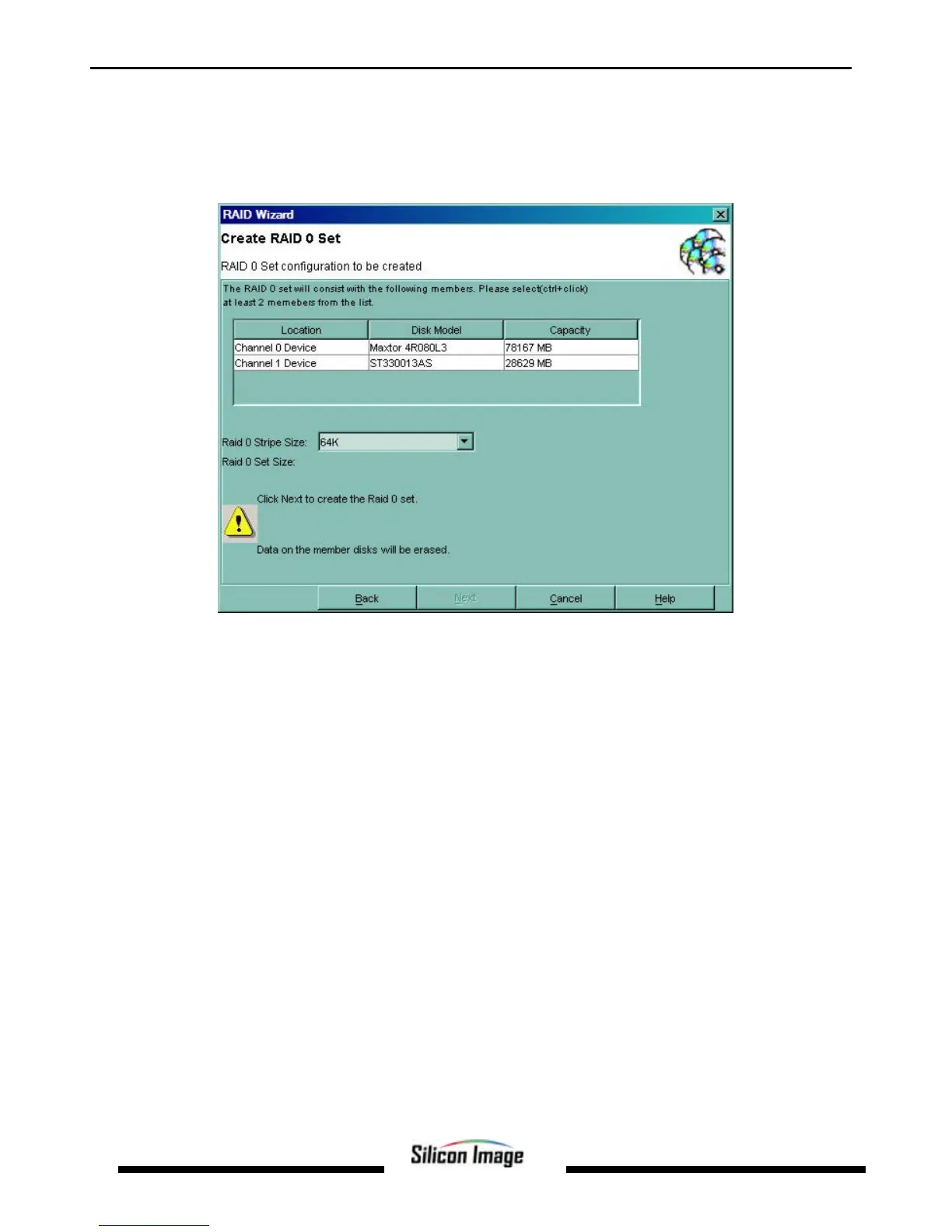
Creating a RAID 0 Set
1. Referring to the example above for creating a RAID 1 Set, start the RAID Wizard. Select “Create RAID Set” and click
2. Hold down the Ctrl key on the keyboard while clicking devices to add them to the RAID Set. A RAID 0 set must contain
at least two members. Add as many members as desired. Click Next.
3. An acknowledgement window will appear. Click Finish. A moving bar will appear in the window while the operation is
in progress. Once the window closes, the operation is complete. When the window closes, the new RAID Set will
appear in the SATARaid window under RAID Sets. After allocating any other RAID sets, you will need to create and
format the new partitions. See Section 7 - Allocating Partitions for instructions.


 To Next Page