79
EN
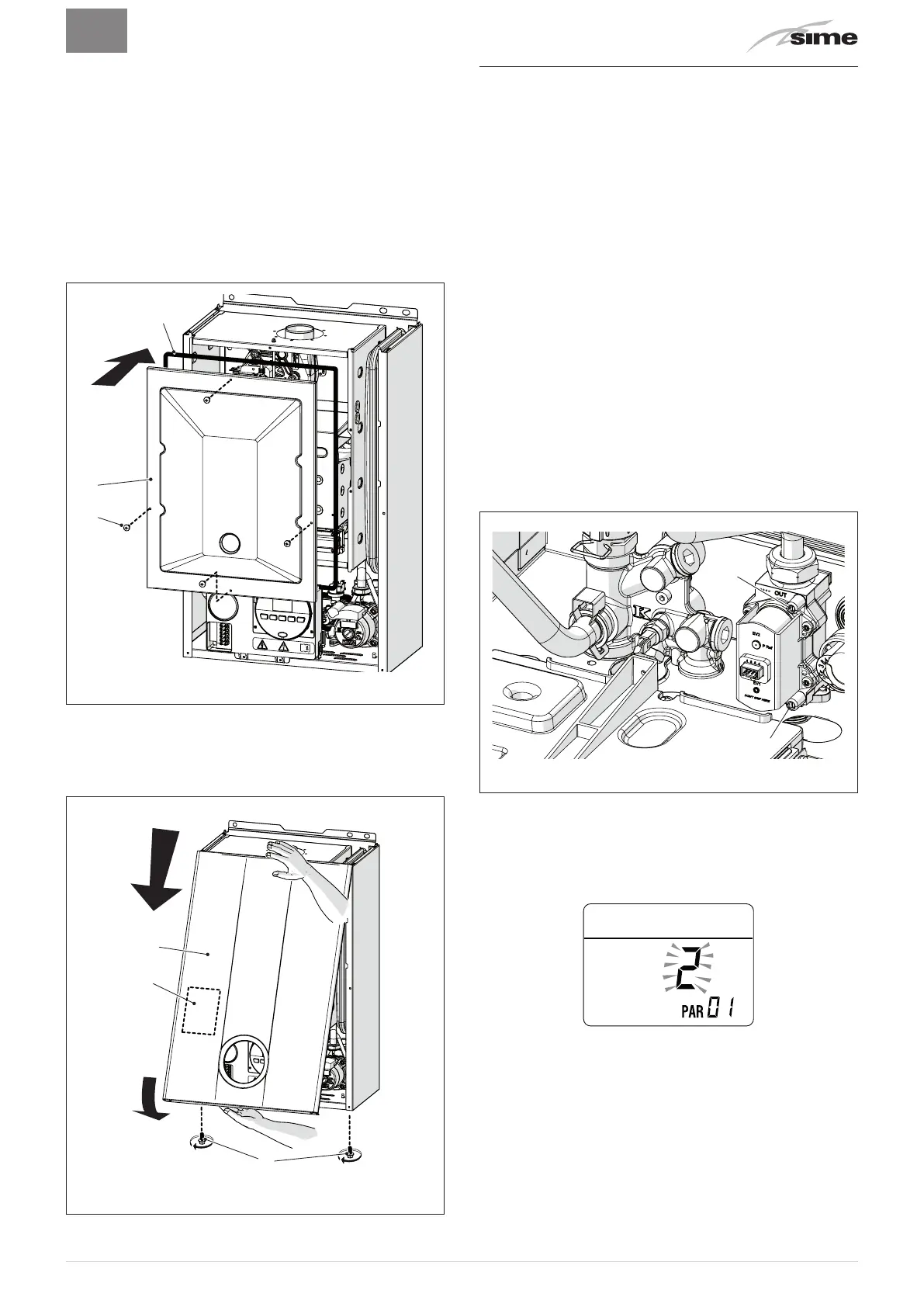
– tighten the counter-nut (10) and the swivel joint (9) and position
the gasket
– refit the electrode (8) putting its end
IN THE MIDDLE
of the
burner element (*)
– check that the gasket and the insulation of the front panel (6) of
the combustion chamber and the gasket (13) of the front panel
(4)of the sealed chamber are all integral. If they are not, re
-
place them
–
refit the panels (6) and (4) securing them with fastening screws
m
CAUTION (*)
The position of the electrode is essential for the correct
detection of current ionization.
13
Fig. 50
– apply the label indicating the new gas configuration on the
technical plate (14) on the inside of the front panel
– carry out the "Automatic calibration procedure" and then refit
the front panel (2) securing it with the two screws (1).
1
2
14
Fig. 51
7.8 Automatic calibration procedure
This procedure MUST ALWAYS be performed when the appliance
is first turned on, when the gas is changed and after replacing:
– the nozzles for gas conversion
– the gas valve following a fault
– the electronic board following a fault
– electrode
– fan
– burner
and is necessary so that the new components can be identified
and can communicate with those already fitted on the boiler.
m
CAUTION
Considering that:
– the front panel has been removed, the control pan-
el has been brought forward and down and that the
points
(6)
and (7) of the gas valve have been connect-
ed to the pressure gauges
–
the main system switch must be set to "ON"
– the gas supply must be open
– there must be no current requests for heat ("Sum
-
mer" mode
l
with hot water valve closed or "Win-
ter"
n
with air thermostats open)
–
the adjustments described below must be carried out
in sequence.
6
7
Fig. 52
Procedure valid for GAS CONVERSION
– go into the parameter section by pressing the buttons
r
and
t
(for approximately 5 seconds) at the same time until
"PAR
01"
(parameter number) and the value set (0-4) appears on the
display
NOTE:
holding the buttons
r
or
t
increases the speed of the
scrolling movement. Pressing the button
r
allows the user to
scroll through the previous parameters.











 To Next Page