6 — Unpacking
3 UNPACKING
e following items are included with your load bank. If any
of the following are not included, please contact Simplex Direct
at 800-637-8603.
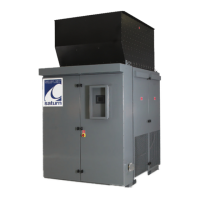
1. Load bank
2. Controller (remote or local)
3. Manual
4. Drawing package
Optional equipment
1. Additional controllers
2. Exhaust hood
3. Current transformers
4. Other optional equipment
Before installing your Saturn, inspect the shipping crate and
load bank. Physical or electrical problems could arise from
handling and vibration. Never apply power to a load bank before
performing this procedure. e following ve-point inspection
is recommended before installation and as part of a 6-month
maintenance schedule or when the load bank is relocated:
1. If the crate shows any signs of damage, examine the load
bank in the corresponding areas for signs of initial problems.
2. Check the entire outside of the cabinet for any visual damage,
which could cause internal electrical or mechanical problems
due to reduced clearance.
3. Open the control panel door and inspect all relays and
control modules. Make sure all components are secure in
their bases and safety bails are in place. Spot-check electrical
connections for tightness. If any loose connections are found,
inspect and tighten all remaining connections.
4. Examine all accessible internal electrical components such
as fuses, contactors, and relays. Check lugged wires at these
components.
5. Check the load element chamber for foreign objects, broken
ceramic insulators, and mechanical damage.
inCluded
C
omponentS
primary
i
nSpeCtion
If any
problems
are observed
during
Primary
Inspection,
call Simplex
24 hours a
day at
800-637-8603
.


 To Next Page