EasyManua.ls Logo

Simplex Saturn Series - Remote HMI Installation; Serial Adapter; Tb-DC

Simplex Saturn Series
54 pages
Print Icon
To Next Page IconTo Next Page
To Previous Page IconTo Previous Page
Loading...
Installaon — 9
If your HMI is installed
directly on the load bank,
skip to the next section.
1. Mount the HMI where
desired.
2. Connect the HMI to the
Load Bank by swinging
the HMI’s screen out to
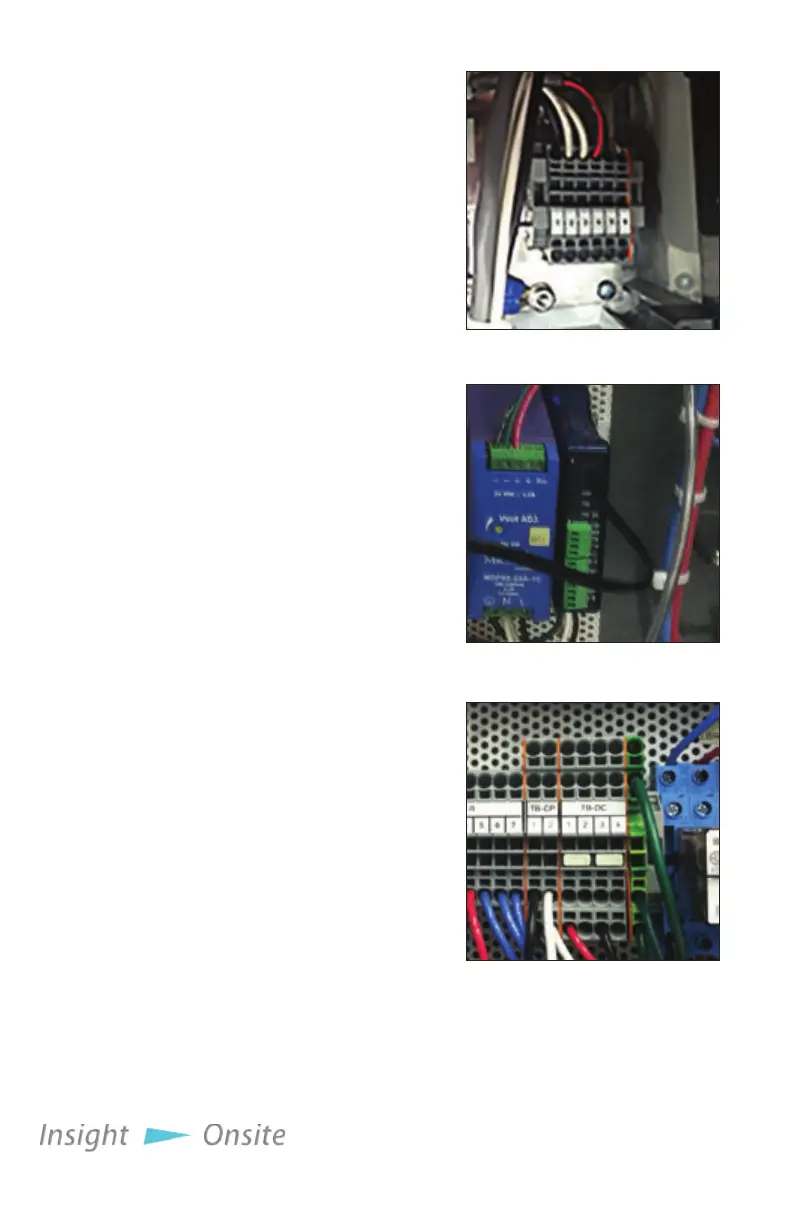
expose the TB-H terminal
block (see Figure 6 HMI
TBH) and wiring it to the
Load Bank.
A. Using a Belden 9841
or equivalent cable,
make the following
connections between
the HMI’s TB-H
terminals to the Serial
Adapter (see Figure 7
Serial Adapter).
1. TB-H 4 TXD+
2. TB-H 5 TXD-
3. Wire shielding
COM B
B. Using a copper wire,
14AWG or larger,
rated at 60C or
higher, connect the
HMI’s TBH 1 to the
load banks TB-DC
1 terminal and the
HMI’s TBH 2 to the
load banks TB-DC 3
terminal (see Figure 8
TB-DC).
remote Hmi
inStallation
Figure 5 HMI TBH
Figure 6 Serial Adapter
Figure 7 TB-DC