Installaon — 13
e Saturn load bank
supports the Modbus
protocol, implemented
either as RS485 or TCP/
IP (which is an optional
upgrade).
To implement Modbus
control and monitoring,
connect the load bank to
your facility’s systems as
follows:
For RS485:
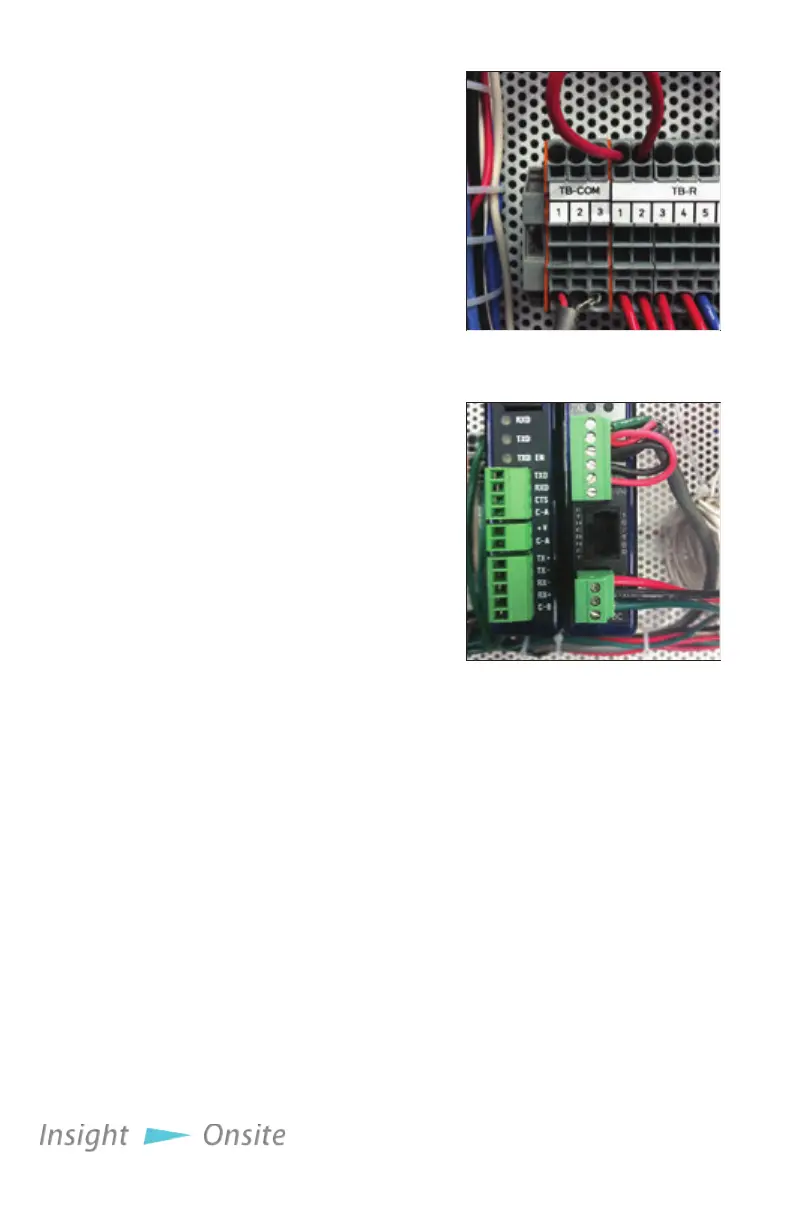
1. Connect the RS485+ line
to TB-COM 1
2. Connect the RS485- line
to TB-COM 2
3. Connect the wire
shielding to TB-COM
Terminal 3
For Optional Modbus
TCP/IP
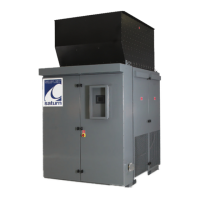
1. Plug a CAT5e cable
into the ethernet jack
on the MODBUS Serial
Converter (see Figure 16 Modbus Serial Converter.)
e Polaris Modbus control set is implemented as detailed in
“Appendix B — Modbus controls” on page 41
modbuS
inStallation
Figure 14 TB-COM
Figure 15 Modbus Serial
Converter


 To Next Page