Page 50
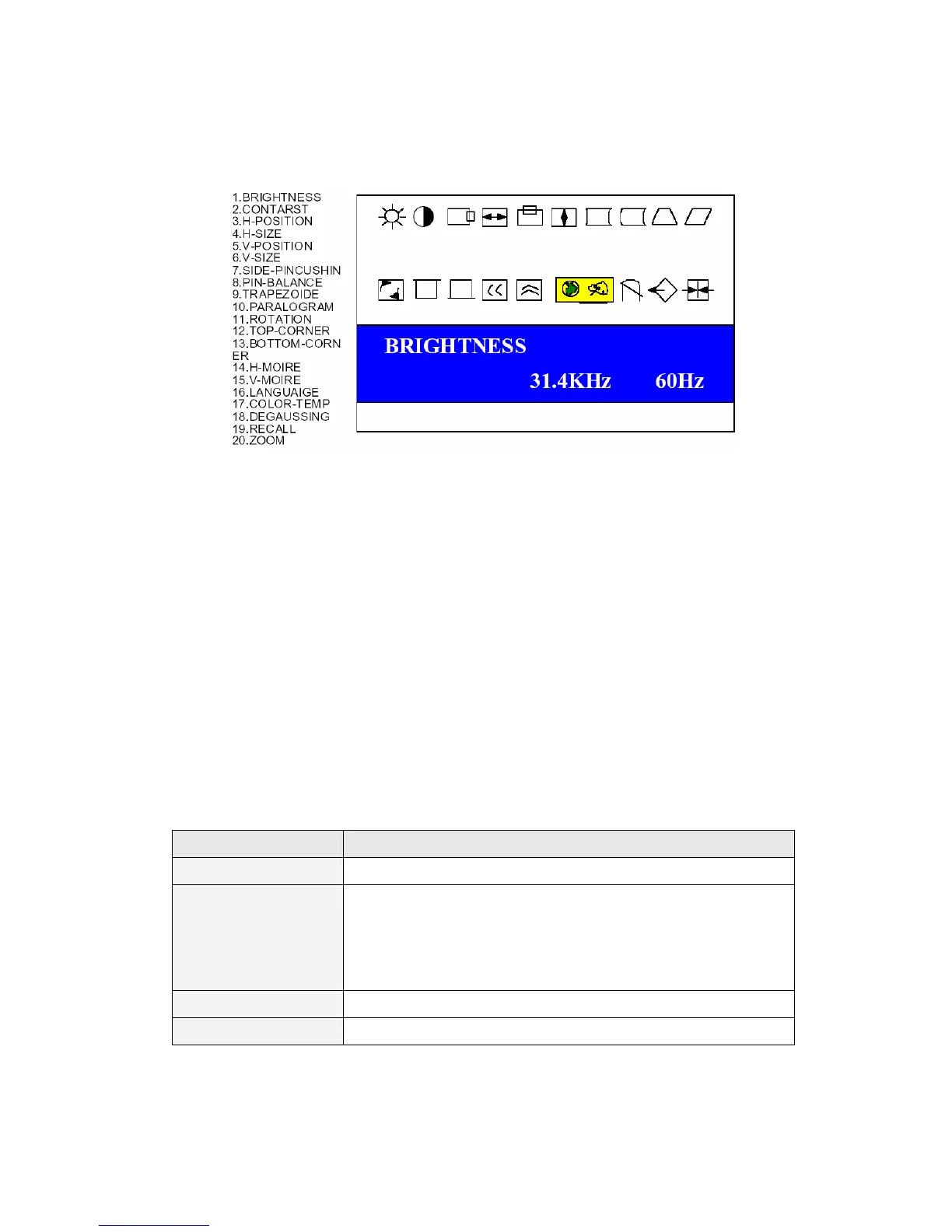
VIDEO Control Menu Set
The brightness, contrast, color, alignment, sharpness, and degaussing settings for the
cabin graphics monitor can be adjusted by using the monitor setting panel located in
the upper left had side of the front monitor panel. To access the panel, first remove
the two screws on the panel cover. Instructions for adjustment will display on the
monitor during the adjustment process.
6.5 USING THE LCD PANEL TO SET CONFIGURATIONS
The LCD display and the 4 buttons below it inside the Operator Panel can be used to
set different configurations. Operation method and functions of the LCD buttons are
as described in the table below.
BUTTON FUNCTION
ESC Returns the menu to the upper level
MENU/SET When pressed for 1 seconds the first time, it puts the display
in the setting mode and brings up the configuration main
menu. Once inside the setting mode, it will set the
highlighted menu item.
UP Highlights the upper menu item.
DOWN Highlights the lower menu item.


 To Next Page