Page 32
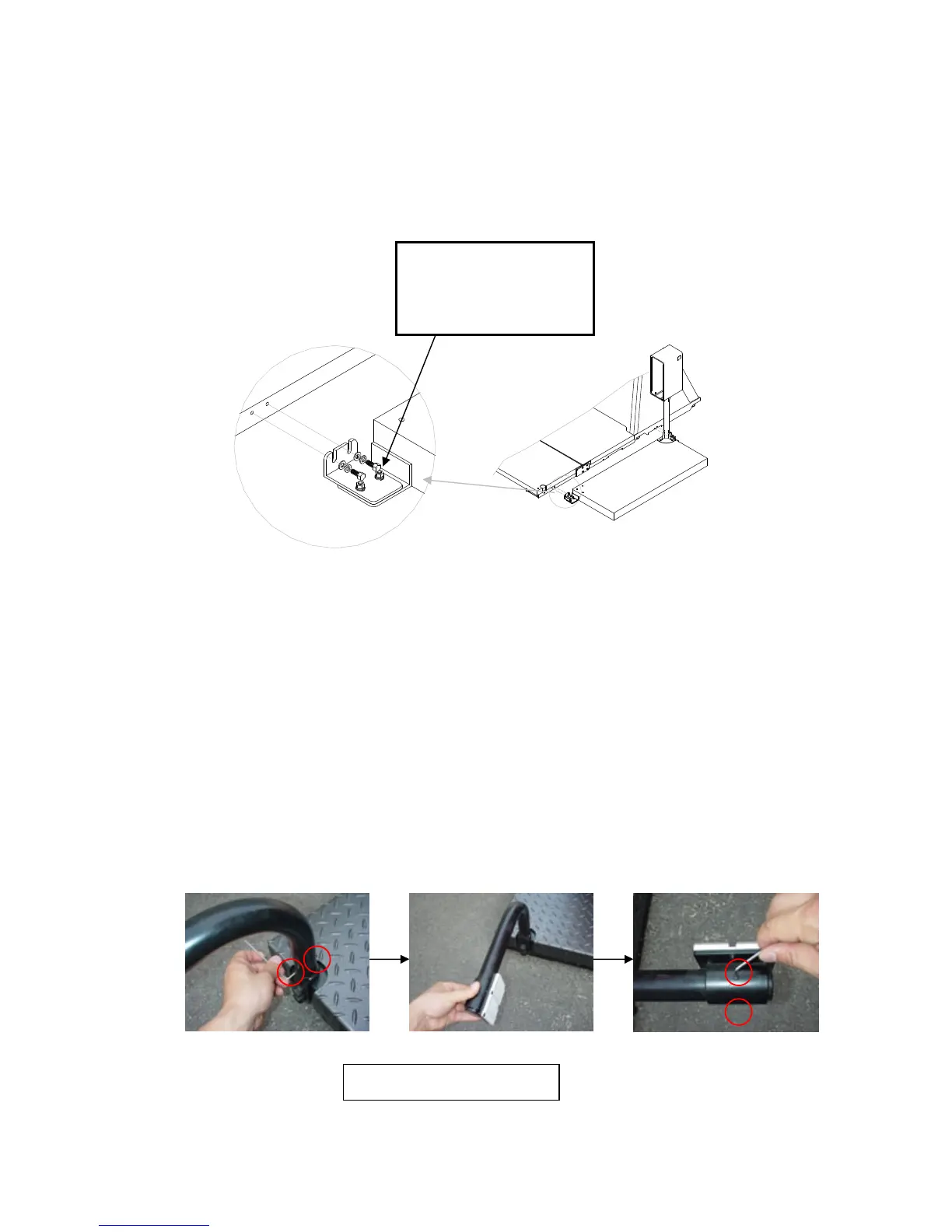
3) Position the assembled boarding step and secure it to the base of Cycraft as
shown.
5.9 SETTING THE PHOTO SENSORS
There is a set of photo sensor and reflective plate on each side of Cycraft. Set the
photo sensor system as follows:
1) Loosen the setscrews of the reflective plate arms and rotate the arms so that the
reflective plates point backwards at 90-degree angles from the sides of Cycraft
and tighten the setscrews.
Tool : HEX KEY 2.5 mm
Hex head Bolt M8 x 30L
Spring Washer
Flat Washer


 To Next Page