Quantum
®
XL-6000
Multiple Hoop Embroidery
- 46 -
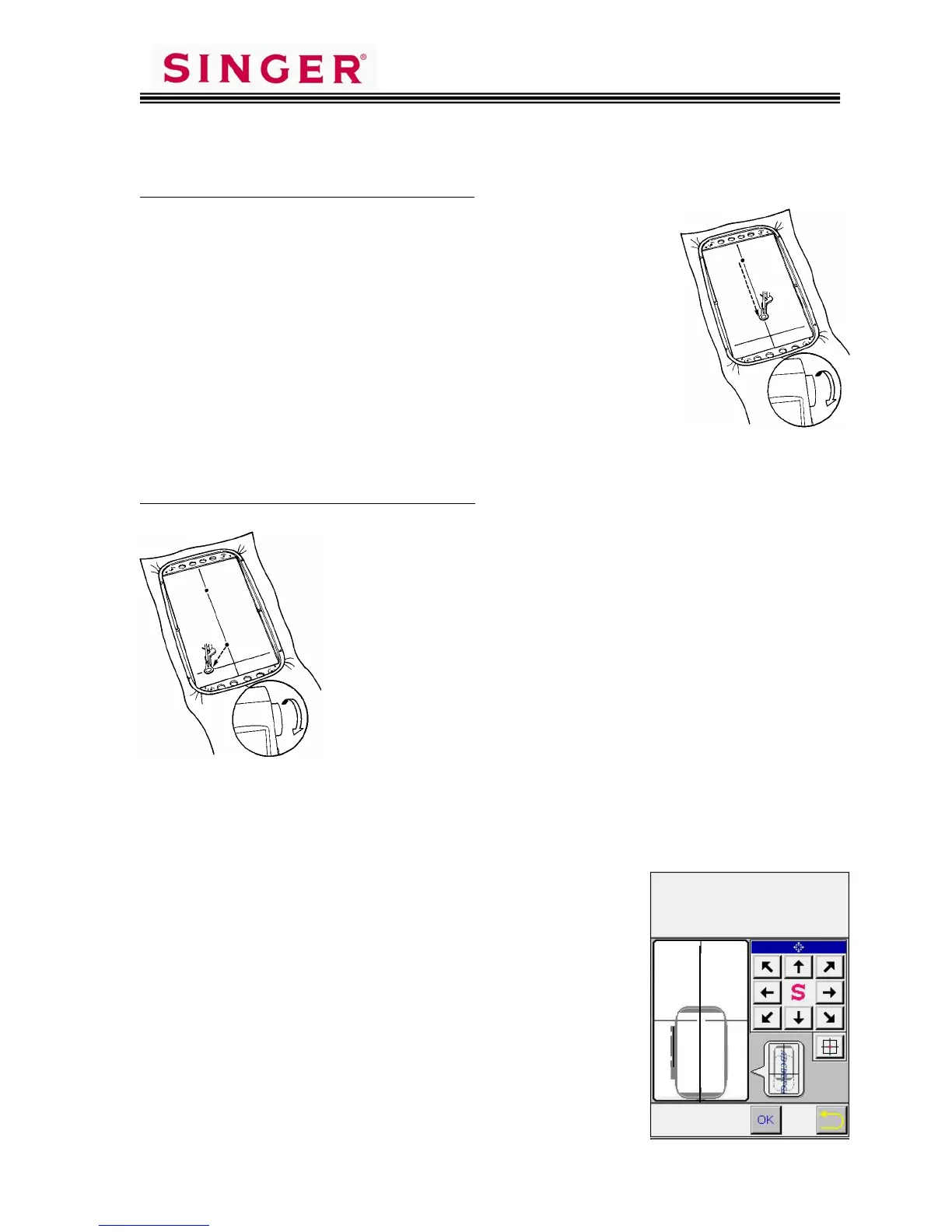
Specifying Point b on the Y-axis line:
1. Touch on screen at the opposite end of the vertical
line, to move the frame.
2. If needle is not directly on the vertical line, use the
Position Keys on the sewing machine screen, to
move the needle until it is directly over the vertical
line drawn on the fabric.
3. Turn handwheel to check that needle touches the
vertical line drawn on the fabric.
4. When the needle is in correct position, touch the
Y-2 Position Memory key on screen to register this
second point.
Specifying Point c on the X-axis line:
1. Touch on screen at one end of the horizontal line,
to move the frame.
2. If needle is not directly on the horizontal line, use
the Position Keys on the sewing machine screen to
move the needle until it is directly over the
horizontal line drawn on the fabric.
3. Turn handwheel to check that needle touches the
horizontal line drawn on the fabric.
4. When needle is in correct position, touch the X-1
Position Memory key on screen, to register this
third point.
5. Stitch out the design elements.
PREPARING TO SEW NEXT AREA OF DESIGN LAYOUT
1. When stitching is complete, touch OK on screen
to proceed to the next group of design elements
in the layout.
2. Use the Arrow Keys on screen, to move the
“hoop” and select the next area to be sewn.
Touch OK.
3. Place fabric in the hoop so X and Y lines drawn
on the fabric are set in the hoop in similar
placement to the display on screen.
4. Place fabric and hoop onto embroidery unit.
5. Touch OK two times.
S
I
N
G
E
R
c









 To Next Page