From B to E 90
45
3) The procedure in using the Arc R Calculation function.
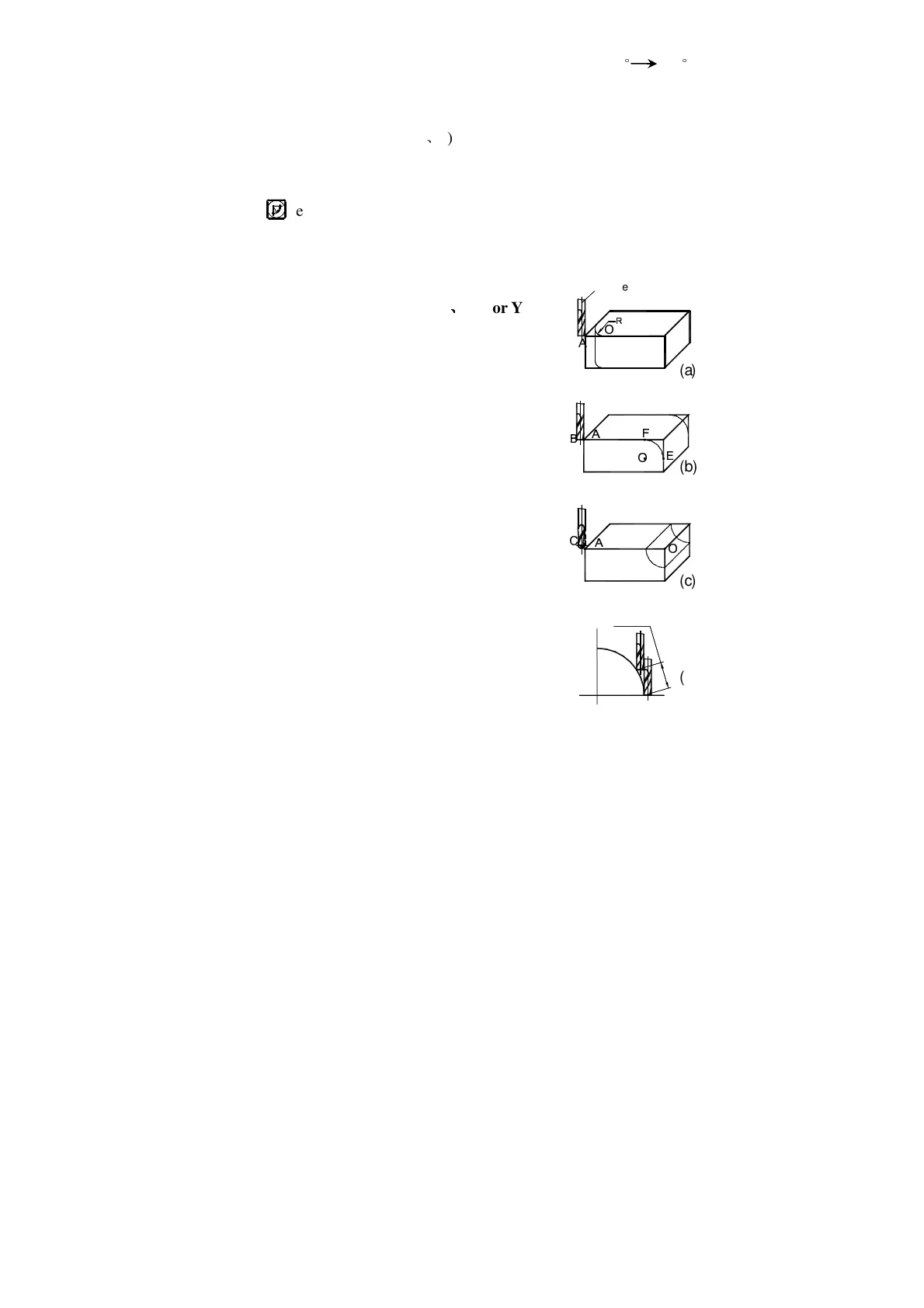
As shown in the figures(a)
(b)and (c), reset all the axes after finishing the
installation of Tool and the related tool setting (assign the position of the tool
after tool setting as the zero point).
Key , enter the Arc R Calculation function.
1. Select the smooth R function (SMOOTH) (Three axis digital readouts has
no this option).
2. Select the processing plane XY
Ñ
ÑÑ
Ñ
XZ or YZ.
(ARC-XY)
(ARC-XZ)
(ARC-YZ)
3. Enter the center position of the circular
arc:(CT POS)
The center position of the circular arc is the
position of the circle with respect to the position
of the tool just after tool setting and reset.
In the processing the arc in XZ or YZ plane:
As shown in Fig. (b) when a flat end milling tool
is used, the circle center position is the position
of Point O with respect to Point B on the tool.
As shown in Fig. (c) when a circular arc milling
tool is used, the circle center position is the position
of Point O with respect to Point C on the tool.
In the processing of the arc in Plane XY, as shown
in Fig. (a), the circle center position is the position of
the center axis of the tool.
4. Enter the radius of the circle (RADIUS)
5. Enter the diameter of the tool (TL DIA)
Note: In the processing of the arc in Plane XZ or YZ, as show in Fig. (b) an
end mill is used and the working point is Point B, the diameter of the
R
Ò Ó
Ô
Ó
Ó Õ
Õ
Õ
Ö
×
MAX CUT
Ø
(a)
(b)
(c)
(d)


 To Next Page