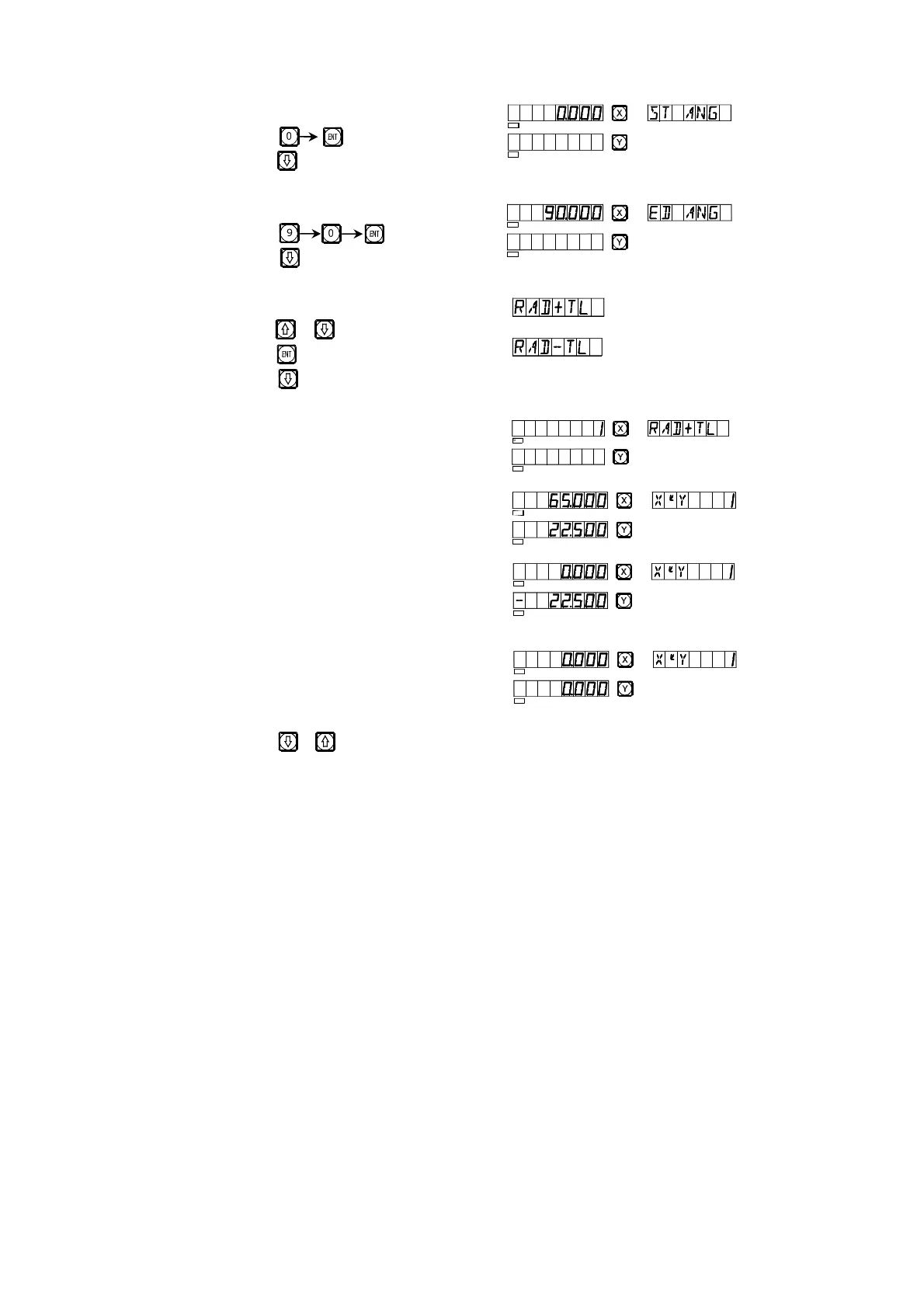
9) Enter the start angle of the arc.
Key
Key
10) Enter the end angle of the arc.
Key
Key
11) Determine inner/outer circle mode.
Key or
Key
Key
12) It is display that the processing start at
the first point.
Tool setting as Fig. (a)
Tool setting as Fig. (b)
13) Move the machine tool to bring the
display value on X- and Y-axes
into zero, reach the start point of R.
14) Key or and the position of any processing point may come to be
displayed, and you can move the machine tool to bring the displayed
values on the both axes into zero and reach the position of the
corresponding point of the R circular arc.
å
å
9
SEL
SEL
SEL
SEL
SEL
SEL
SEL
SEL
SEL
SEL
SEL
SEL


 To Next Page