(
ç
çç
ç
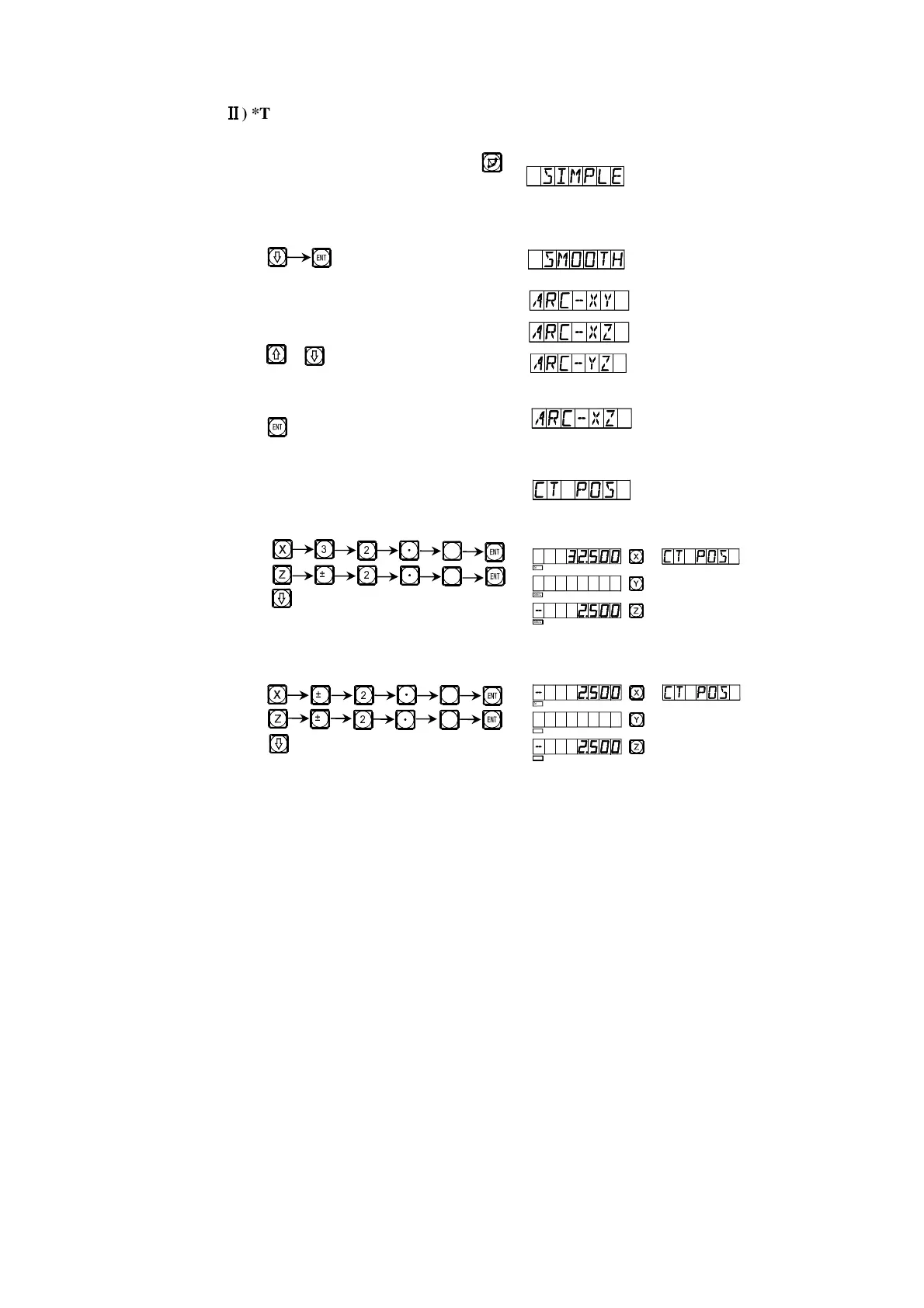
) *Take the processing of the arc shown in the figure in page 24 as an
example again (Example 2)
1) At first, finish tool setting, reset, key ,
and enter ARC function.
2) Select smooth function.
Key
3) Select processing plane
Key or
4) Select Plane XZ.
Key
5) Enter the position of the circle center.
If you use a circular arc milling tool,
finish tool setting as shown in Fig. (a).
Key
Key
If you use a circular arc milling tool,
finish tool setting as shown in Fig. (b)
Key
Key
R
â
5
5
â
ä
è
ä
ä
â
â
5
5
SEL
SEL
SEL
SEL
SEL
SEL


 To Next Page