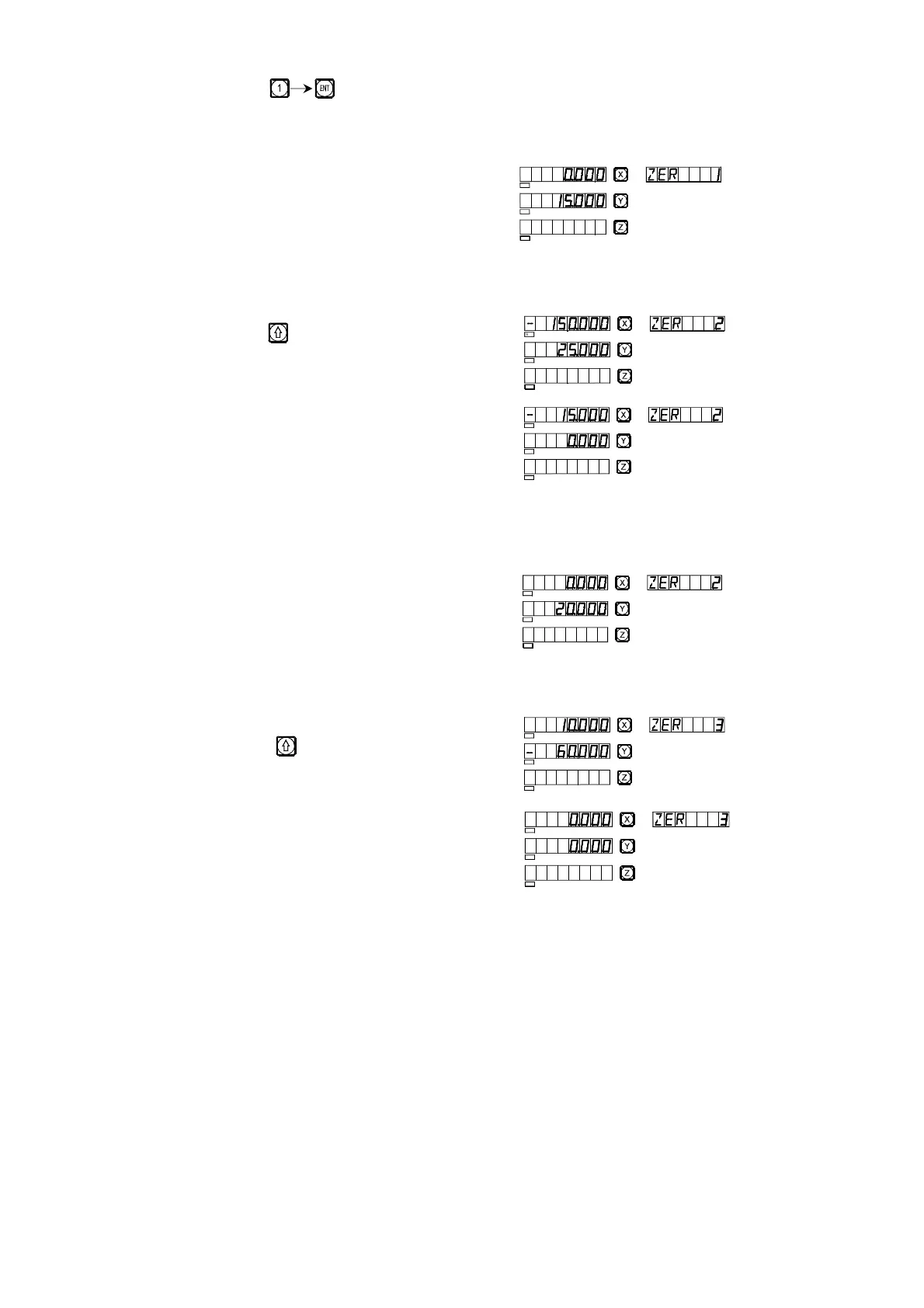
2) Enter the number.
Key
3) Move the machine tool to Point A.
X axis display 0,
Y axis display 15.
4) Process Hole A.
5) Enter the display mode of the second UCS.
Key
6) Move the working of the machine tool
to Point B
X axis display -15,
Y axis display 0.
7) Process Hole B
8) Move the machine tool to Point C.
X axis display 0,
Y axis display 20.
9) Process Hole C
10) Enter the display mode of the third UCS.
Key
11) Move the machine tool to point 3.
X axis display 0,
E
SEL
SEL
SEL
SEL
SEL
SEL
SEL
SEL
SEL
SEL
SEL
SEL
SEL
SEL
SEL
SEL
SEL
SEL



 To Next Page