C
a
b
D
c
d e
B
X
Z/ Z
f
c
d e
c
d e
g
bb
gh
i
l
m
i
n
m
o
h
ph
i
q
m
i
l
m
When using key just key and under the prompt “ZERO No” enter
the number of the desired UCS. For the related operations, the operator may
refer to “4 Absolute/relative/user coordinate display mode” under “
Q
.Usage”
of “A. Basic Function”.
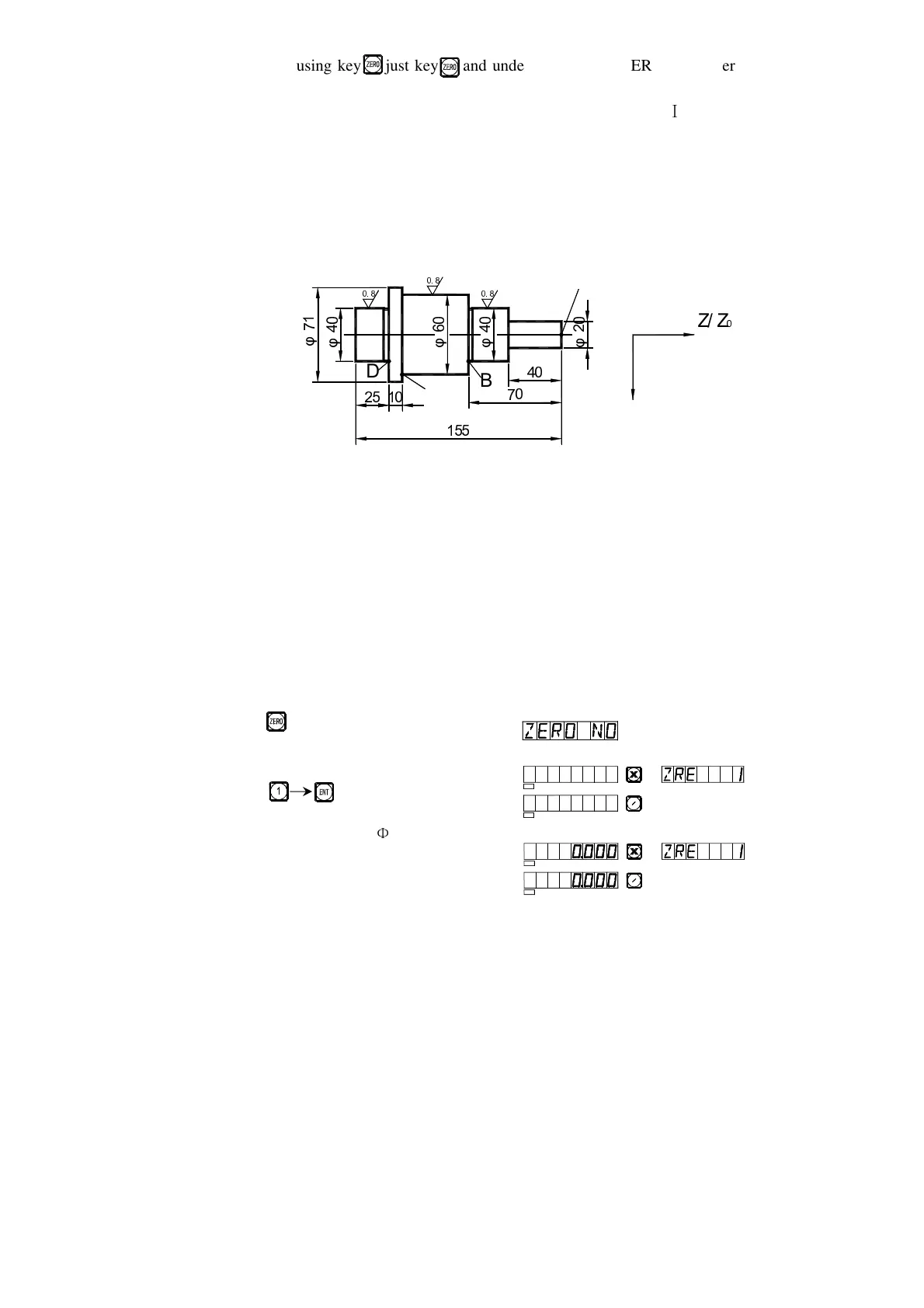
Take the spare part shown in Processing Fig. (2) as an example, operator
can use the 200 point auxiliary zero-point function in grinding and turning.
Fig.(2)
The work piece has been roughly turned, and has to be semi subtly
turned.
The unilateral allowance through rough turning is 0.05, the subtle turning
will the surface of the work piece to meet the roughness requirements.
First set the absolute coordinate origin at Point A, then directly the
position of the auxiliary zero point according to the setting method I for
auxiliary zero point to set up the user coordinate system. We have set the first
auxiliary zero point at the point (10, -40), the second at the point (20.05, -70)
and the point (30.05, -120).
1) After checking the cutting tool, enter the first user coordinate system.
Key
2) Enter the code
Key
3) Process the encircle
r
20
_
SEL
SEL
Z
Z0
SEL
SEL
Z
Z0


 To Next Page
 Loading...