© Mar 2021 6-4 GTJZ0608E&0808E Operation Manual
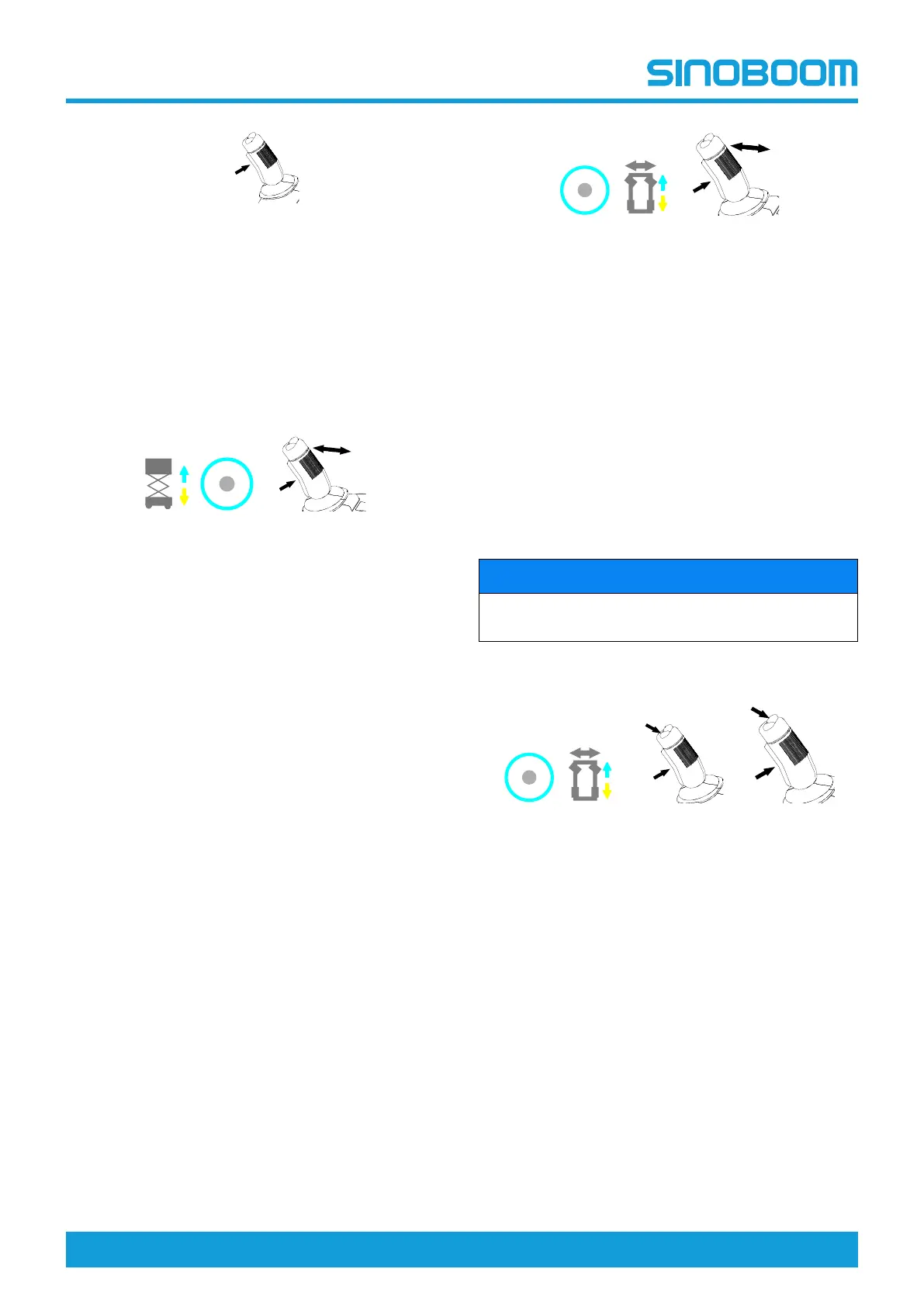
PRE-OPERATION FUNCTION TEST
1. Push any function button.
2. With the enable button on the joystick not
pressed, directly deflect forward/backward the
joystick. The lift/lower function should not operate.
3. Hold the enable button on the joystick and deflect
forward/backward the joystick. The lift/lower func-
tion should operate.
Lift/lowering function
1. Press the lifting/lowering button. The button
should illuminate.
2. Hold the enabling key on the control handle and
push the control handle forward to activate the lift-
ing function. The platform should rise and the pot-
hole guard device should extend.
3. Release the control handle. Ensure the platform
stops lifting.
4. Hold the enabling key of the control handle and
push the control handle back to activate the low-
ering function. Ensure the platform lowers while
the lowering alarm sounds.
Note: The lift/lower speed vary with the joystick deflec-
tion, the less the joystick is deflected, the slower the
speed.
Drive and brake functions
1. Press the drive/steer function button. The button
should illuminate.
2. Hold the enable button of the control joystick and
slowly deflect the joystick forward until the ma-
chine begins to move, then return the joystick to
the center position. The machine should move for-
ward and then stop.
3. Hold the enable button of the control joystick and
slowly deflect it backward until the machine be-
gins to move, then return the joystick to the center
position. The machine should move backward
and then stop.
Note: The lift/lower speed vary with the joystick deflec-
tion, the less the joystick is deflected, the slower the
speed.
NOTICE
The brake must be able to hold the machine at any
slope the machine is able to climb.
Steer function
1. Press the drive/steer function button. The button
should illuminate.
2. Hold the enable button on the joystick, and press
on the left side of the thumb rocker switch for
steer function and slowly deflect forward the con-
trol joystick, the machine should steer left.
3. Hold the enable button on the joystick, and press
on the right side of the thumb rocker switch for
steer function and slowly deflect forward the con-
trol joystick, the machine should steer right.
Note: The drive/steer speed vary with the joystick de-
flection, the less the joystick is deflected, the slower the
speed.
Drive high/low speed select button
EMERGENCY
S
T
O
P
4
5
6
7
1
2
3
8
EMERGENCY
S
T
O
P
10
11
12
13
9
EMERGENCY
S
T
O
P
4
5
6
7
1
2
3
8
EMERGENCY
S
T
O
P
10
11
12
13
9
EMERGENCY
S
T
O
P
4
5
6
7
1
2
3
8
EMERGENCY
S
T
O
P
10
11
12
13
9









 To Next Page