© Mar 2021 6-6 GTJZ0608E&0808E Operation Manual
PRE-OPERATION FUNCTION TEST
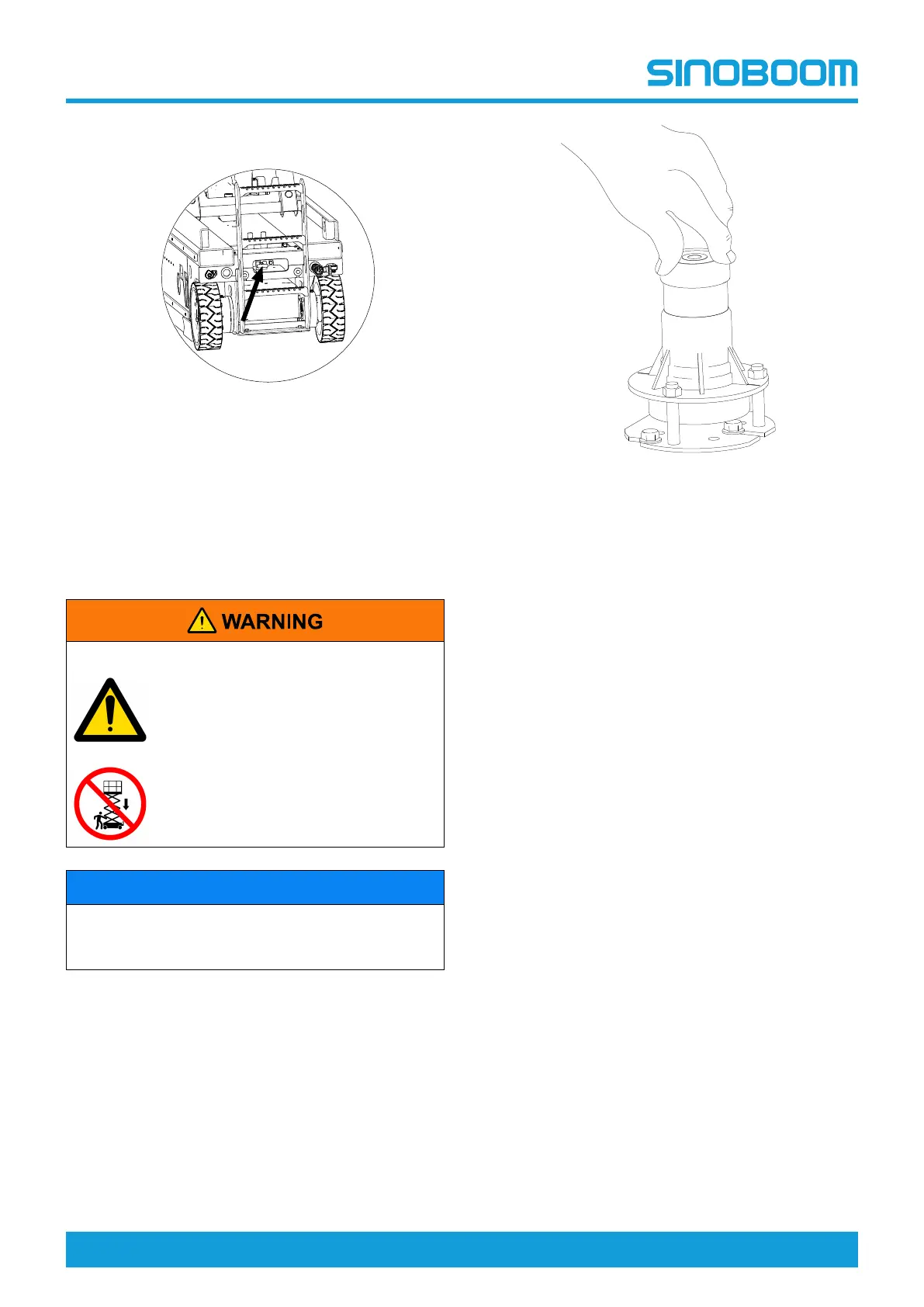
4. Pull out the emergency lowering handle located at
the rear of the chassis.
Figure 6-3
5. The platform should be down in place.
TESTING THE TILT
PROTECTION FUNCTION
UNSAFE OPERATION HAZARDS
• Do not place your hands and arms
where they may become crushed
or trapped.
• Do not work in or under the
platform or near the scissor arms
when the safety lever is not in
place.
NOTICE
Perform this step while you are standing on the
ground using the platform controller. Do not stand on
the platform while testing this function.
Figure 6-4
1. Raise the platform to a certain height to ensure the
safety arm can fully engage.
2. Set up the safety arm and properly lower the
platform to ensure the safety arm supports
effectively.
3. Flip the level switch to tilt the machine by 1.5
degrees in the X(left-to-right) direction. The alarm
should sound.
4. Flip the level switch to tilt the machine by 3 degrees
in the Y(front-to-back) direction. The alarm should
sound.
5. Disengage the safety arm and fully Lower the
platform.
6. Place two wooden blocks under the two wheels on
the left or right side of the machine, and then drive
the machine onto the blocks. The wooden block
should measure(L × W × H): 50 mm×100 mm×21
mm (2 in.×4 in.×0.83 in.).
7. Switch the machine from drive function to lift
function, and raise the platform about 2 m (6.6 ft),
the tilt alarm should sound and the display indicates
“LL”, the lift up and drive functions restricted, but the
lowering function allowed.
8. Fully lower the platform. Switch the machine from
lift function to drive function. Drive the machine off
and remove the wooden blocks.
9. Place two wooden blocks under the two wheels on
the front or back side of the machine, and then drive
the machine onto the blocks. The wooden block
should measure(L × W × H):50 mm×100 mm×100
mm (2 in.×4 in.×4 in.).
10. Switch the machine from drive function to lift
function, raise the platform about 2 m (6.6 ft), the tilt
alarm should sound and the display indicates “LL”,









 To Next Page