OPERATING THE MACHINE
GTTZ10EJ Operation Manual 7-9 © Mar. 2022
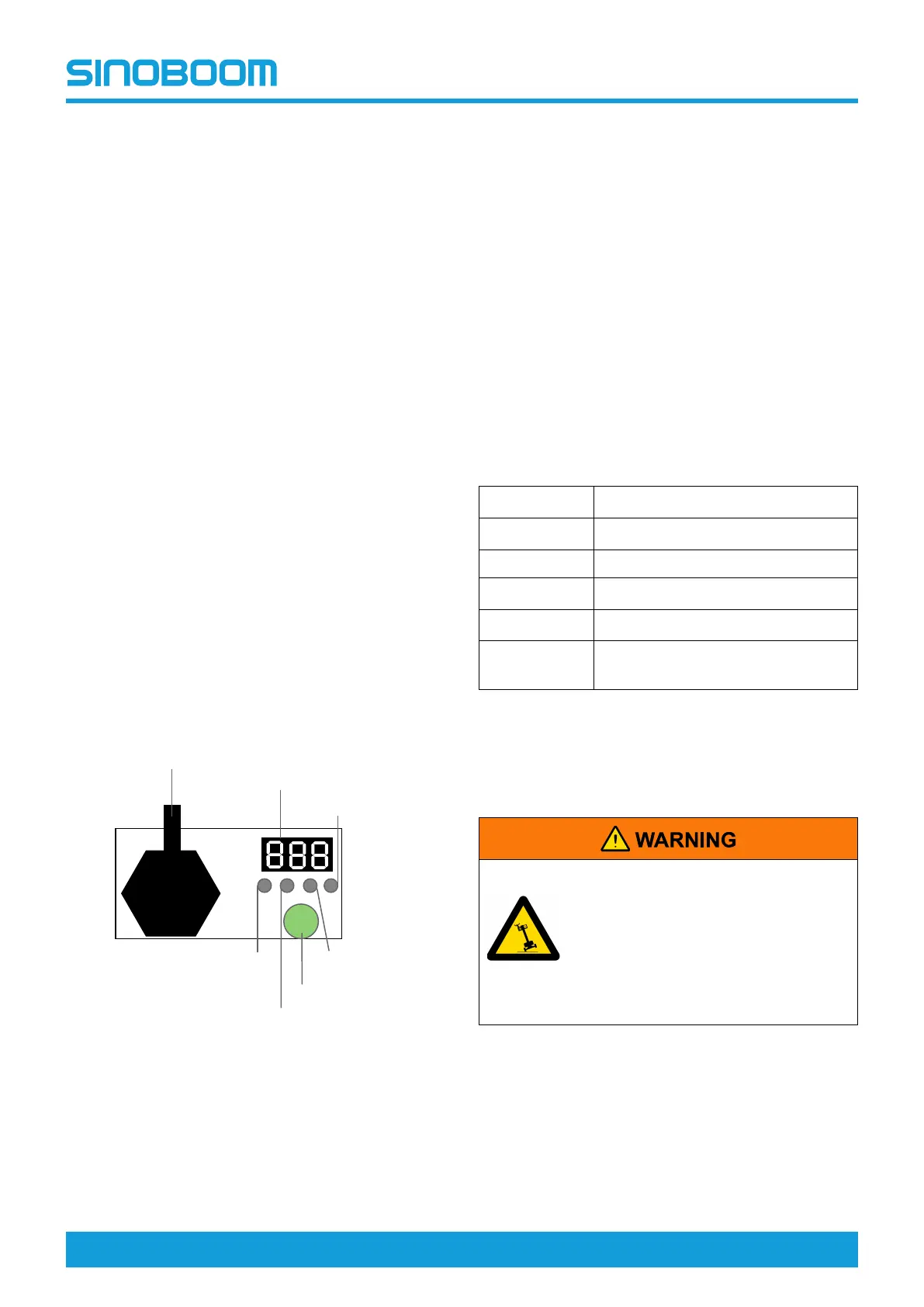
CHARGER LED AND
DIGITAL DISPLAY
LED indicator light and digital display:
Connect the charger to the battery, and plug the
charger to a civil power outlet, the charger will get into
the charging mode. The digital display will show the
following in turn: AC XXX(current AC input voltage),
CPU X.XX(software version of the charger);b**(shows
the current charging curve code)
Charging state indicator lights and digital display:
• % capacity percentage indicator light:digitally
show the current percent,for example:10 20 30…
100 (%).
• V charge voltage indicator light:show the current
charge voltage, digitally show the specific voltage
value, for example:24.0 (V).
• A charge current indicator light:show the current
charge current, digitally show the specific charge
current value, for example:36.0 (A).
CHANGING CHARGER
BATTERY CURVE
Note:The battery curve of the charger for the lithium
battery needs no setting, the following instructions are
only for the lead acid battery charger only.
Figure 7-9
To switch the curve:
1. Press and hold the Select key for 5s and release,
the display will indicate the current curve code.
2. Press gently for 1s and release to switch the
charging curve codes.
3. After selection of charging curve code, press and
hold Select key for 5s, the charging curve code will
flash quickly, release the key, and the battery curve
has been configured.
4. Repeat the steps above if re-change is needed.
To enter EQ mode manually:
1. Press and hold Select key for 10s, when the display
shows EQ in quick flashing, release the key and the
charger has been set in EQ mode.
2. To exit the EQ mode, likewise, press and hold the
Select key for 10s, when the display shows OFF in
quick flashing, release the key and the charger will
exit the EQ mode.
Charger in-built curve codes and respective battery
models
Table 7-2
Curve codes Battery models
B02
Trojan T105
B04 Discover AGM
B05
US Battery Flooded
B07
Trojan T125
B11
Trojan T1275
(two in series and two in tandem)
Note: the default curve code is B04.
DRIVING ON A SLOPE
TIPPING HAZARD
• Do not operate the machine on
the slope exceeding the maximum
slope rating (3°).
• Do not drive the machine on the
slope exceeding the machine
gradeability (14°).
Before driving on a slope:
1. Determine the gradeability of the machine.
%
V
A
B
EQ/
Select
Battery
voltage indicator
Charging
current indicator
Charging capacity
Display
Charging voltage indicator
EQ/Select Button
Battery program
update interface





 To Next Page