Wireless Range Extender (WL-130) Configuration
13
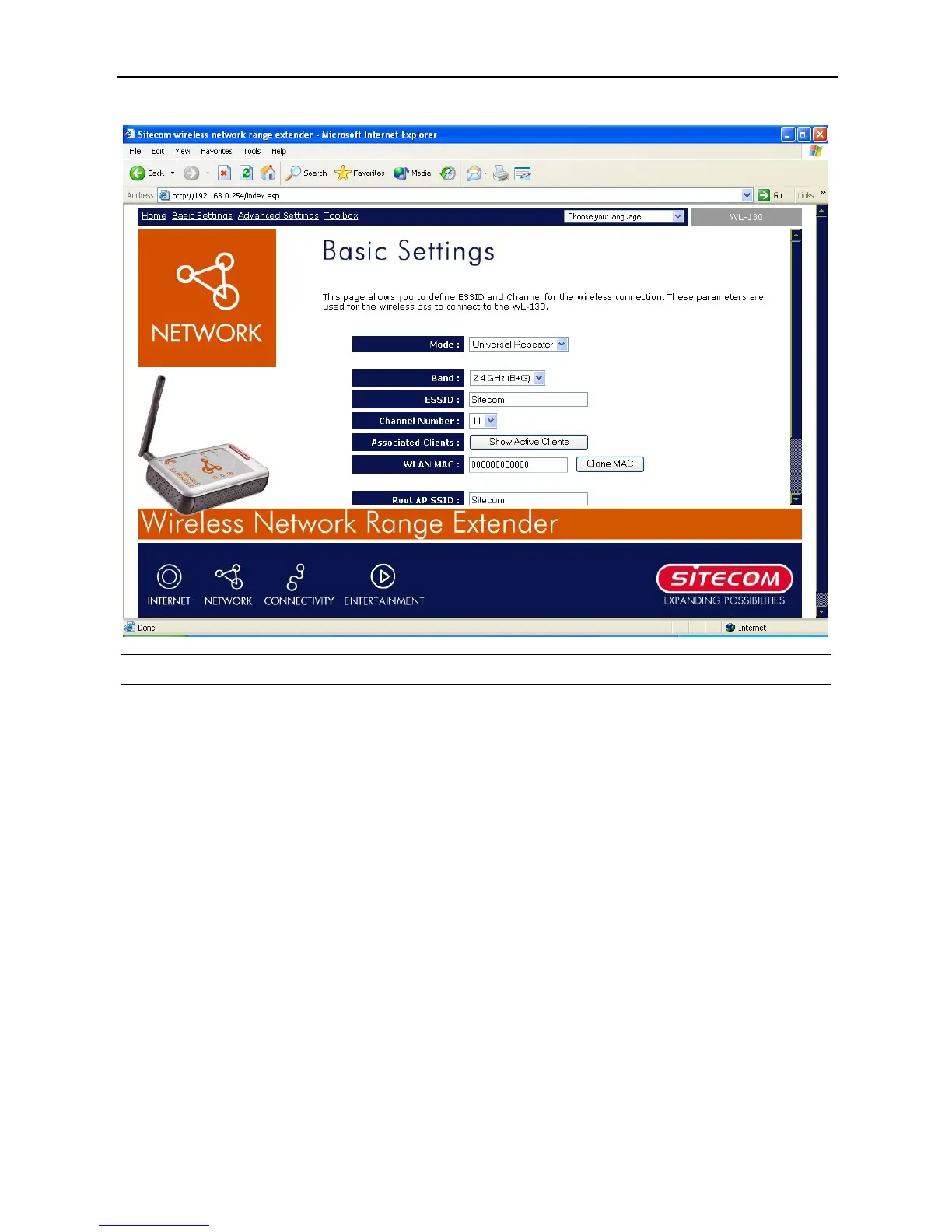
Universal Repeater mode setting page:
Parameter Description
ESSID
The ESSID (up to 31 printable ASCII characters) is the unique
name identified in a WLAN. The ID prevents the unintentional
merging of two co-located WLANs. Please make sure that the
ESSID of all stations in the same WLAN network are the same.
The default ESSID is “Sitecom”. You should assign an ESSID in
“Accesspoint”, “AP Bridge-WDS mode” and “Universal Repeater
mode”.
Band
It allows you to set the AP fixed at 802.11b or 802.11g mode.
You also can select B+G mode to allow the AP to select 802.11b
and 802.11g connection automatically.
Channel Number
Select the appropriate channel from the list to correspond with
your network settings. Channels differ from country to country.
Channel 1-11 (North America)
Channel 1-14 (Japan)
Channel 1-13 (Europe)
There are 14 channels available.
You should assign Channel Number in “Accesspoint”, “AP
Bridge-WDS mode”, and “Universal Repeater mode”.
MAC Address
If you want to bridge wired Ethernet networks together with
wireless LAN, you have to set this access point to “AP Bridge-
WDS mode”. You have to enter the MAC addresses of other
access points that join the bridging work.
WLAN MAC
In “Universal Repeater mode”, this device need a WLAN MAC



 To Next Page