Wireless Range Extender (WL-130) Configuration
15
“A-F”, “a-f” and “0-9” range) to be the WEP Key. For example:
ASCII Characters: guest
Hexadecimal Digits: 12345abcde
WEP Key
This is only used when you select “WEP 64bits” or “WEP
128bits” encryption method. The WEP key is used to encrypt
data transmitted between the bridged access points. Fill the
text box by following the rules below.
64-bit WEP: input 10-digit Hex values (in the “A-F”, “a-f” and
“0-9” range) or 5-digit ASCII character as the encryption keys.
128-bit WEP: input 26-digit Hex values (in the “A-F”, “a-f” and
“0-9” range) or 10-digit ASCII characters as the encryption
keys.
Pre-shared Key Format
You may select to select Passphrase (alphanumeric format) or
Hexadecimal Digits (in the “A-F”, “a-f” and “0-9” range) to be
the Pre-shared Key. For example:
Passphrase: iamguest
Hexadecimal Digits: 12345abcde
Pre-shared Key The Pre-shared key is used to authenticate and encrypt data
transmitted between the bridged access points. Fill the text box
by following the rules below. Hex WEP: input 64-digit Hex
values (in the “A-F”, “a-f” and “0-9” range) or at least 8
character pass phrase as the pre-shared keys.
Click the Apply button at the bottom of the screen to save the above configurations. You can
now configure other advance sections or start using the Access Point.
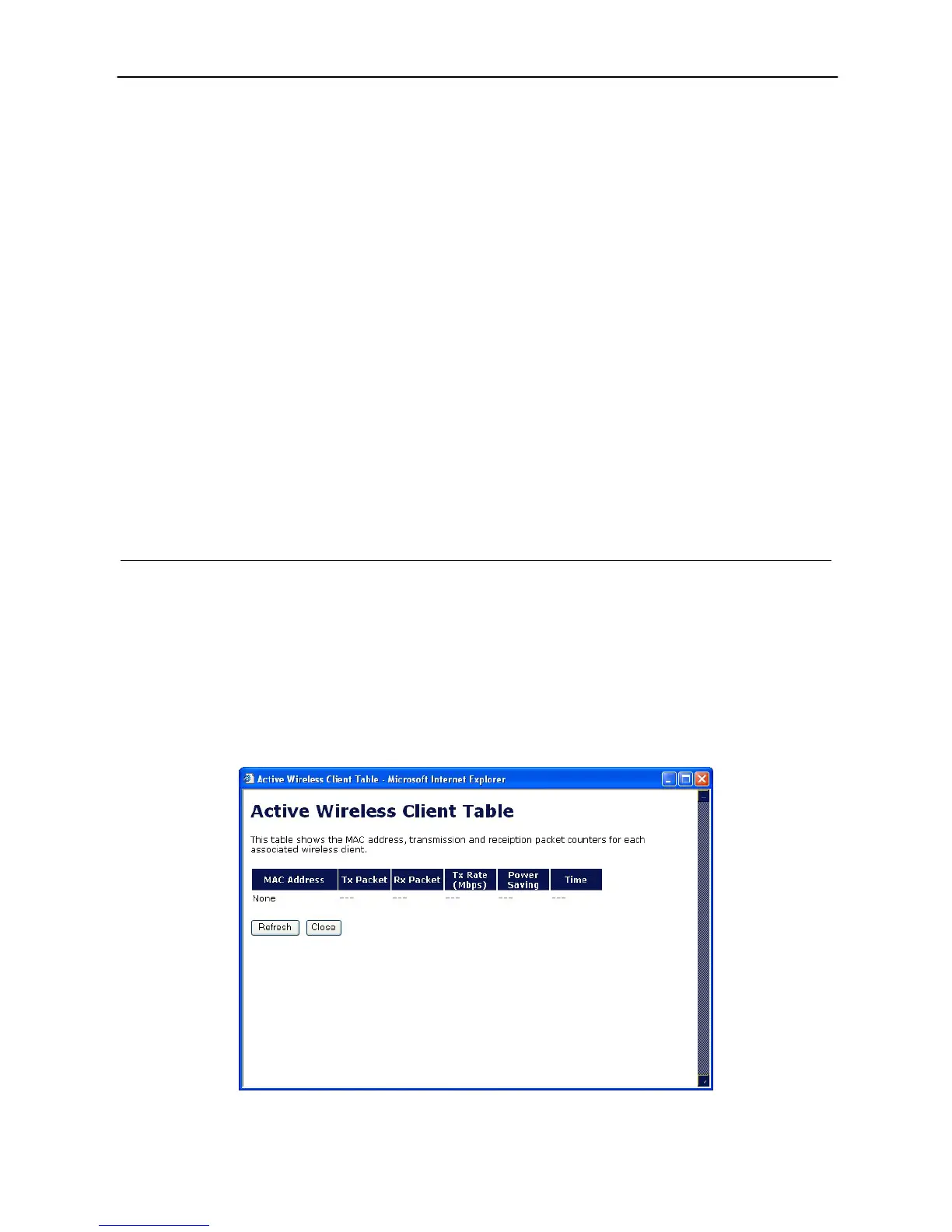
Active Wireless Client Table
“Active Wireless Client Table” records the status of all active wireless stations that are
connecting to the access point. You can lookup the MAC Address, Number of Transmitted
Packets, Number of Received Packets and Encryption Status of each active wireless client in
this table.



 To Next Page