Wireless Range Extender (WL-130) Configuration
20
transmitted in the wireless network. Fill the text box by
following the rules below. Hex: input 64-digit Hex values (in
the “A-F”, “a-f” and “0-9” range) or at least 8 character pass
phrase as the pre-shared keys.
Click the Apply button at the bottom of the screen to save the above configurations. You can
now configure other advance sections or start using the Access Point.
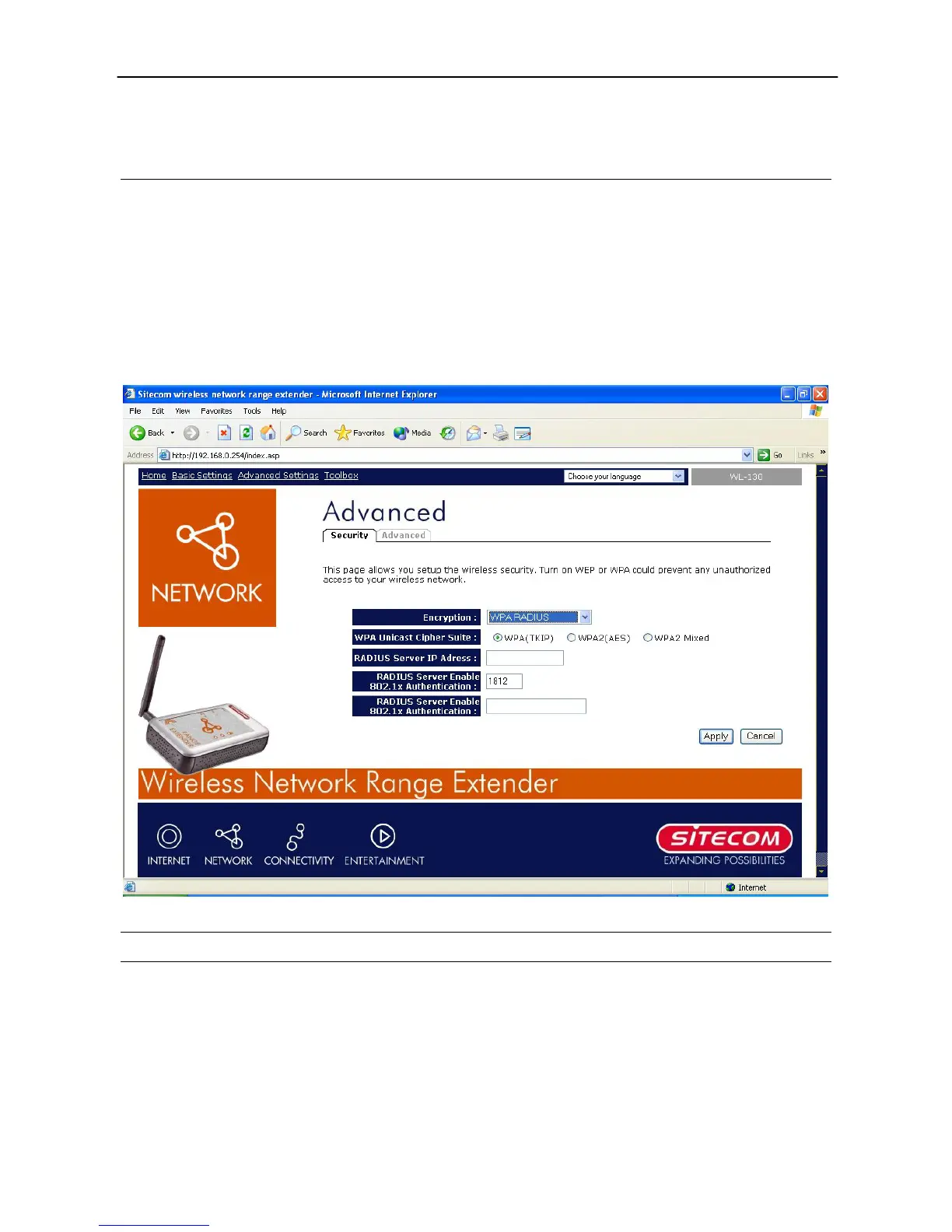
WPA RADIUS
Wi-Fi Protected Access (WPA) is an advanced security standard. You can use an external
RADIUS server to authenticate wireless stations and provide the session key to encrypt data
during communication. It uses TKIP or CCMP(AES) to change the encryption key frequently.
This can improve security very much. You can use WPA RADIUS encryption in “AP mode”, “AP
Bridge-WDS mode” and “Universal Repeater mode”.
Parameter Description
WPA(TKIP) TKIP can change the encryption key frequently to enhance the
wireless LAN security.
WPA2(AES)
This use CCMP protocol to change encryption key frequently.
AES can provide high level encryption to enhance the wireless
LAN security.
WPA2 Mixed This will use TKIP or AES based on the other communication



 To Next Page