Device Installation
5-1
Chapter 5
Device Installation
5.1 Device Connection
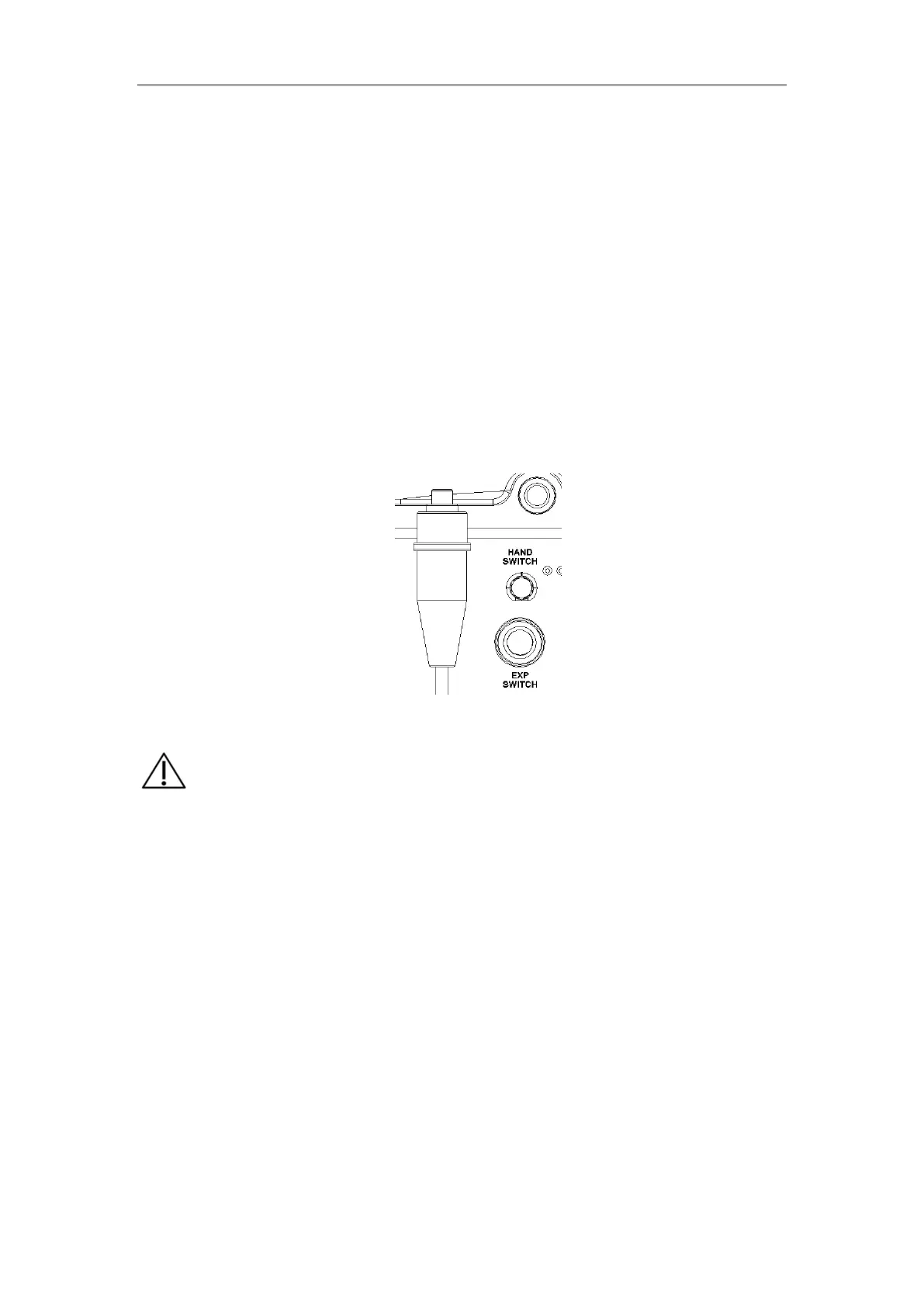
Take the SR-8230S out of the case, and insert the red wire of the exposure hand switch
as indicated in Fig. 5-1 to the “HAND SWITCH” exposure hand switch port on the rear
cover of the portable X-ray machine. The red marks on both ends shall be connected
easily.
Fig. 5-1
a) In device installation and testing, the portable X-ray unit should
be handled with care to avoid fall and device damage. The
device should be placed back in the case after use.
b) In the field installation and use, the portable X-ray machine can
be in the patient environment.
c)
During the installation, parts not for this device should not be
connected to the device.
d) The installation shall be performed in a way that allows the user
to obtain the best use results.
e) When installed for use outdoors, make sure that the device will
not be affected by rain or water immersion.


 To Next Page