Use and Operation
6-13
6.4 How to Use Collimator
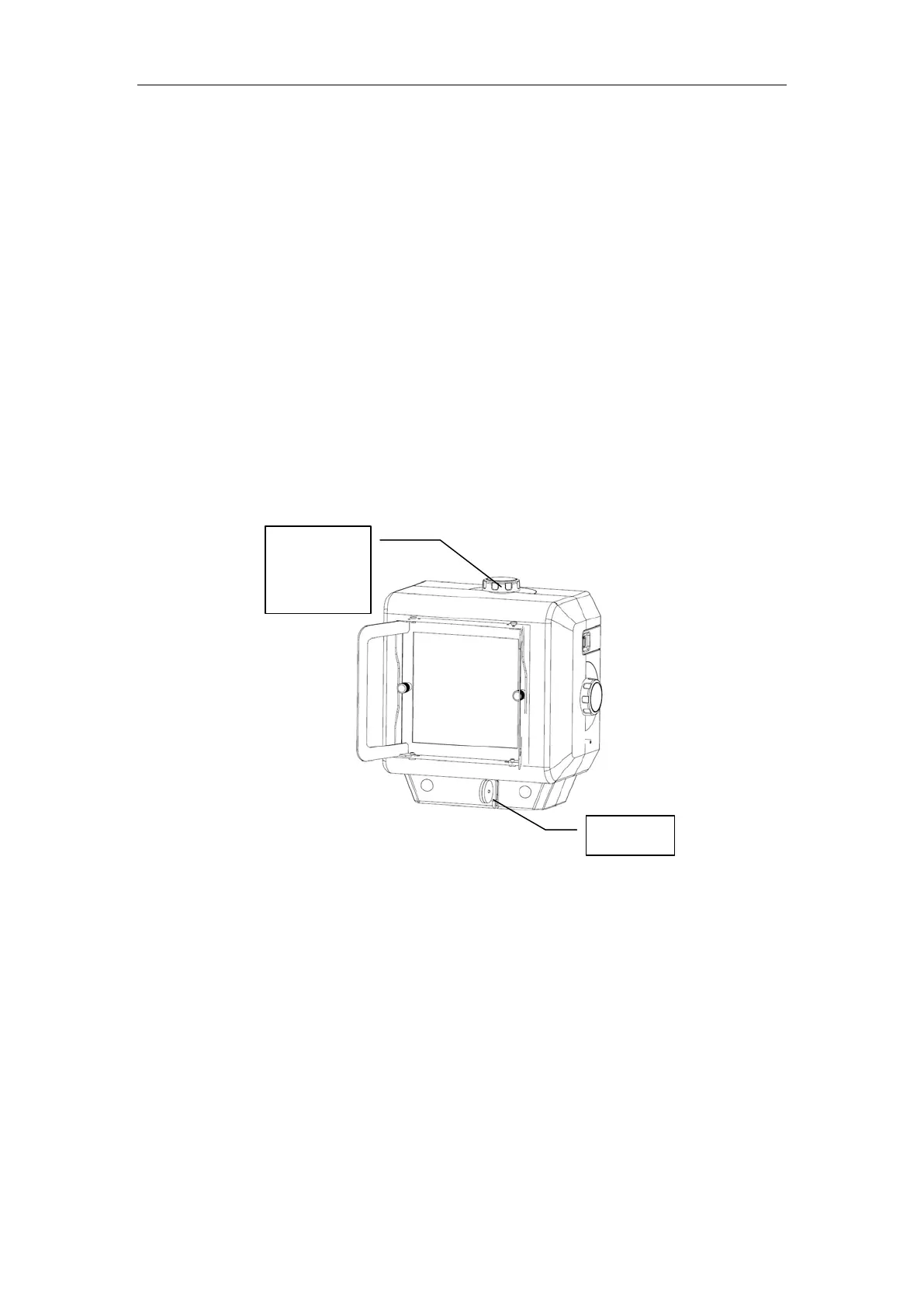
Fig. 6-6 Collimator
As shown in Fig. 6-6, the collimator is for deciding and limiting the range of ray radiation.
a) Press the console collimator button or press hand switch Level 1 to turn on the
collimator radiation field indicator. Turn the knob for window adjustment on the
collimator to enable the light field slightly bigger than the portion to be imaged.
If the current exposure is completed normally, the collimator radiation field
indicator is turned off automatically.
b) The ruler at the bottom of the collimator is for measuring and deciding SID
distance, and for measuring thickness of the measured portion.
c) Here is the light field inspection of the collimator: keep the portable X-ray
Set up “Timing of Screen Blank” in Engineering Mode of 6.1.3
Engineering Mode Function and Operation.
c) There is an icon in the upper right of the portable X-ray machine
for power display. When the power is low, the device shall be
recharged in time. Make sure that the power switch on the back
of the portable X-ray machine is OFF.
d) To protect the X-ray mach
ine, the intelligent temperature control
system will have certain control during exposure. If the remaining
battery power display is Orange, the usable range of mAs will be
decreased.
Knob for
window
adjustment
Ruler


 To Next Page