Use and Operation
6-1
Chapter 6
Use and Operation
6.1 Operation
6.1.1 Operation Buttons and Functions
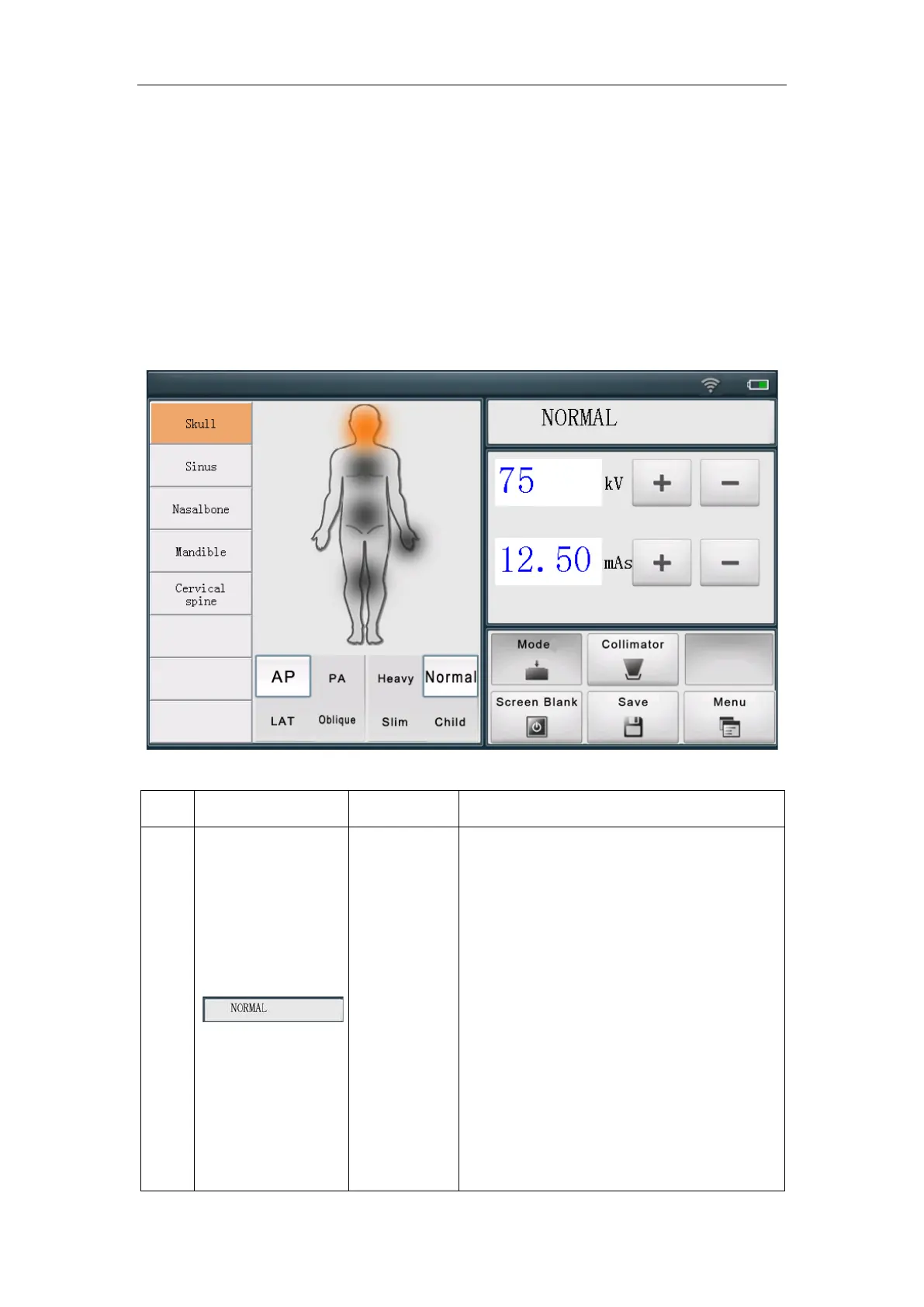
Fig. 6-1 Control Panel
1
Status
indication
To display information such as exposure
status and device status.
NORMAL means the device is in standby
state and there is no abnormality. This
indication will disappear after a short
period of time. When there are no other
status changes or abnormalities, nothing
is displayed in the indication area.
When the exposure is over, NORMAL is
displayed.


 To Next Page