Use and Operation
6-15
【
】
If the display on the control panel is in disorder, the display
parameters go beyond normal range, or any other unpredictable
abnormal situation occurs, DO NOT perform any operation. Cut off
the power supply of the main unit immediately. Restart the device
after 1 minute, and the device may return to normal usually. If the
display disorder still exists, contact the factory for service.
6.6 Li-ion Battery
6.6.1 Removal and Installation of Li-ion Battery
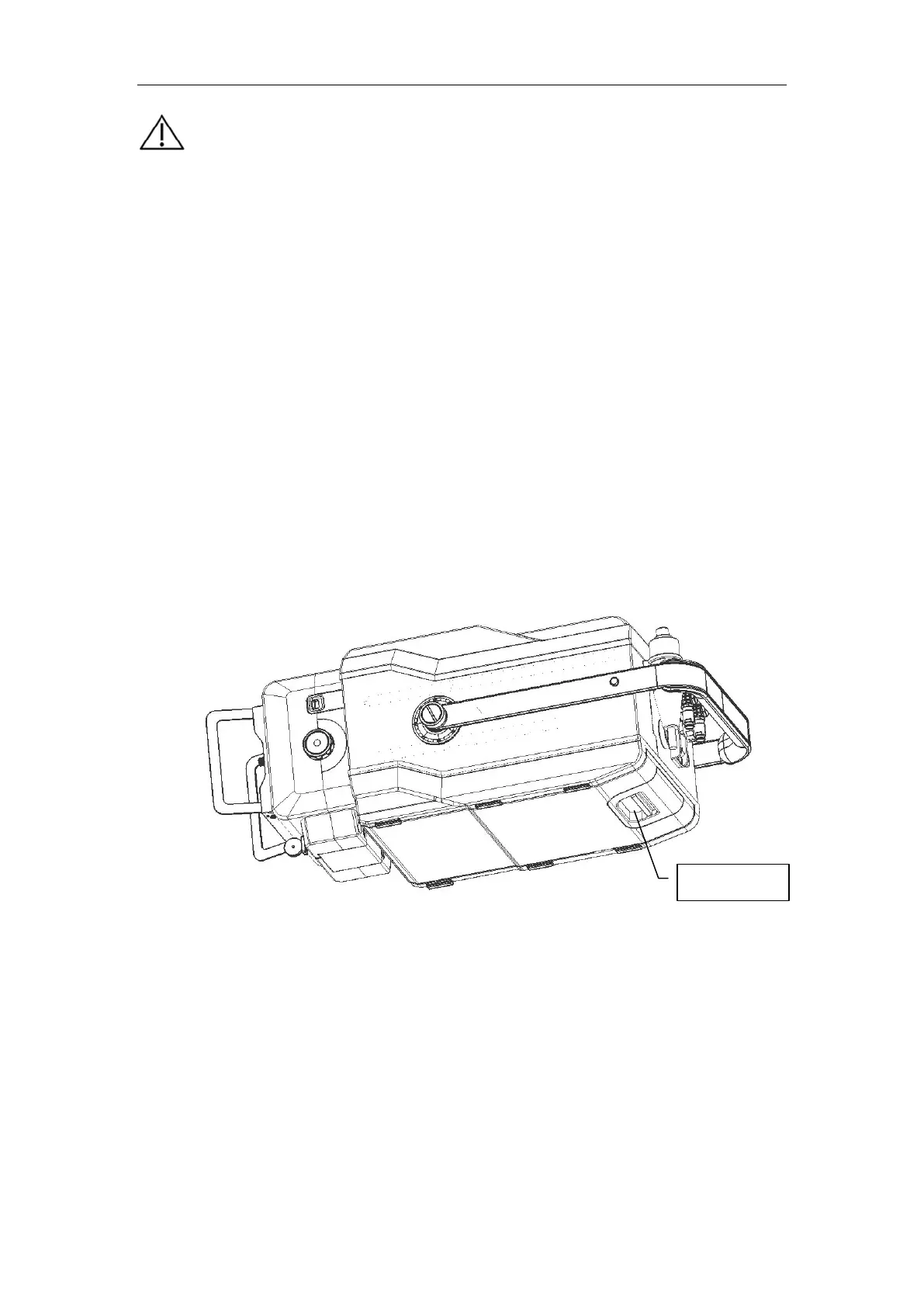
Place the portable X-ray machine upside down. The lithium-ion battery is as shown in Fig.
6-8. Pull out the pick piece below the device and pull it out in the arrow direction, and the
battery can be removed as indicated in Fig. 6-9. The battery can be charged separately or
be charged on the portable X-ray machine. To install the battery back into the device,
simply snap the battery back till being locked by the pick piece.
Fig. 6-8
Pick piece


 To Next Page