Use and Operation
6-18
6.7 Use of exposure remote control
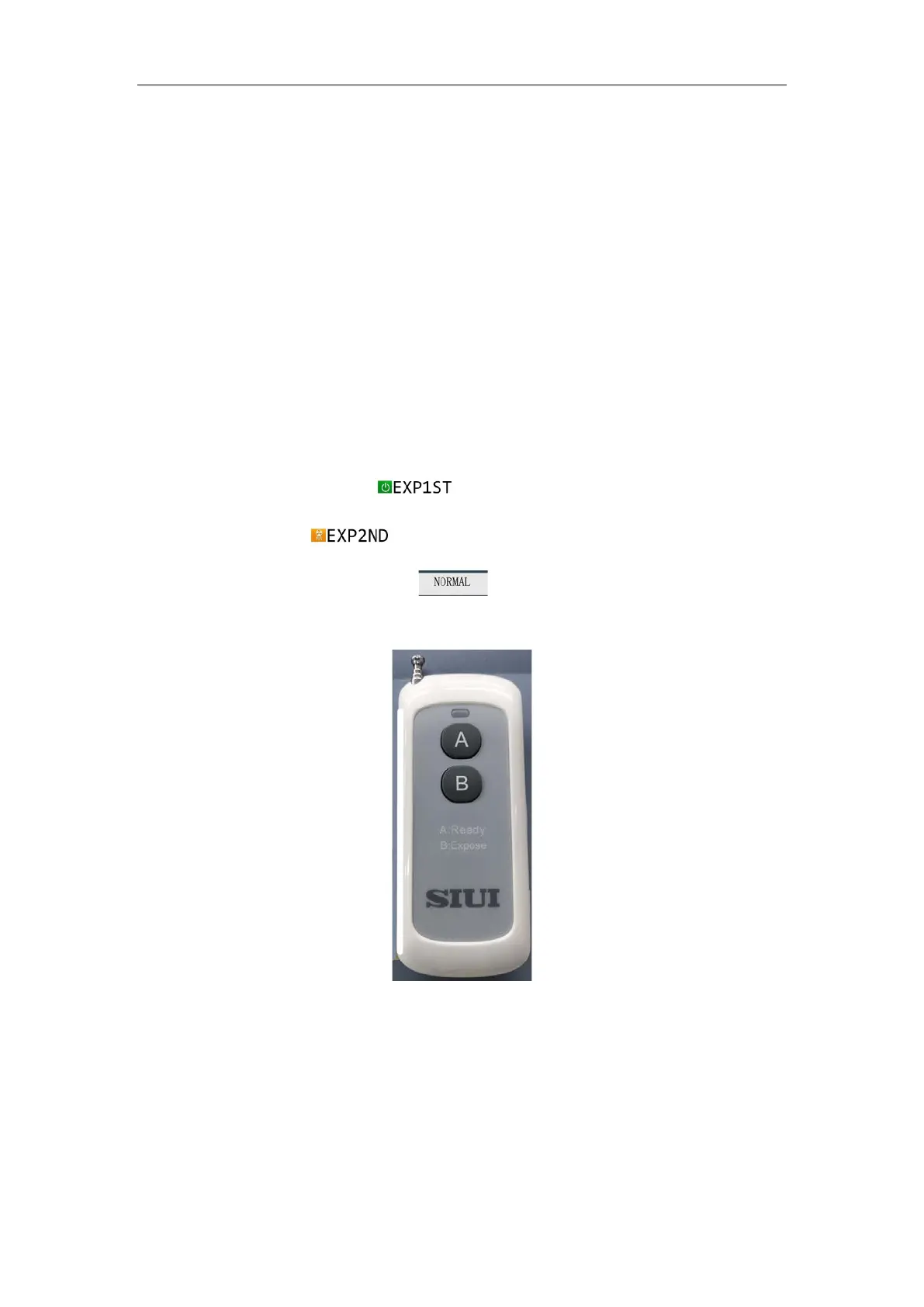
The exposure remote control is used by the operator to achieve remote exposure control
of the device. The default exposure mode is the two steps exposure.
The exposure remote control has 2 keys. See Fig. 6-11. Press the "
A" key, the remote
control indicator turns on and the X-ray machine makes a "Di" sound. Press the "
B" key
within 3 seconds, the remote control indicator turns on and the X-ray machine makes a
"Di" sound. See Fig. 6-12. Now
is displayed on the panel. When the device
starts to emit X-rays,
is displayed on the panel. Until the exposure is
finished, the control panel displays
. Release the exposure remote control
button at any current step to end the current operation.
Fig. 6-11
(or in a car heated by sunlight)
; do not immerse the battery in
water or make it wet, otherwise it may cause the battery to heat
up, malfunction, fire or explode.


 To Next Page