MK15E User Manual V1.1
60
2022 SIYI Technology, All Rights Reserved
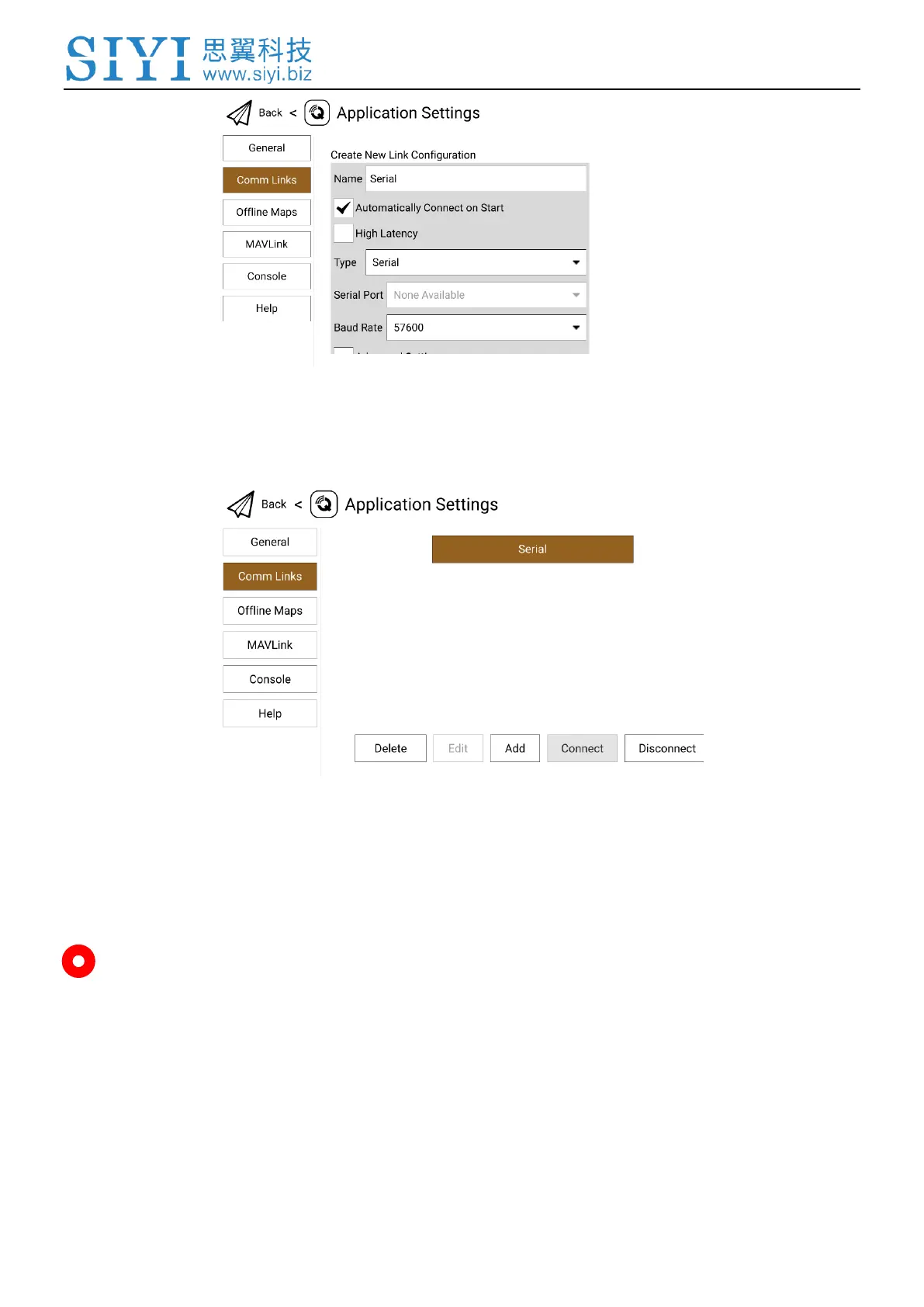
4. Name the connection as “Serial”, set the type as “Serial” and the baud rate as
“57600”, then touch “OK” to return to the Comm Links page.
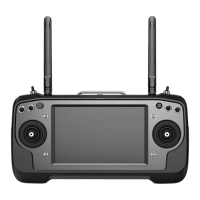
5. Touch the configured “Serial” connection and touch “Connect”, USB COM (Serial)
connection is finished.
Mark
MK15E supports different baud rates. This guide uses common baud rate “57600” for your
reference.


 To Next Page