MK15E User Manual V1.1
62
2022 SIYI Technology, All Rights Reserved
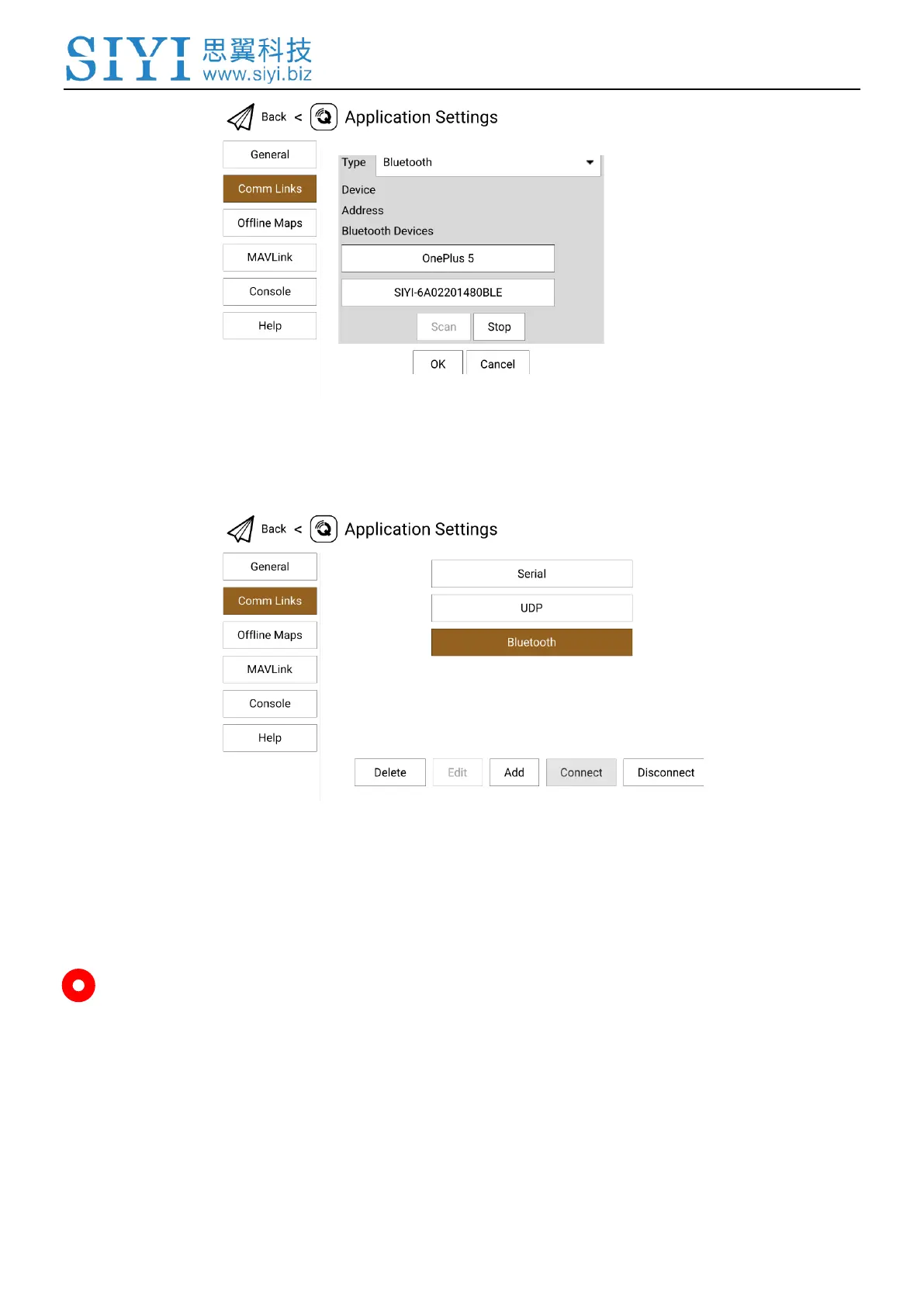
5. Touch the Bluetooth device of which the name is starting with “SIYI-XXXXXXX”,
then touch “OK” to go back to the Comm Links page.
6. Touch the configured “Bluetooth” connection and touch “Connect”, Bluetooth
connection is finished.
Mark
Step 1 and 2 have been finished before delivery.


 To Next Page